

.CANVAS 파일 확장자
Obsidian Canvas
| 개발사 | Obsidian |
| 인기도 |
4.4 | 5 표 |
CANVAS 파일이란 무엇인가요?
CANVAS 파일은 메모 작성 및 지식 관리 애플리케이션인 Obsidian에서 만든 시각적 작업 공간입니다. 일반 텍스트 JSON Canvas 형식으로 사용자의 캔버스 레이아웃과 구조를 저장하며, 여기에는 콘텐츠 블록(“카드”라고 함)의 위치와 연결 관계가 포함됩니다. CANVAS 파일에는 메모나 미디어 파일의 콘텐츠가 직접 저장되지 않습니다. 대신 사용자의 Obsidian “볼트”(폴더)에 있는 파일(예: .MD 메모 파일)의 위치를 참조합니다.
추가 정보
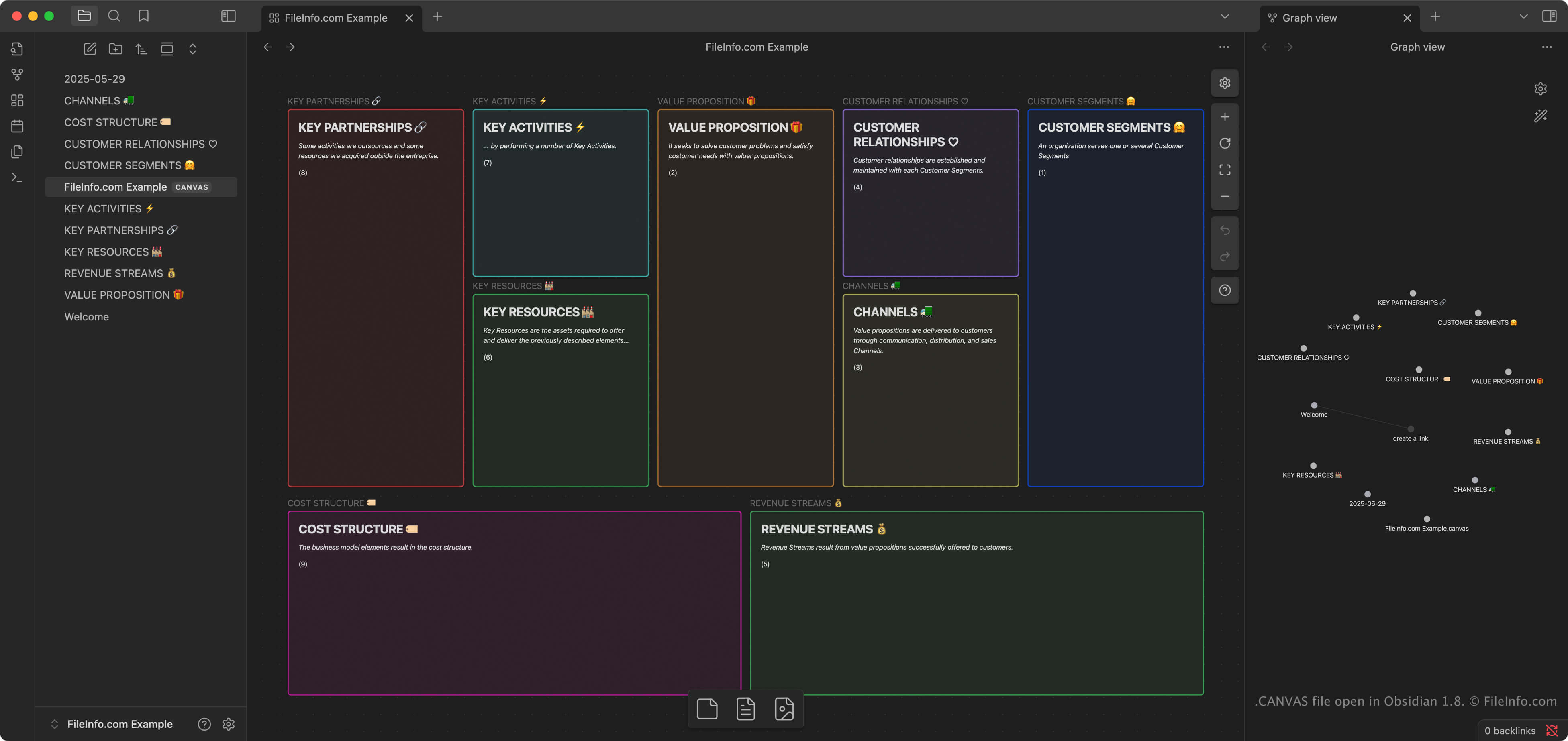
Canvas는 사용자가 메모, 이미지, 링크 및 기타 콘텐츠를 2차원 공간에서 구성하고 연결할 수 있도록 해 주는 Obsidian의 기능입니다. 연구자, 작가, 학생처럼 복잡하거나 서로 연결된 정보를 정리하는 사용자는 아이디어를 시각적으로 브레인스토밍하고, 계획하거나, 탐색하기 위해 Canvas를 자주 사용합니다.
사용자가 Obsidian에서 “새 캔버스 만들기” 기능을 선택하면 앱이 사용자의 볼트에 CANVAS 파일을 자동으로 만듭니다. 볼트는 사용자의 메모, 캘린더 및 가져온 미디어 파일을 저장하는 폴더입니다. Obsidian은 Windows, macOS, Linux, iOS 및 Android에서 사용할 수 있으며, Obsidian의 동기화 서비스나 일반적인 파일 동기화 도구를 사용해 CANVAS 파일을 여러 플랫폼에서 동기화할 수 있습니다.
참고: JSON Canvas 형식은 로컬에 저장되고 오프라인에서 액세스할 수 있도록 설계된 개방형 형식으로, 사용자가 자신의 정보를 완전히 제어할 수 있게 해 줍니다. 이 형식은 Obsidian에서 시각적 작업 공간 정보를 저장하는 기본 형식이지만, Kinopio, Flowchart Fun, hi-canvas 및 OrgPad와 같은 다른 프로그램에서도 가져오고 내보낼 수 있습니다.
CANVAS 파일을 여는 방법
Obsidian으로 CANVAS 파일을 열 수 있습니다. 앱을 열면 볼트에 포함된 CANVAS 파일이 자동으로 열립니다. Flowchart Fun, Kinopio, hi-canvas 및 OrgPad를 비롯한 여러 다른 프로그램에서도 CANVAS 파일을 가져올 수 있습니다.
CANVAS 파일은 일반 텍스트 JSON 형식으로 저장되므로 Microsoft Notepad(Windows) 또는 Apple TextEdit(macOS)와 같은 텍스트 편집기로 열고 편집할 수 있습니다. 텍스트 편집기가 파일을 인식하고 열 수 있도록 .canvas 파일 확장자를 .txt로 변경해야 할 수도 있습니다.
CANVAS 파일을 변환하는 방법
Obsidian은 CANVAS 파일을 .PDF 형식으로 변환할 수 있습니다. 캔버스를 PDF 형식으로 변환하려면 를 선택합니다.