

.CANVAS Přípona souboru
Obsidian Canvas
| Vývojář | Obsidian |
| Popularita |
4,4 | 5 hlasů |
Co je soubor CANVAS?
Soubor CANVAS je vizuální pracovní prostor vytvořený aplikací Obsidian pro psaní poznámek a správu znalostí. Ukládá rozvržení a strukturu uživatelova plátna včetně umístění bloků obsahu (nazývaných „karty“) a jejich propojení v prostém textovém formátu JSON Canvas. Soubory CANVAS přímo neukládají obsah poznámek ani soubory médií; místo toho odkazují na umístění souborů (např. .MD souborů s poznámkami) v uživatelově „trezoru“ Obsidianu (složce).
Další informace
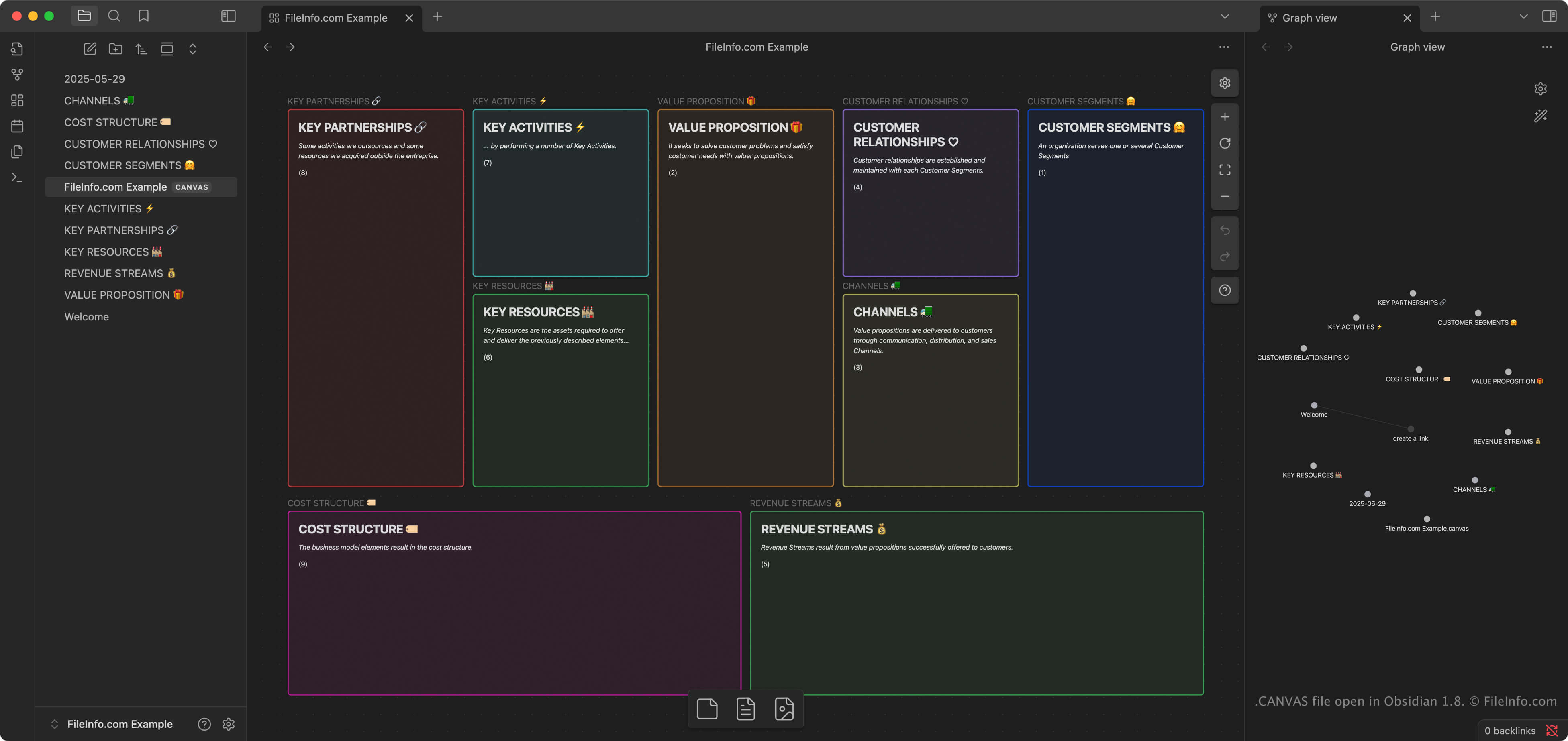
Canvas je funkce v aplikaci Obsidian, která uživatelům umožňuje uspořádat a propojit poznámky, obrázky, odkazy a další obsah v dvourozměrném prostoru. Uživatelé, kteří organizují složité nebo vzájemně propojené informace, například výzkumníci, spisovatelé a studenti, často Canvas používají k vizuálnímu brainstormingu, plánování nebo zkoumání nápadů.
Když uživatelé v aplikaci Obsidian vyberou funkci „Create new canvas“, aplikace automaticky vytvoří soubor CANVAS v uživatelově trezoru, což je složka, ve které jsou uloženy uživatelovy poznámky, kalendáře a importované soubory médií. Obsidian je k dispozici pro Windows, macOS, Linux, iOS a Android a soubory CANVAS lze synchronizovat mezi platformami pomocí synchronizační služby Obsidianu nebo standardních nástrojů pro synchronizaci souborů.
POZNÁMKA: Formát JSON Canvas je otevřený formát navržený k místnímu uložení a offline přístupu, aby měli uživatelé nad svými informacemi plnou kontrolu. Je nativním formátem pro ukládání informací o vizuálním pracovním prostoru v aplikaci Obsidian, ale jiné programy, například Kinopio, Flowchart Fun, hi-canvas a OrgPad, jej mohou importovat a exportovat.
Jak otevřít soubor CANVAS
Soubory CANVAS můžete otevřít v aplikaci Obsidian; aplikace při otevření automaticky otevře soubory CANVAS zahrnuté ve vašem trezoru. Soubory CANVAS mohou importovat také některé další programy, například Flowchart Fun, Kinopio, hi-canvas a OrgPad.
Protože se soubory CANVAS ukládají v prostém textovém formátu JSON, můžete je otevřít a upravovat v textovém editoru, například v aplikaci Microsoft Notepad (Windows) nebo Apple TextEdit (macOS). Aby textový editor soubor rozpoznal a otevřel, možná budete muset změnit příponu .canvas na .txt.
Jak převést soubor CANVAS
Obsidian dokáže převést soubory CANVAS do formátu .PDF. Chcete-li plátno převést do formátu PDF, vyberte .