

.CANVAS Dateiendung
Obsidian-Canvas
| Entwickler | Obsidian |
| Beliebtheit |
4,4 | 5 Stimmen |
Was ist eine CANVAS-Datei?
Eine CANVAS-Datei ist ein visueller Arbeitsbereich, der von Obsidian, einer Anwendung zum Erstellen von Notizen und zur Wissensverwaltung, erstellt wird. Sie speichert das Layout und die Struktur des Canvas eines Benutzers, einschließlich der Position von Inhaltsblöcken (genannt „Karten“) und ihrer Verbindungen, im Klartextformat JSON Canvas. CANVAS-Dateien speichern den Inhalt von Notizen oder Mediendateien nicht direkt. Stattdessen verweisen sie auf den Speicherort der Dateien (z. B. .MD-Notizdateien) im „Tresor“ (einem Ordner) des Benutzers.
Weitere Informationen
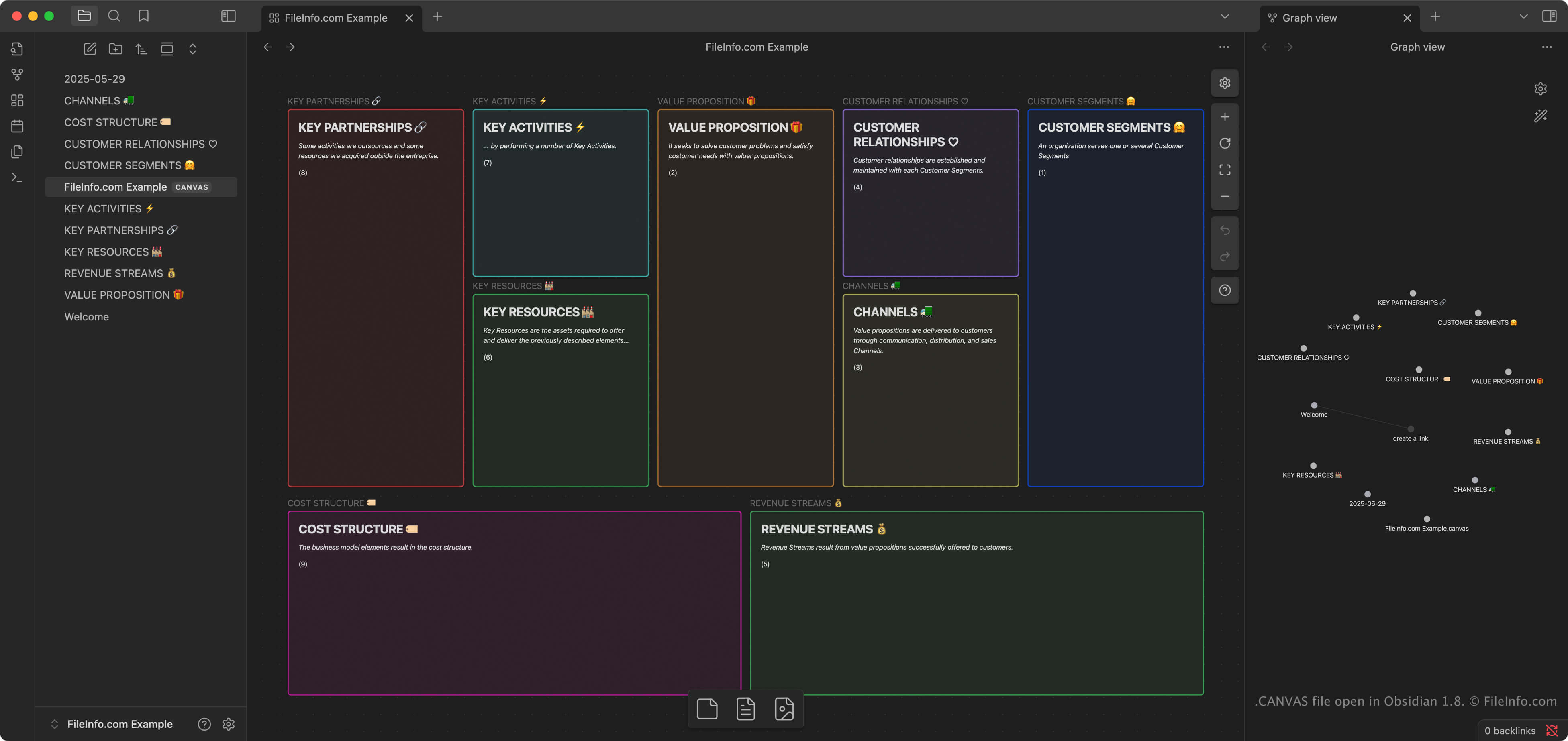
Canvas ist eine Funktion in Obsidian, mit der Benutzer Notizen, Bilder, Links und andere Inhalte in einem zweidimensionalen Raum organisieren und miteinander verbinden können. Benutzer, die komplexe oder miteinander verbundene Informationen organisieren, beispielsweise Forscher, Autoren und Studierende, verwenden Canvas häufig, um Ideen visuell zu sammeln, zu planen oder zu erkunden.
Wenn Benutzer in Obsidian die Funktion „Create new canvas“ auswählen, erstellt die Anwendung automatisch eine CANVAS-Datei im Tresor des Benutzers. Dabei handelt es sich um einen Ordner, in dem die Notizen, Kalender und importierten Mediendateien eines Benutzers gespeichert werden. Obsidian ist für Windows, macOS, Linux, iOS und Android verfügbar. CANVAS-Dateien können mithilfe des Synchronisierungsdienstes von Obsidian oder herkömmlicher Dateisynchronisierungstools plattformübergreifend synchronisiert werden.
HINWEIS: Das JSON-Canvas-Format ist ein offenes Format, das dafür entwickelt wurde, lokal gespeichert und offline zugänglich zu sein, damit Benutzer die vollständige Kontrolle über ihre Informationen behalten. Es ist das native Format zum Speichern visueller Arbeitsbereichsinformationen in Obsidian. Andere Programme können das Format jedoch importieren und exportieren, darunter Kinopio, Flowchart Fun, hi-canvas und OrgPad.
So öffnen Sie eine CANVAS-Datei
Sie können CANVAS-Dateien mit Obsidian öffnen. Die Anwendung öffnet CANVAS-Dateien, die in Ihrem Tresor enthalten sind, automatisch, wenn Sie den Tresor öffnen. Mehrere andere Programme können CANVAS-Dateien ebenfalls importieren, darunter Flowchart Fun, Kinopio, hi-canvas und OrgPad.
Da CANVAS-Dateien im Klartextformat JSON gespeichert werden, können Sie sie mit einem Texteditor öffnen und bearbeiten, beispielsweise mit Microsoft Notepad (Windows) oder Apple TextEdit (macOS). Möglicherweise müssen Sie die Dateierweiterung .canvas in .txt umbenennen, damit der Texteditor die Datei erkennt und öffnet.
So konvertieren Sie eine CANVAS-Datei
Obsidian kann CANVAS-Dateien in das Format .PDF konvertieren. Um einen Canvas in das PDF-Format zu konvertieren, wählen Sie aus.