.CUBE ファイル拡張子

2個のファイルタイプ.cube拡張子を使用しています。

Gaussian Cube File

開発元 不明
人気度
3.8  |  22 
 

CUBEファイルとは?

Gaussian cube format created by the cubegen and cubman programs included with the Gaussian distribution; stores volumetric properties, which are the X-, Y-, and Z-coordinates that are mapped on to a 3D grid associated to a molecular system; may also contain the number of atoms and the number of voxels along the the axes.

詳細情報

Gaussian is an electronic structure program used for computational chemistry. The application uses the ".cube" and ".cub" extensions to save data in the Cube format.

File Viewer Plusで400種類以上のファイル形式を開けます。無料ダウンロード

CUBEファイルを開くプログラム

Windows
無料
無料
Mac
無料
無料
Linux
無料
無料
カテゴリ: データ
更新日: 2015-11-06

Luminar Lookup Table

開発元 Skylum Software
人気度
2.0  |  1 
 

A CUBE file is a lookup table used by various versions of Luminar, a digital photo editor. It contains settings used to remap an image's colors and adjust its tone. Luminar includes default CUBE files, and photographers can create or load custom CUBE files.

詳細情報

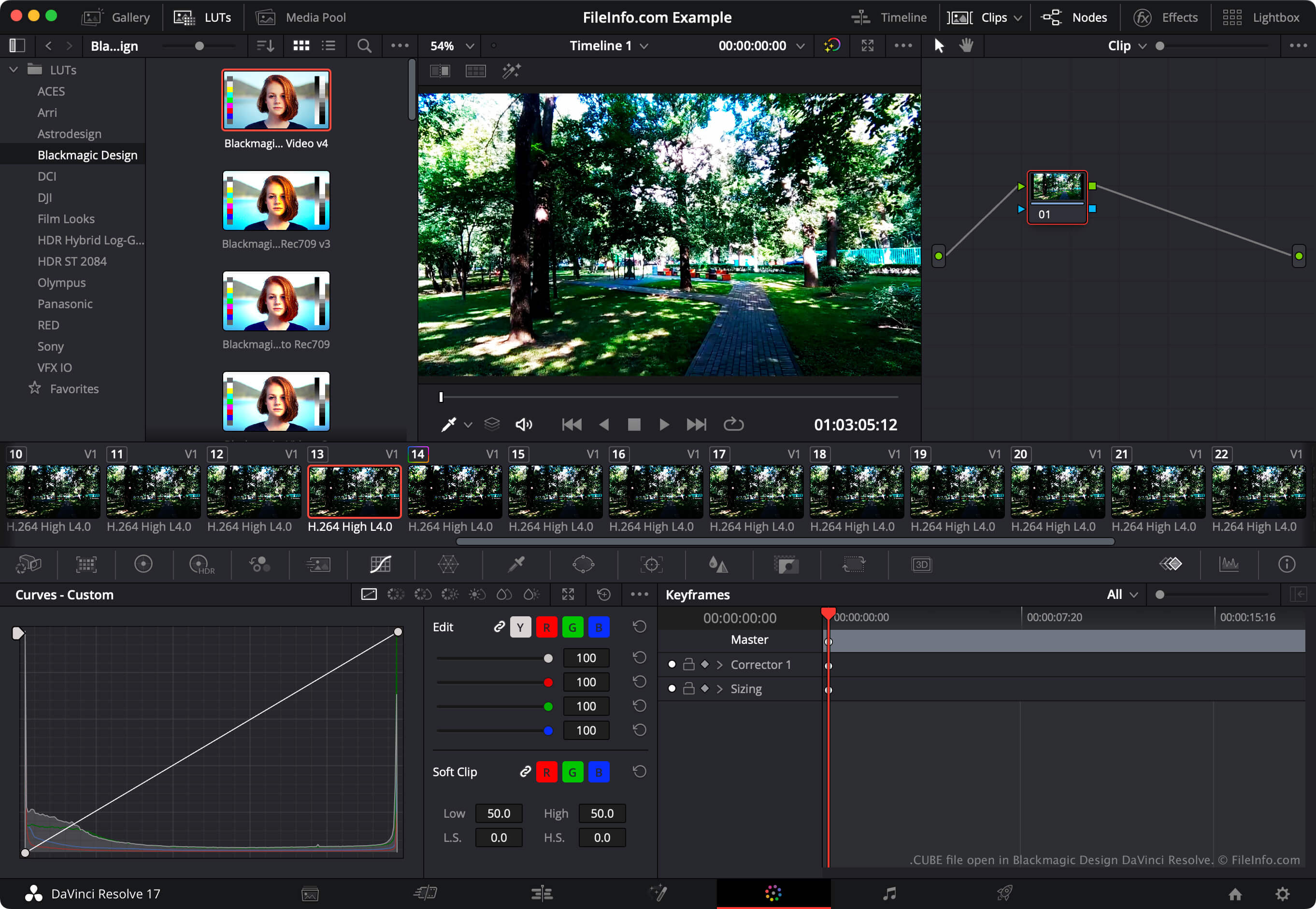
Blackmagic Design DaVinci Resolveで開いた.cubeファイルのスクリーンショット
Blackmagic Design DaVinci Resolveで開いたCUBEファイル

Photographers use Luminar to edit digital photos. The program is published by Skylum Software and available for Windows and macOS.

In Luminar 2018, the program gained the ability to load and apply lookup tables (LUTs). Using the program's LUT Mapping tool, photographers can select a lookup table to automatically remap an image's colors to a new set of colors, defined in the LUT. Photographers can then use the LUT Mapping tool's Amount, Contrast, and Saturation settings to refine this remapping.

Luminar LUTs are saved as CUBE files. Several succeeding versions of Luminar, including Luminar AI and Neo, also use LUTs saved as CUBE files. However, to load CUBE files in these versions, photographers use the Color Styles (LUT) or Mood tool, not the LUT Mapping tool.

注: The video editing program DaVinci Resolve can also import and export LUT lookup tables.

CUBEファイルの開き方

You can open a CUBE file with Luminar 2018 and later versions (Windows, Mac). To do so, select your version of Luminar's LUT tool (such as LUT Mapping, Color Styles, or Mood). Then select, Choose LUT → Load Custom LUT File.... Finally, navigate to and open your CUBE file. After you do, Luminar will apply the LUT your CUBE file contains.

To use a CUBE file with Blackmagic Design DaVinci Resolve, place the file in the directory from which DaVinci Resolve loads LUTs and then update the app's LUT list:

  1. Open a project and select File → Project Settings....
  2. Select Color Management.
  3. Click Open LUT Folder.
  4. Place your CUBE file in any of the LUT directory's sub-directories.
  5. Click Update Lists.
  6. Click Save.
  7. The LUT your CUBE file contains will then appear in DaVinci Resolve's LUTs panel (within the sub-directory in which you placed it).

CUBEファイルを開くプログラム

Windows
無料体験版
無料体験版
Mac
無料体験版
無料体験版
カテゴリ: 設定
更新日: 2023-08-15

検証者 FileInfo.com

FileInfo.comチーム は、このページに掲載されているすべてのファイル形式とソフトウェアについて独自に調査しました。 私たちの目標は100%の正確性であり、検証済みのファイルタイプに関する情報のみを公開しています。

このページへの追加や更新をご提案いただける場合は、お知らせください。