.BF ファイル拡張子

CryoBF Game Data File

開発元 Cryo Interactive Entertainment
人気度
3.6  |  270 
 

BFファイルとは?

Game data archive format used by games developed by Cryo Interactive Entertainment; contains game data, such as objects, maps, sounds, and music in a single archive.

詳細情報

Microïds acquired Cryo Interactive in 2008, but several Microïds games still use the CryoBF format. The following games use BF files to store game data:

  • Nostradamus: The Last Prophecy
  • Safecracker: The Ultimate Puzzle Adventure
  • Destination: Treasure Island
  • Return to Mysterious Island
  • Return to Mysterious Island 2: Minas Fate
  • The Secret of the Nautilus
  • Dracula 3: The Path of the Dragon
BF files are referenced by the games above and are not meant to be opened manually. However, the contents of a BF file can be extracted using an unpacking program like Unpakke.

File Viewer Plusで400種類以上のファイル形式を開けます。無料ダウンロード

BFファイルを開く、または参照するプログラム

Windows
カテゴリ: ゲーム
更新日: 2011-03-16

Brainf*ck Source Code File

開発元 Urban Müller
人気度
4.1  |  18 
 

A BF file is a source code file written in the Brainf*ck programming language. It contains a program that is meant to be compiled using a Brainf*ck compiler. BF files contain only the characters <, >, +, -, ., ,, [, and ], as well as development comments.

詳細情報

In 1992, Urban Müller created the Brainf*ck programming language. When creating Brainf*ck, Müller's goal was to create a language that could be compiled using the smallest-possible compiler. As such, the language includes only eight commands, each of which is implemented using a single character. These characters include:

  • <
  • >
  • +
  • -
  • .
  • ,
  • [
  • ]

While the Brainf*ck language is quite impractical, some other developers have latched onto the esoteric language and its structure. When these developers create Brainf*ck programs, they typically save them in BF files. An example Brainf*ck program, saved within a BF file, might look like this:

++++++++[>++++[>++>+++>+++>+<<<<-]>+>+>→>+[<]<-]>>.>---.+++++++..+++.>>.<-.<.+++.------.--------.>>+.>++.

注: Brainf*ck source code is also saved using the .B extension.

BFファイルの開き方

Because BF files are plain text files, you can open and examine them using any text editor, such as Microsoft Notepad (Windows), Apple TextEdit (Mac), or Github Atom (cross-platform). If you want to run the Brainf*ck program a BF file contains, you can do so using a Brainf*ck development environment or interpreter, such as Brainf*ck Interpreter (Web, Android).

BFファイルを開くプログラム

Birdfont Project File

開発元 Johan Mattsson
人気度
3.2  |  5 
 

A BF file is a custom font project file created by BirdFont. It contains XML-formatted text that describes a custom font. BF files are used to export fonts in common font formats, such as .TTF, .OTF, .EOT, and .SVG.

詳細情報

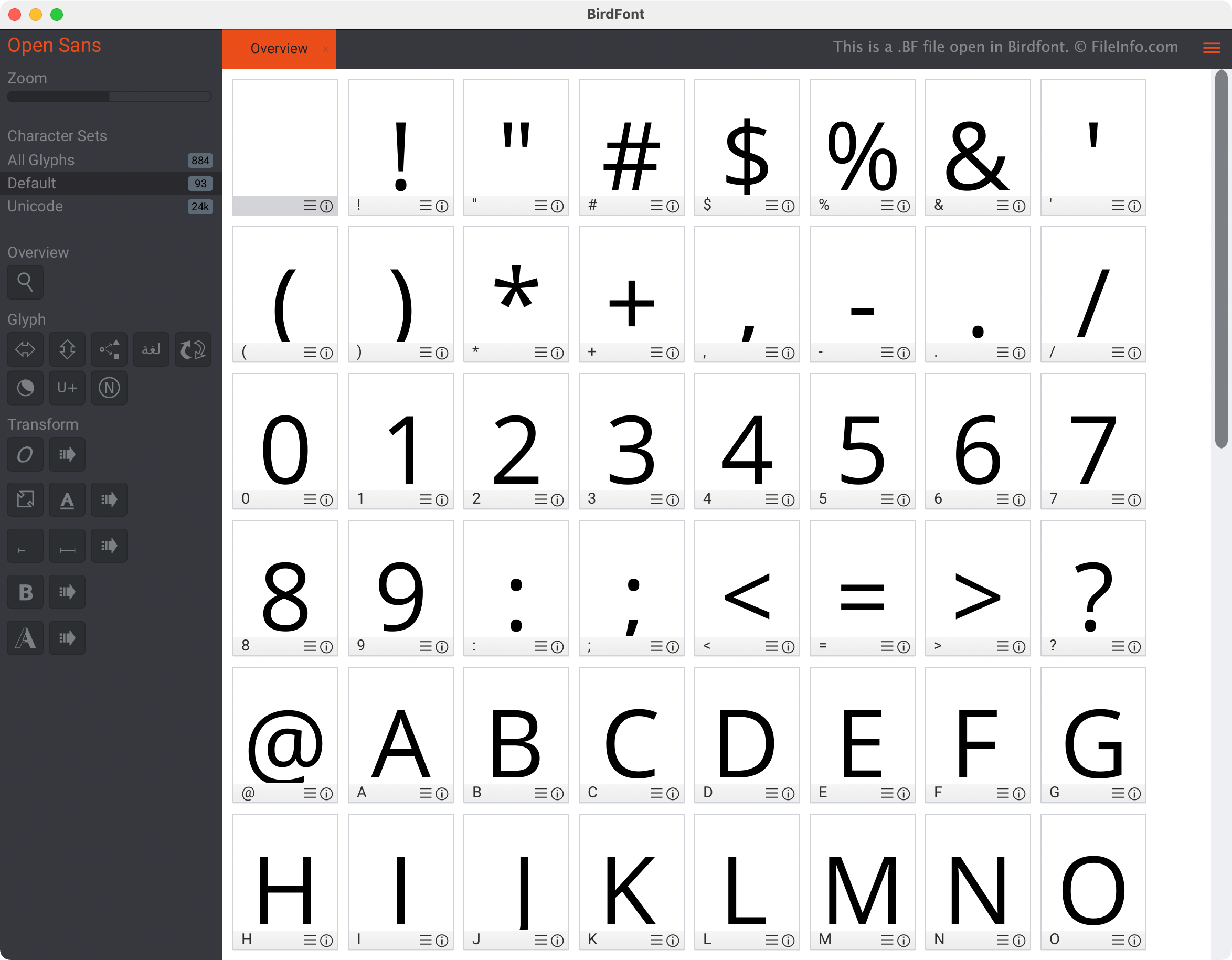
Birdfontで開いた.bfファイルのスクリーンショット
Birdfontで開いたBFファイル

Birdfont is a font design program that allows users to create, import, and edit fonts. The program is available in both free and commercial versions, which contain many but not all of the same features. For example, the free version of Birdfont can export only fonts created under the SIL Open Font License.

When a Birdfont user saves an in-progress font design project, the project is saved as a BF file. BF files are XML files, meaning they contain plain text that is organized using an XML schema and elements. This text describes the font the user has created in Birdfont. For example, the <collection> element denotes the beginning of a new font character description.

However, when opened in Birdfont, BF files do not appear as XML files. Instead, they appear as font stylesheets that a user can interact with and edit graphically, instead of via text.

BFファイルの開き方

You can open a BF file in Birdfont (cross-platform). To do so, select Birdfont's sandwich menu (located in the program's upper right-hand corner), select File → Open, and then navigate to and open your BF file. The font your file describes will appear in Birdfont's Overview window.

How do I convert a BF file into a TTF, OTF, EOT, or SVG file?

To export a BF file as a TTF, OTF, EOT, or SVG file, open the file in the paid version of Birdfont and select the sandwich menu. Then, select Import and Export → Export Fonts.

BFファイルを開くプログラム

Windows
無料体験版
Mac
無料体験版
Linux
無料体験版

Ubisoft BigFile Game Data Archive

開発元 Ubisoft
人気度
2.7  |  9 
 

A BF file is a game data archive used by various Ubisoft video games that use the LyN and Jade game engines, such as From Dust and Just Dance 2. It is saved in the BigFile format and contains a large portion of a game's assets, such as 3D models, character skins, maps, sound effects, music, and video files. BF files are typically bundled together to allow the game to load content efficiently during gameplay.

詳細情報

Ubisoft developed the BigFile format for use with its proprietary LyN and Jade game engines. Users who encounter BF files are typically gamers, modders, or developers who analyze or modify game data.

Games known to use BF files include The Adventures of Tintin: The Game, Rabbids Go Home, From Dust, Just Dance 2, ZombiU, Beyond Good & Evil, and Prince of Persia: The Sands of Time. These games span multiple platforms and were released between the mid-2000s and early 2010s.

BFファイルの開き方

BF files are not meant to be opened. Instead, games packaged with these engines read the contents of BF files at runtime to access the necessary data for each level, cutscene, or gameplay element.

However, users looking to modify the content in BF game archives can use custom scripts with QuickBMS to extract the contents in a BF archive.

BFファイルを開く、または参照するプログラム

Windows
無料
カテゴリ: ゲーム
更新日: 2025-06-20

Beef Source Code File

開発元 Brian Fete
人気度
3.3  |  4 
 

A BF file is a source code file written in the Beef programming language, an open-source language designed for game development and system-level programming. It contains human-readable code written in Beef's syntax, which is similar to the C#, C++, and Rust languages. Developers use BF files to define application logic, structures, and functions, which they later compile into executable programs or libraries.

詳細情報

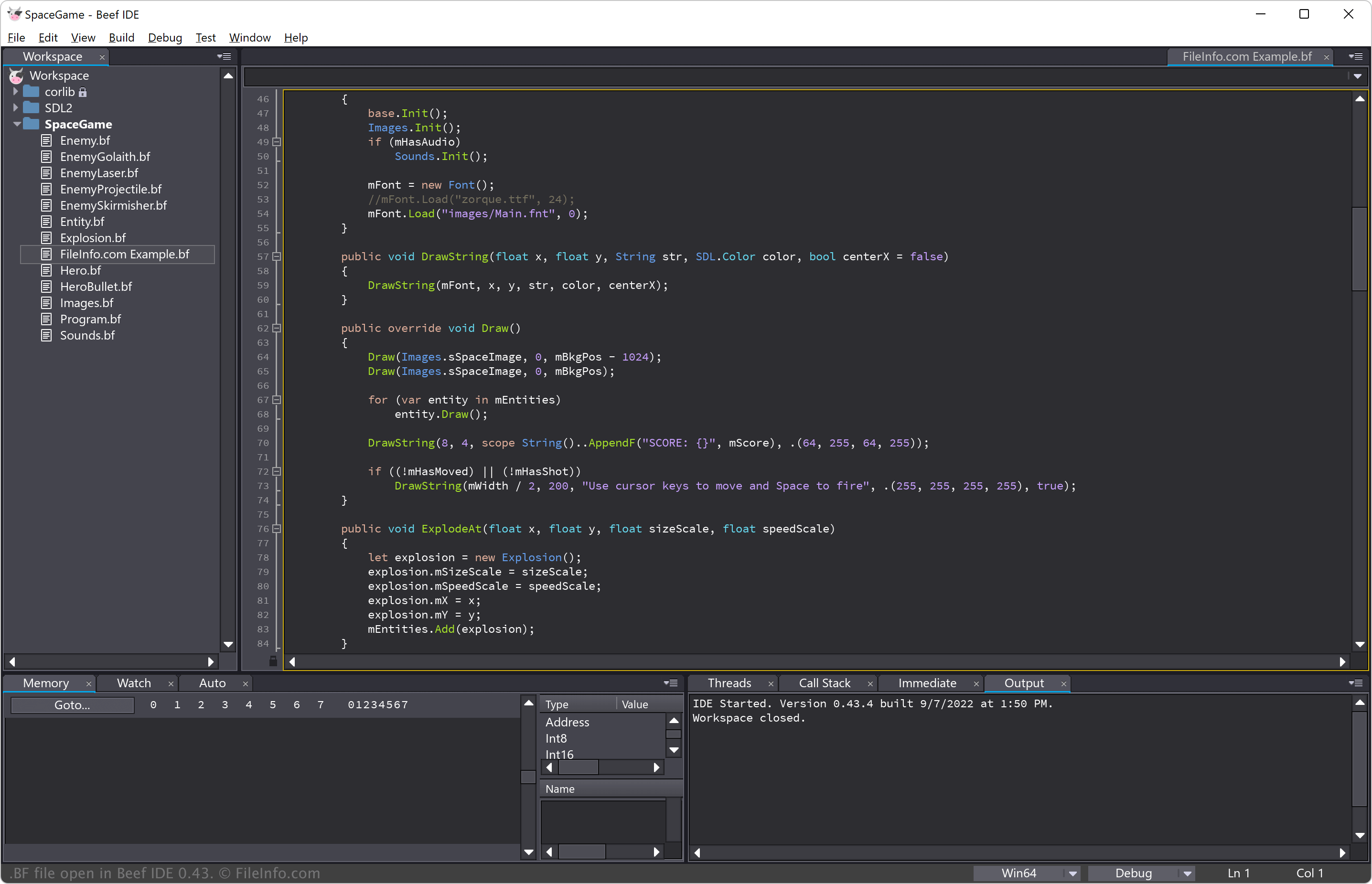
Beef IDE 0.43で開いた.bfファイルのスクリーンショット
Beef IDE 0.43で開いたBFファイル

Brian Fete publicly released the Beef programming language in March 2020. It has since gained traction among indie game developers and systems programmers looking for an alternative to C++ with a more streamlined syntax and better safety features.

Developers write BF files in a code editor or IDE, then compile them using the Beef compiler, which converts the source code into machine code or intermediate representations (to optimize code before the final compilation). Beef also provides built-in debugging tools and a standard library for development.

注: The "Beef" name reflects the language's goal of being "meatier" than C++ by offering better performance and usability.

BFファイルの開き方

You can open BF files with the Beef IDE, which offers syntax highlighting, autocompletion, and debugging features tailored for Beef development. Beef IDE is available for Windows, but you can also build it from source in macOS and Linux.

Alternatively, you can use Microsoft Visual Studio Code, Sublime Text, or other plain text editors, but these lack dedicated Beef integration.

BFファイルを開くプログラム

Windows
Mac
無料体験版
OSに同梱
Linux
無料体験版
無料
カテゴリ: 開発者
更新日: 2025-02-27

検証者 FileInfo.com

FileInfo.comチーム は、このページに掲載されているすべてのファイル形式とソフトウェアについて独自に調査しました。 私たちの目標は100%の正確性であり、検証済みのファイルタイプに関する情報のみを公開しています。

このページへの追加や更新をご提案いただける場合は、お知らせください。