.STL Dateiendung

Stereolithography File

Entwickler 3D Systems
Beliebtheit
3.8  |  105 Stimmen
 

Was ist eine STL-Datei?

An STL file is a 3D model saved in the Stereolithography (STL) file format developed by 3D Systems. It contains plain text or binary data that describes a set of triangular facets, which comprise a model. STL files are quite common, and they can be opened in many CAD and 3D modeling programs.

Weitere Informationen

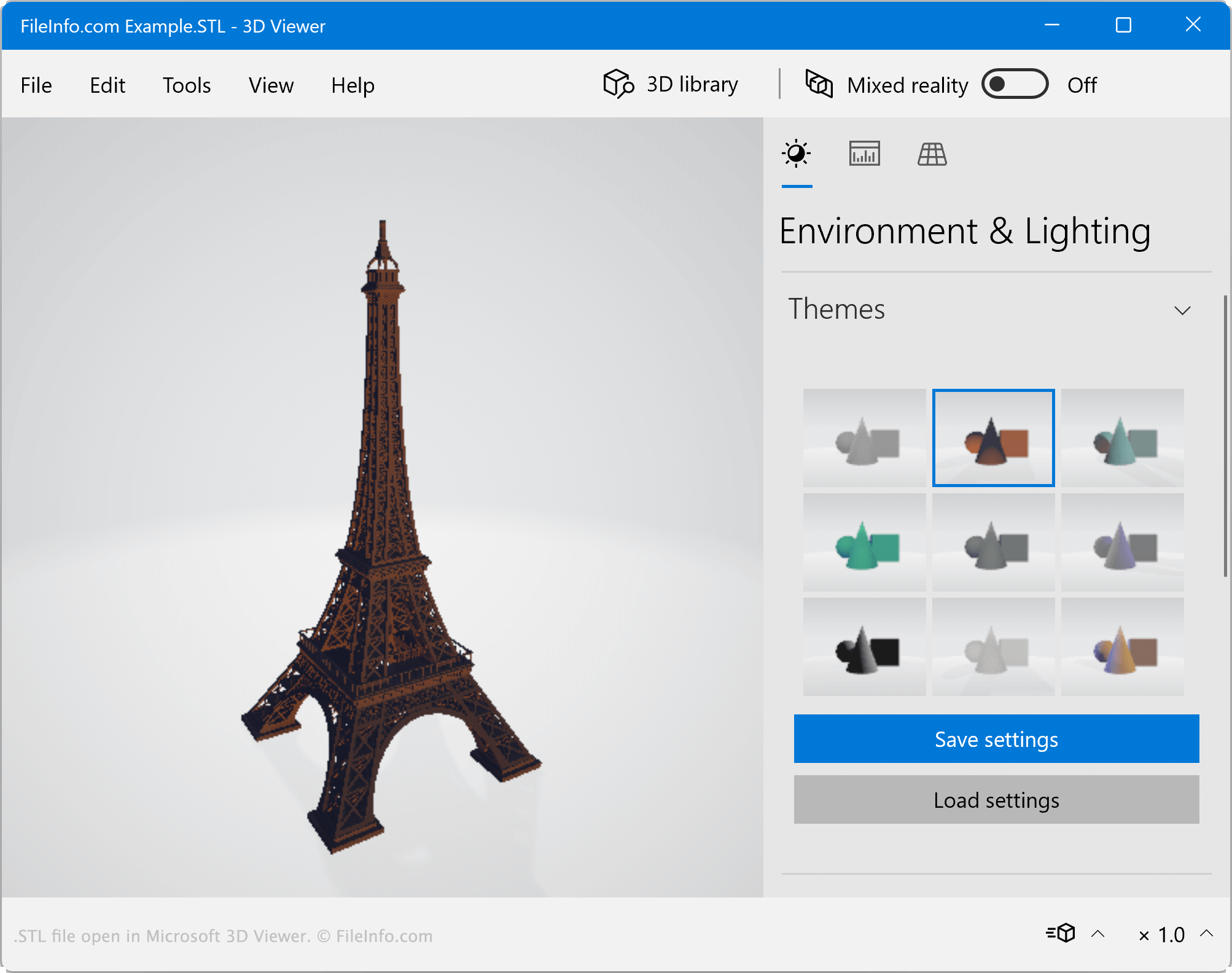
Screenshot einer .stl-Datei in Microsoft 3D Viewer
STL-Datei geöffnet in Microsoft 3D Viewer

Stereolithography is a form of 3D printing primarily used for creating product prototypes. In the late 1980s, 3D Systems co-founder Chuck Hull patented stereolithography technology, and 3D Systems created the STL file format. Primarily, STL files contain 3D models meant to be printed using stereolithography.

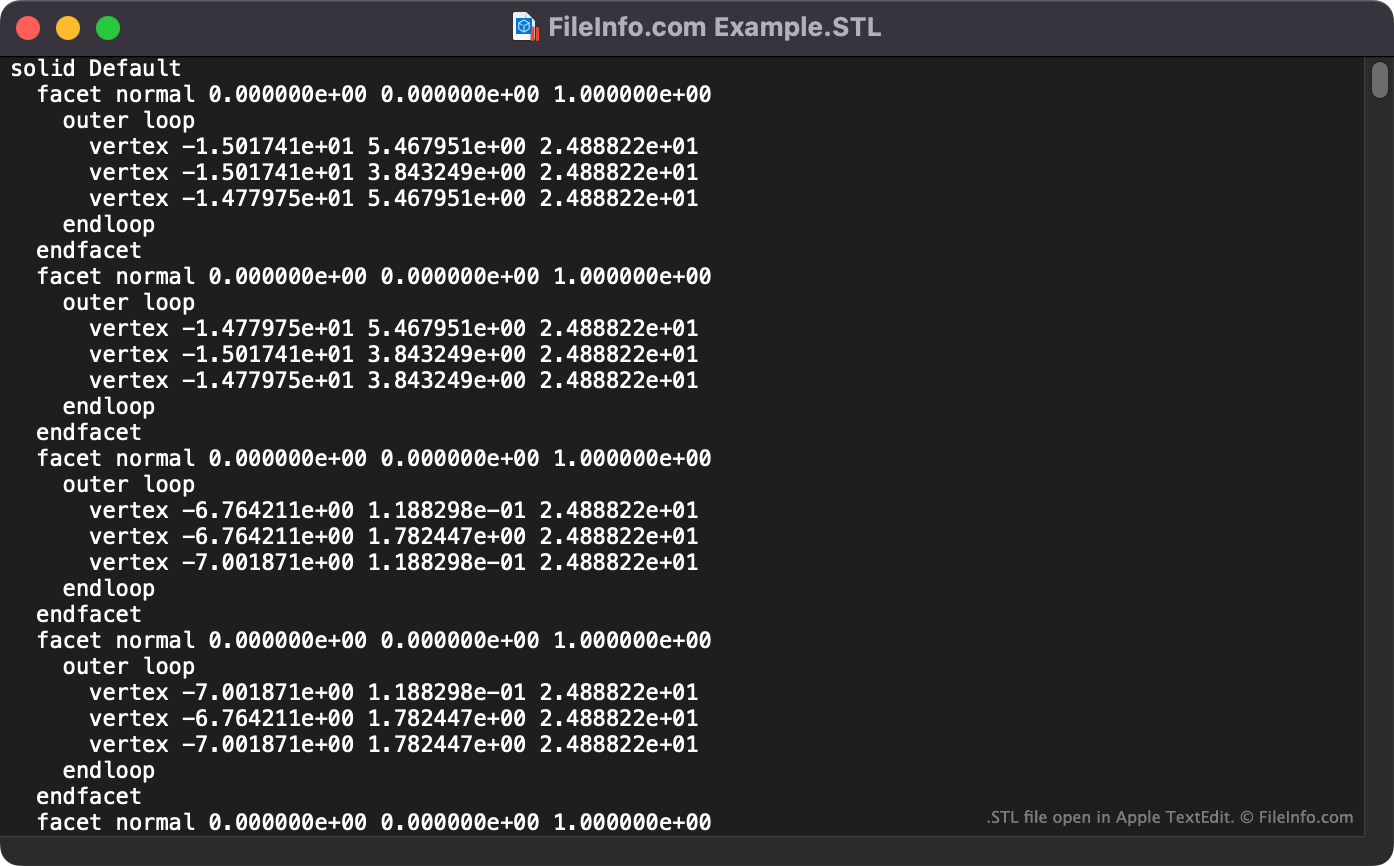
Because the STL format was one of the first formats used to store models for 3D printing, a large number of 3D model viewers and CAD programs support it. STL files may be saved as plain text files, which contain human-readable triangular tessellation data, or as binary files, which contain the same data saved in a binary format. When opened in a text editor, plain text STL files appear as a list of facets and vertexes, complete with coordinates. These files always begin with the string solid ModelName.

HINWEIS: STL files are also sometimes referred to as Standard Triangle Language files and Standard Tessellation Language files.

So öffnen Sie eine STL-Datei

Plain text STL file open in Apple TextEdit

You can open an STL file in many image viewers, 3D modeling, and CAD programs, including:

You can also open plain text STL files in text editors, such as Microsoft Notepad and Apple TextEdit, to view the plain text data they contain. (If you open a binary STL file in a text editor, its data will appear as a series of unintelligible characters.)

So konvertieren Sie eine STL-Datei

Several CAD and 3D model editing programs, including Autodesk Fusion 360 and Microsoft 3D Builder, can convert STL files to other 3D model formats. For example, Fusion 360 can export STL files to:

  • .F3D - Fusion 360 Archive
  • .3MF - 3D Manufacturing File
  • .IPT - Inventor Part
  • .FBX - Autodesk FBX Interchange File
  • .OBJ - Wavefront 3D Object
  • .SKP - SketchUp Document
  • .SMT - Autodesk Shape Manager Text File
  • .STP - STEP 3D Model
  • .USDZ - Universal Scene Description Zipped

Apple Preview and Microsoft 3D Viewer can convert STL files to raster images. For example, Microsoft 3D Viewer can convert an STL file to the following formats:

  • .PNG - Portable Network Graphic
  • .JPEG -JPEG Image
  • .BMP - Bitmap Image
  • .TIFF - Tagged Image File Format

Apple Preview can also convert STL files to .PDF documents.

Über 400 Dateiformate öffnen mit File Viewer Plus.Kostenloser Download

Programme, die .STL-Dateien öffnen

All Platforms
Kostenlos+
Windows
Kostenlose Testversion
Kostenlos
Kostenlose Testversion
Kostenlos
Kostenlose Testversion
Mac
Im Betriebssystem enthalten
Kostenlose Testversion
Kostenlos
Kostenlos
Kostenlose Testversion
Linux
Kostenlose Testversion
Kostenlos
Kostenlos
Kostenlose Testversion
Web
Kostenlose Testversion
iOS
Kostenlose Testversion
Android
Kostenlos
Kostenlose Testversion
Kategorie: CAD
Aktualisiert: 2022-12-22

SuperTux Level File

Entwickler SuperTux
Beliebtheit
3.5  |  15 Stimmen
 

Game file used by SuperTux, a 2D jump and run side scrolling game similar to Super Mario Bros.; saved in a plain text format and specifies the features of a level, such as enemy unit locations, positions of blocks, and the time limit; also includes a reference to the music and background image for the level.

Weitere Informationen

STL files are stored in the /​data/​levels/​ directory of the installation.

Programme, die .STL-Dateien öffnen oder referenzieren

Windows
Kostenlos
Mac
Kostenlos
Linux
Kostenlos
Kategorie: Spiel
Aktualisiert: 2011-10-21

Certificate Trust List

Entwickler Microsoft
Beliebtheit
2.8  |  18 Stimmen
 

List of predefined items that have been signed by a trusted entity; may consist of a list of filenames or a list of certificates; each item in the list has been approved by the signing entity.

Weitere Informationen

Certificate trust lists (CTLs) are used by Microsoft IIS to store trusted websites and other addresses that require a secure connection.

Programme, die .STL-Dateien öffnen oder referenzieren

Windows
Kategorie: Web
Aktualisiert: 2007-06-07

Fireworks Style Library

Entwickler Adobe Systems
Beliebtheit
2.4  |  17 Stimmen
 

Library of styles referenced by Macromedia (now Adobe) Fireworks; may be used to apply Stroke, Fill, Effect, and Text attributes to an object within an open Fireworks project; can be helpful for creating a uniform look across multiple objects.

Weitere Informationen

Some styles are included with Fireworks, though additional styles may be added to the program. To add extra styles, click the small icon in the top right corner of the Styles panel in Fireworks and select "Import Styles." Then browse to an STL file and click OK to add the style library to your current collection.

Programme, die .STL-Dateien öffnen oder referenzieren

Windows
Kostenlose Testversion
Mac
Kostenlose Testversion
Kategorie: Daten
Aktualisiert: 2014-05-02

European Broadcasting Union Subtitles File

Entwickler European Broadcasting Union
Beliebtheit
2.3  |  17 Stimmen
 
🔍Öffnen Sie .STL-Dateien direkt in Ihrem Webbrowser mit File Helper.Online ansehen

An STL file is a subtitles file saved in the European Broadcasting Union (EBU) subtitle data exchange format. It contains binary data used to load subtitles and store subtitle metadata. STL files are used mostly to provide subtitles during TV broadcasts.

Weitere Informationen

In 1991, the EBU published specifications for the STL subtitles format. STL files contain a set of subtitle texts and information, such as time codes and positioning, used to display that text during a broadcast. The files also contain metadata that defines the subtitles' publisher, editor, and country of origin.

Unlike many other types of subtitle files, STL files are binary files, so you cannot view or edit the text they contain in a text editor. Some broadcasters still use the STL format, but the format has largely been replaced by the newer, XML-based EBU-TT format.

So öffnen Sie eine STL-Datei

You can open an STL file with EZTitles (Windows) or Avid Media Composer (Windows, Mac). These programs allow you to import STL files and use them as subtitle tracks while creating a video. You can also view the subtitles and metadata an STL file contains with Jongbel Media Solutions EBU STL Viewer (Windows).

So konvertieren Sie eine STL-Datei

You can use Jongbel Media Solutions EBU STL Viewer (Windows) or EZConvert (Windows) to convert STL files to many other subtitle formats, including:

  • .SRT - SubRip Subtitles
  • .ASS - Aegisub Advanced SubStation Alpha
  • .PAC - PAC Subtitles
  • .VTT - Web Video Text Tracks
  • .SUB - MicroDVD Subtitles
  • .890 - Cavena Subtitles
  • .USF - Universal Subtitles Format

Programme, die .STL-Dateien öffnen

Windows
Kostenlose Testversion
Mac
Kostenlose Testversion
Web
Kategorie: Video
Aktualisiert: 2022-07-27

Geprüft von FileInfo.com

Das FileInfo.com-Team hat alle auf dieser Seite aufgeführten Dateiformate und Softwareprogramme unabhängig recherchiert. Unser Ziel ist 100% Genauigkeit, und wir veröffentlichen nur Informationen zu Dateitypen, die wir überprüft haben.

Wenn Sie Ergänzungen oder Aktualisierungen zu dieser Seite vorschlagen möchten, teilen Sie es uns bitte.