.LRPLUGIN 文件扩展名

Adobe Lightroom Classic Plug-in

开发者 Adobe Systems
受欢迎程度
3.0  |  1 
 

什么是 LRPLUGIN 文件?

An LRPLUGIN file is a plug-in used by Adobe Lightroom Classic, the desktop-only version of Adobe Lightroom. It contains data used to add a new feature to Lightroom Classic. For example, an LRPLUGIN file may contain a plug-in that allows you to automatically publish photos to Facebook, Flickr, or another online service.

更多信息

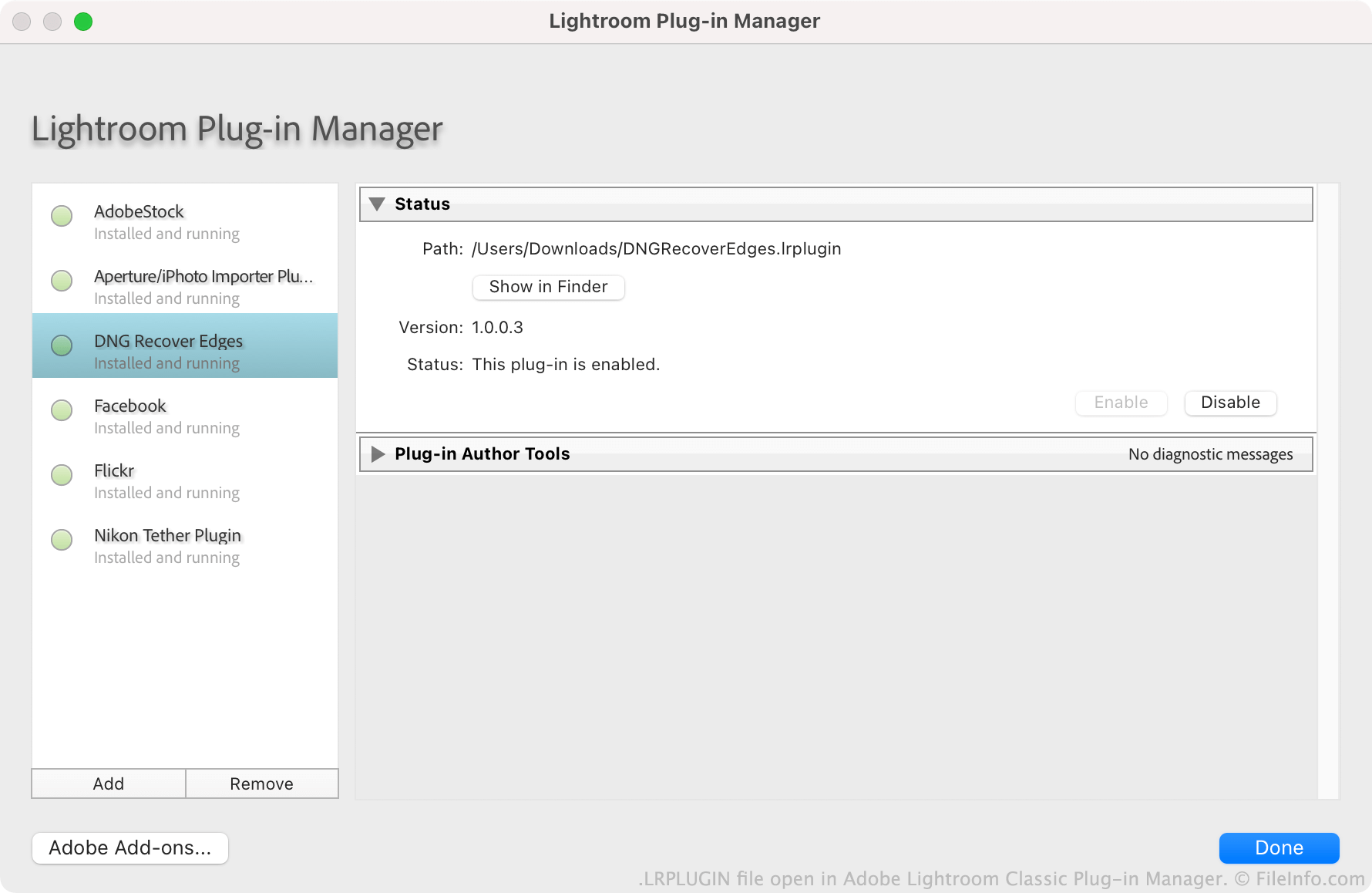
在 Adobe Lightroom Classic Plug-in Manager 中打开的 .lrplugin 文件截图
在 Adobe Lightroom Classic Plug-in Manager 中打开的 LRPLUGIN 文件

Adobe encourages users to create, distribute, and install Lightroom Classic plug-ins. Each plug-in is saved as an LRPLUGIN file. LRPLUGIN files typically contain many component files, including .LUA source code files that control how the plug-in functions.

Users install LRPLUGIN files using Lightroom Classic's Plug-in Manager. Users cannot install LRPLUGIN files in the non-Classic version of Lightroom, as it does not contain a plug-in manager.

如何打开 LRPLUGIN 文件

You can open an LRPLUGIN file in Adobe Lightroom Classic (Mac, Windows). To do so:

  1. Select File → Plug-in Manager from the program's menu bar.
  2. When the Lightroom Plug-in Manager window appears, select the Add button.
  3. Navigate to and select your plug-in. Then, click Add Plug-in.

The plug-in your LRPLUGIN file contains will then appear in the Plug-in Manager, where you can enable or disable it.

使用File Viewer Plus打开 400 多种文件格式。免费下载

可打开 LRPLUGIN 文件的程序

Windows
Mac
分类: 插件
更新时间: 2021-11-19

验证者 FileInfo.com

FileInfo.com 团队 独立研究了本页面列出的 Adobe Lightroom Classic Plug-in 文件格式和 Mac and Windows 应用。 我们的目标是达到 100% 的准确率,并且仅发布我们已验证过的文件类型信息。

如果您想为此页面提出新增或更新建议,请告诉我们