

.LRPLUGIN Dateiendung
Adobe Lightroom Classic-Plug-in
| Entwickler | Adobe Systems |
| Beliebtheit |
3,0 | 1 Stimme |
Was ist eine LRPLUGIN-Datei?
Eine LRPLUGIN-Datei ist ein Plug-in, das von Adobe Lightroom Classic, der ausschließlich für Desktop-Computer verfügbaren Version von Adobe Lightroom, verwendet wird. Sie enthält Daten, mit denen Lightroom Classic um eine neue Funktion erweitert wird. Eine LRPLUGIN-Datei kann beispielsweise ein Plug-in enthalten, mit dem Sie Fotos automatisch auf Facebook, Flickr oder einem anderen Onlinedienst veröffentlichen können.
Weitere Informationen
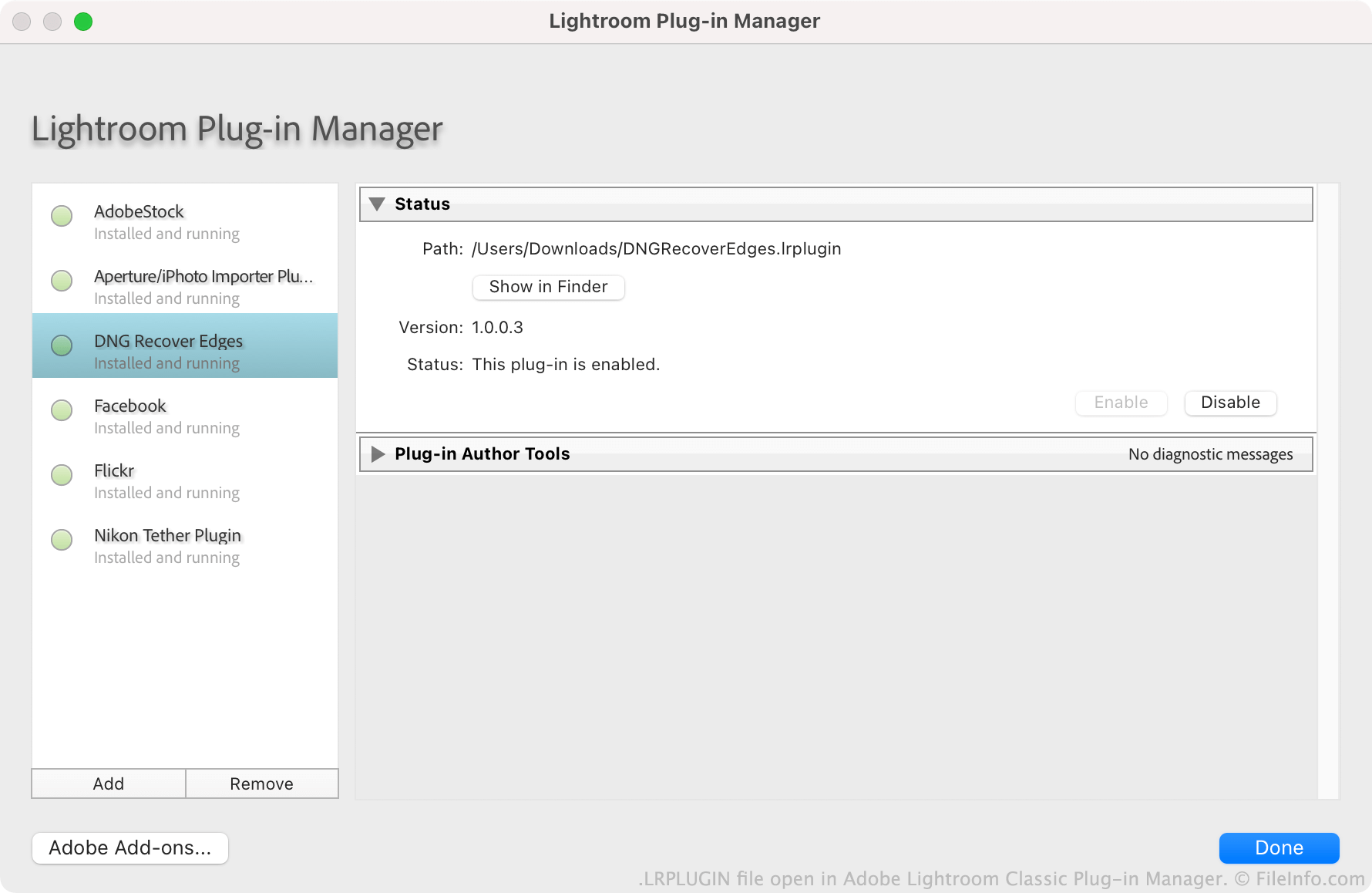
Adobe ermutigt Benutzer, Lightroom Classic-Plug-ins zu erstellen, zu verteilen und zu installieren. Jedes Plug-in wird als LRPLUGIN-Datei gespeichert. LRPLUGIN-Dateien enthalten in der Regel viele Komponentendateien, darunter .LUA-Quelldateien, die steuern, wie das Plug-in funktioniert.
Benutzer installieren LRPLUGIN-Dateien mit dem Plug-in-Manager von Lightroom Classic. In der Nicht-Classic-Version von Lightroom können Benutzer keine LRPLUGIN-Dateien installieren, da diese keinen Plug-in-Manager enthält.
So öffnen Sie eine LRPLUGIN-Datei
Sie können eine LRPLUGIN-Datei in Adobe Lightroom Classic (Mac, Windows) öffnen. Gehen Sie dazu wie folgt vor:
- Wählen Sie in der Menüleiste des Programms aus.
- Wenn das Fenster des Lightroom-Plug-in-Managers angezeigt wird, wählen Sie die Schaltfläche aus.
- Navigieren Sie zu Ihrem Plug-in und wählen Sie es aus. Klicken Sie anschließend auf .
Das Plug-in, das Ihre LRPLUGIN-Datei enthält, wird anschließend im Plug-in-Manager angezeigt. Dort können Sie es aktivieren oder deaktivieren.