

.LRPLUGIN Přípona souboru
Zásuvný modul Adobe Lightroom Classic
| Vývojář | Adobe Systems |
| Popularita |
3,0 | 1 hlas |
Co je soubor LRPLUGIN?
Soubor LRPLUGIN je zásuvný modul používaný aplikací Adobe Lightroom Classic, desktopovou verzí aplikace Adobe Lightroom. Obsahuje data používaná k přidání nové funkce do aplikace Lightroom Classic. Soubor LRPLUGIN může například obsahovat zásuvný modul, který umožňuje automaticky publikovat fotografie na Facebook, Flickr nebo jinou online službu.
Další informace
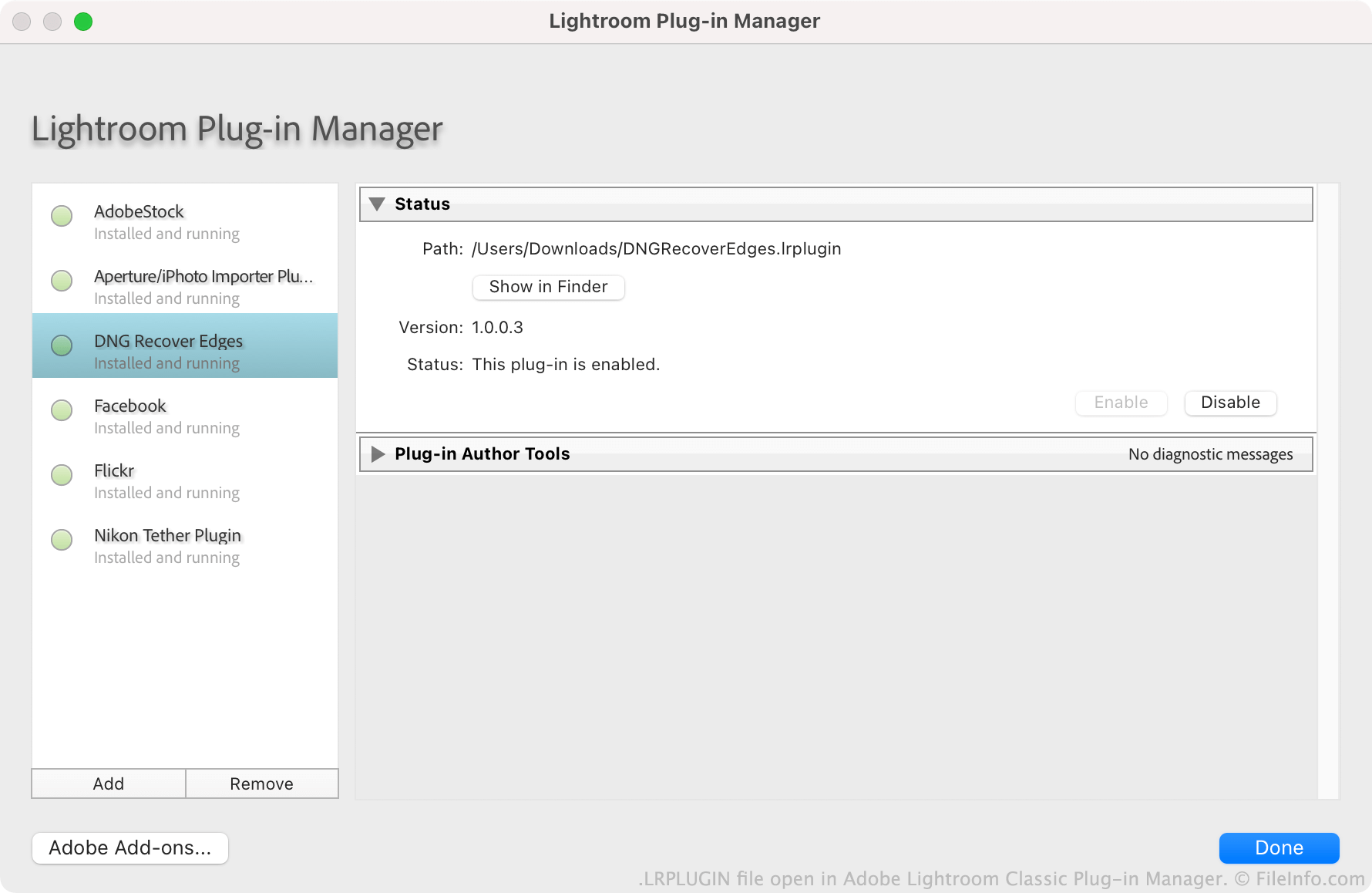
Společnost Adobe podporuje uživatele ve vytváření, distribuci a instalaci zásuvných modulů pro Lightroom Classic. Každý zásuvný modul se ukládá jako soubor LRPLUGIN. Soubory LRPLUGIN obvykle obsahují mnoho součástí, včetně zdrojových souborů kódu .LUA, které řídí fungování zásuvného modulu.
Uživatelé instalují soubory LRPLUGIN pomocí Správce zásuvných modulů aplikace Lightroom Classic. Uživatelé nemohou instalovat soubory LRPLUGIN do verze Lightroom, která není Classic, protože neobsahuje správce zásuvných modulů.
Jak otevřít soubor LRPLUGIN
Soubor LRPLUGIN můžete otevřít v aplikaci Adobe Lightroom Classic (Mac, Windows). Postup:
- Na liště nabídek programu vyberte .
- Po zobrazení okna Lightroom Plug-in Manager vyberte tlačítko .
- Vyhledejte a vyberte svůj zásuvný modul. Poté klikněte na .
Zásuvný modul obsažený v souboru LRPLUGIN se poté zobrazí ve Správci zásuvných modulů, kde jej můžete povolit nebo zakázat.