

.LRPLUGIN Extension de fichier
Plug-in Adobe Lightroom Classic
| Développeur | Adobe Systems |
| Popularité |
3,0 | 1 Vote |
Qu'est-ce qu'un fichier LRPLUGIN ?
Un fichier LRPLUGIN est un module d’extension utilisé par Adobe Lightroom Classic, la version uniquement pour ordinateur de bureau d’Adobe Lightroom. Il contient des données utilisées pour ajouter une nouvelle fonctionnalité à Lightroom Classic. Par exemple, un fichier LRPLUGIN peut contenir un module d’extension qui vous permet de publier automatiquement des photos sur Facebook, Flickr ou un autre service en ligne.
Plus d'informations
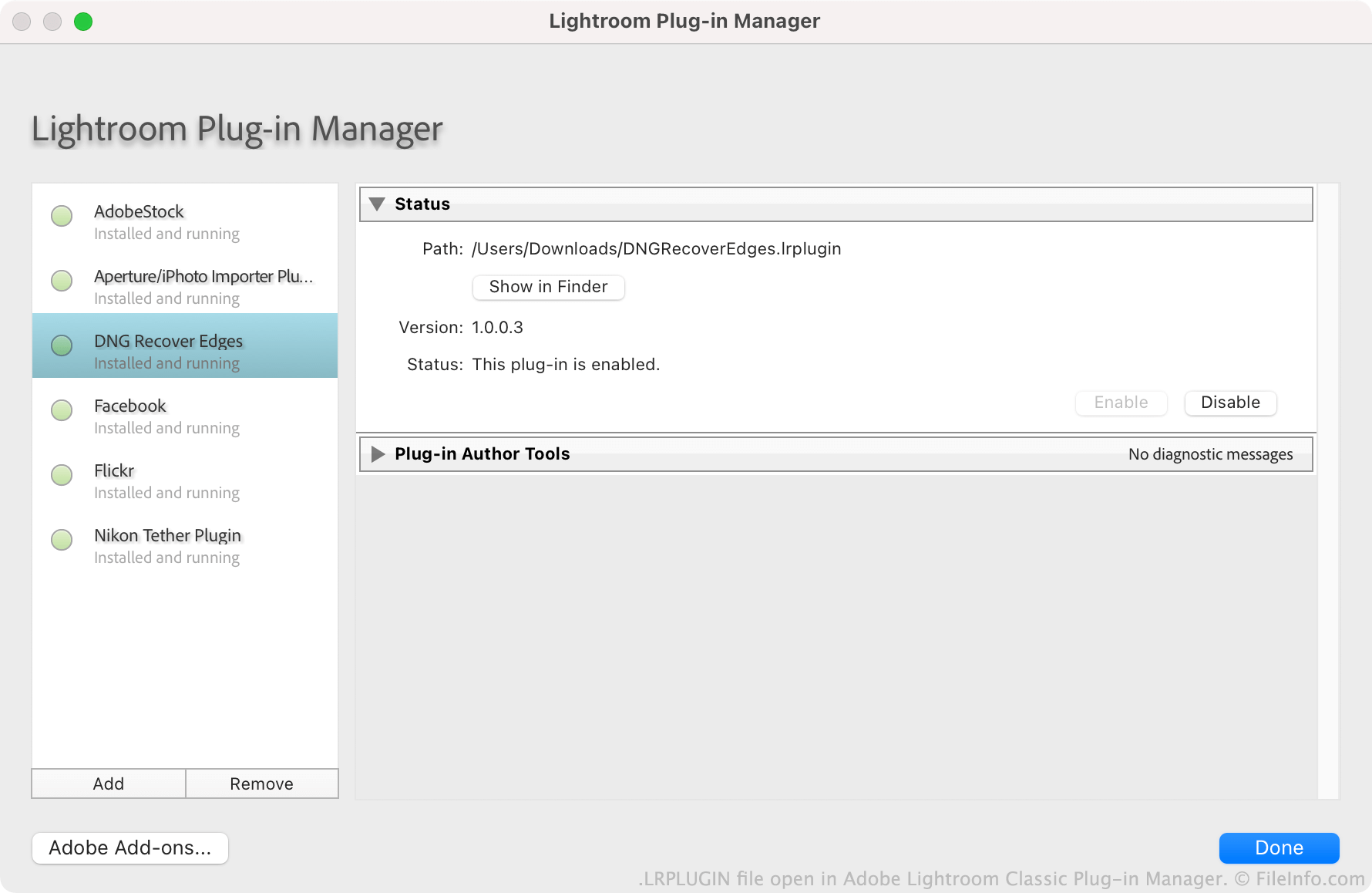
Adobe encourage les utilisateurs à créer, distribuer et installer des modules d’extension Lightroom Classic. Chaque module d’extension est enregistré en tant que fichier LRPLUGIN. Les fichiers LRPLUGIN contiennent généralement de nombreux fichiers composants, notamment des fichiers de code source .LUA qui contrôlent le fonctionnement du module d’extension.
Les utilisateurs installent les fichiers LRPLUGIN à l’aide du gestionnaire de modules d’extension de Lightroom Classic. Les utilisateurs ne peuvent pas installer de fichiers LRPLUGIN dans la version non Classic de Lightroom, car celle-ci ne contient pas de gestionnaire de modules d’extension.
Comment ouvrir un fichier LRPLUGIN
Vous pouvez ouvrir un fichier LRPLUGIN dans Adobe Lightroom Classic (Mac, Windows). Pour ce faire :
- Sélectionnez dans la barre de menus du programme.
- Lorsque la fenêtre Lightroom Plug-in Manager s’affiche, sélectionnez le bouton .
- Accédez à votre module d’extension et sélectionnez-le. Cliquez ensuite sur .
Le module d’extension contenu dans votre fichier LRPLUGIN apparaît alors dans le gestionnaire de modules d’extension, où vous pouvez l’activer ou le désactiver.