

.LRPLUGIN Bestandsextensie
Adobe Lightroom Classic-plug-in
| Ontwikkelaar | Adobe Systems |
| Populariteit |
3,0 | 1 stem |
Wat is een LRPLUGIN-bestand?
Een LRPLUGIN-bestand is een plug-in die wordt gebruikt door Adobe Lightroom Classic, de versie van Adobe Lightroom die alleen voor desktopcomputers beschikbaar is. Het bevat gegevens die worden gebruikt om een nieuwe functie aan Lightroom Classic toe te voegen. Een LRPLUGIN-bestand kan bijvoorbeeld een plug-in bevatten waarmee je foto's automatisch naar Facebook, Flickr of een andere onlineservice kunt publiceren.
Meer informatie
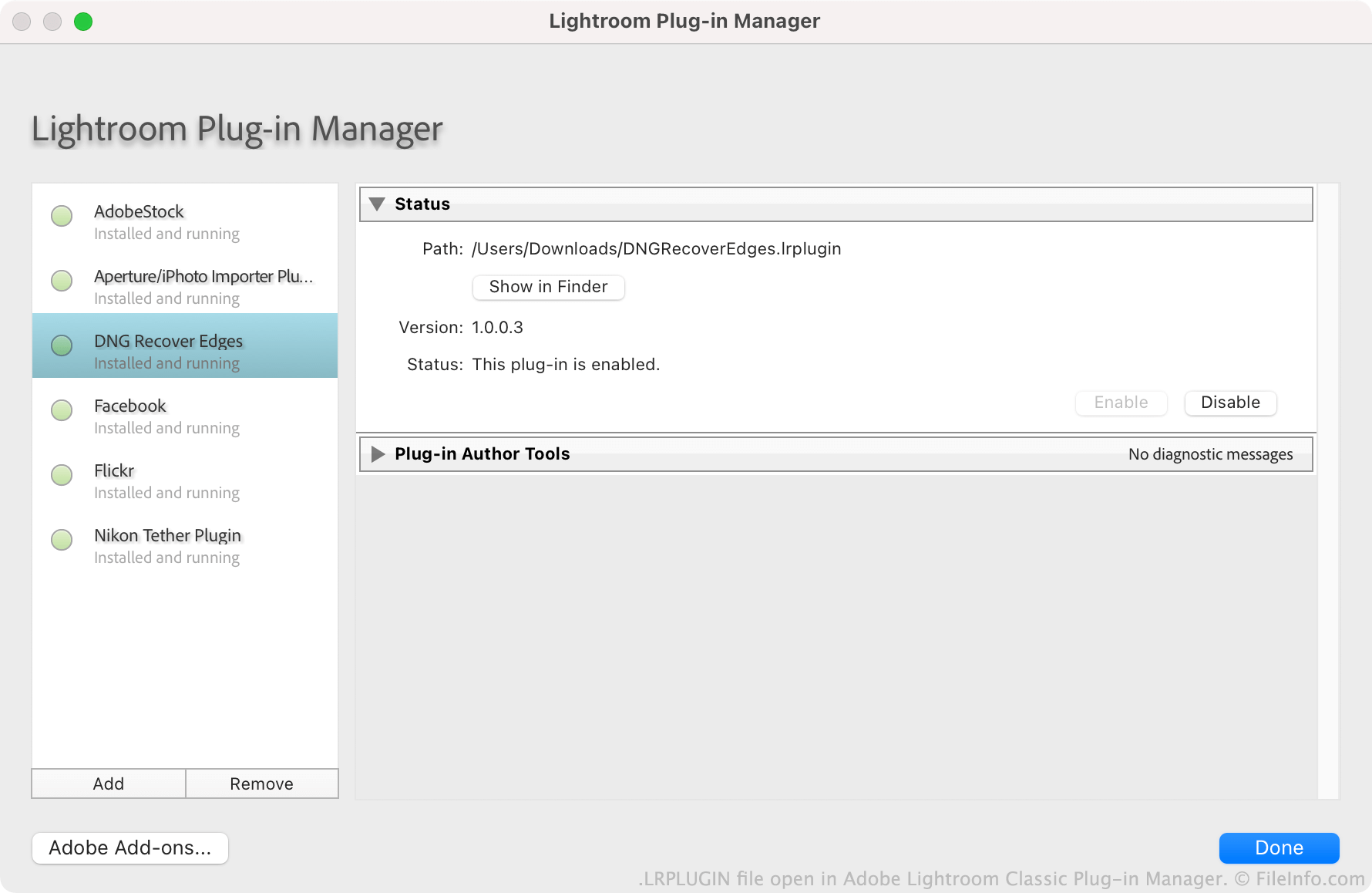
Adobe moedigt gebruikers aan om plug-ins voor Lightroom Classic te maken, te verspreiden en te installeren. Elke plug-in wordt opgeslagen als een LRPLUGIN-bestand. LRPLUGIN-bestanden bevatten meestal veel componentbestanden, waaronder .LUA-broncodebestanden die bepalen hoe de plug-in werkt.
Gebruikers installeren LRPLUGIN-bestanden met behulp van het Plug-inbeheer van Lightroom Classic. Gebruikers kunnen LRPLUGIN-bestanden niet installeren in de niet-Classic-versie van Lightroom, omdat die geen plug-inbeheer bevat.
Een LRPLUGIN-bestand openen
Je kunt een LRPLUGIN-bestand openen in Adobe Lightroom Classic (Mac, Windows). Ga hiervoor als volgt te werk:
- Selecteer in de menubalk van het programma.
- Wanneer het venster Lightroom Plug-in Manager verschijnt, selecteer je de knop .
- Ga naar je plug-in en selecteer deze. Klik vervolgens op .
De plug-in in je LRPLUGIN-bestand verschijnt vervolgens in de Plug-in Manager, waar je deze kunt in- of uitschakelen.