

.LRPLUGIN 파일 확장자
Adobe Lightroom Classic 플러그인
| 개발사 | Adobe Systems |
| 인기도 |
3.0 | 1 표 |
LRPLUGIN 파일이란 무엇인가요?
LRPLUGIN 파일은 데스크톱 전용 버전인 플러그인인 Adobe Lightroom Classic에서 사용하는 플러그인입니다. 이 파일에는 Lightroom Classic에 새로운 기능을 추가하는 데 사용되는 데이터가 포함되어 있습니다. 예를 들어 LRPLUGIN 파일에는 사진을 Facebook, Flickr 또는 다른 온라인 서비스에 자동으로 게시할 수 있게 해 주는 플러그인이 포함될 수 있습니다.
추가 정보
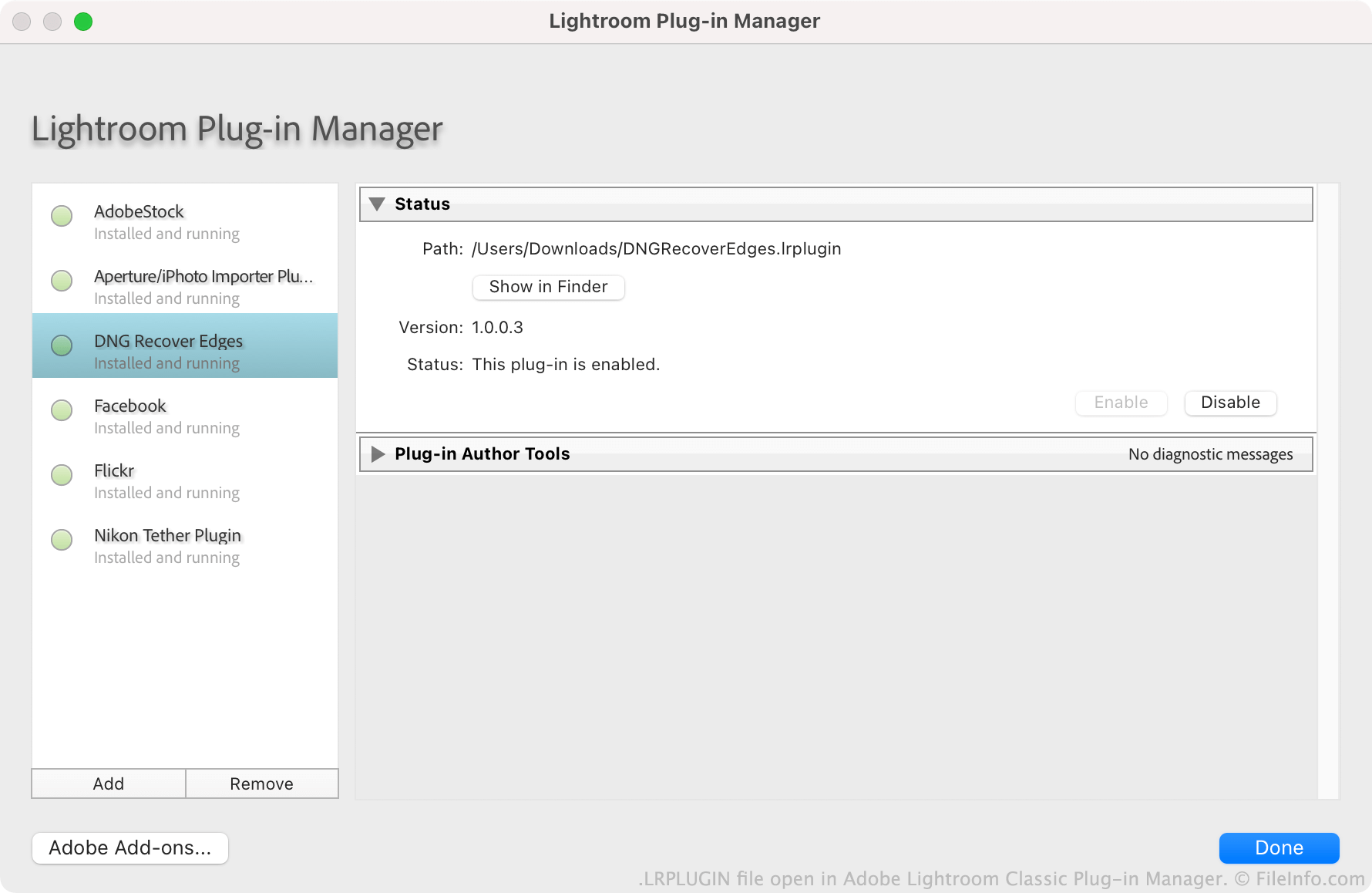
Adobe는 사용자가 Lightroom Classic 플러그인을 만들고, 배포하고, 설치하도록 권장합니다. 각 플러그인은 LRPLUGIN 파일로 저장됩니다. LRPLUGIN 파일에는 일반적으로 플러그인 작동 방식을 제어하는 .LUA 소스 코드 파일을 비롯한 여러 구성 요소 파일이 포함되어 있습니다.
사용자는 Lightroom Classic의 플러그인 관리자를 사용하여 LRPLUGIN 파일을 설치합니다. 일반 버전의 Lightroom에는 플러그인 관리자가 포함되어 있지 않으므로 사용자는 Lightroom Classic이 아닌 Lightroom 버전에는 LRPLUGIN 파일을 설치할 수 없습니다.
LRPLUGIN 파일을 여는 방법
Adobe Lightroom Classic(Mac, Windows)에서 LRPLUGIN 파일을 열 수 있습니다. 방법은 다음과 같습니다.
- 프로그램의 메뉴 모음에서 를 선택합니다.
- Lightroom 플러그인 관리자 창이 나타나면 버튼을 선택합니다.
- 플러그인으로 이동하여 선택합니다. 그런 다음 을 클릭합니다.
그러면 LRPLUGIN 파일에 포함된 플러그인이 플러그인 관리자에 나타나며, 여기에서 플러그인을 활성화하거나 비활성화할 수 있습니다.
LRPLUGIN 파일을 여는 프로그램
Windows
무료 체험판
Mac
무료 체험판