.HXML 文件扩展名

Haxe Project File

开发者 Haxe Foundation
受欢迎程度
4.3  |  4 
 

什么是 HXML 文件?

An HXML file is a configuration file for a Haxe development project. It contains text the Haxe compiler uses to compile a project. HXML files define a project's included classes and output.

更多信息

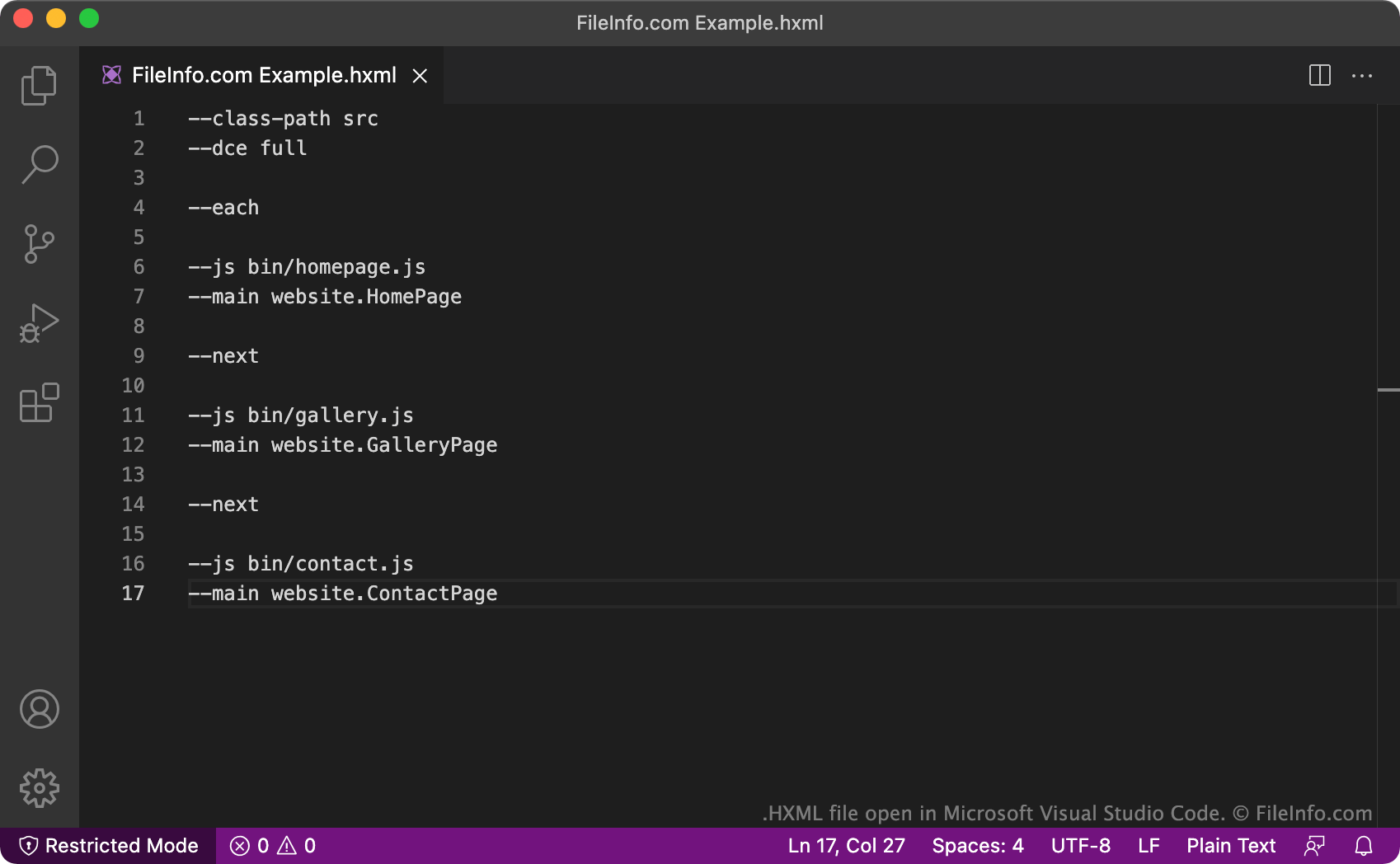
在 Microsoft Visual Studio Code 中打开的 .hxml 文件截图
在 Microsoft Visual Studio Code 中打开的 HXML 文件

Haxe is an open-source, general-purpose programming language used to create video games, web applications, mobile applications, and cross-platform desktop applications. Notably, Haxe is used in the HaxeFlixel game engine, which is an open-source game engine used to develop 2D games.

When developers create a Haxe project, they create an associated HXML file. The HXML file contains settings Haxe's compiler uses to compile the developer's project (translate it into a different programming language). In all cases, HXML files contain a list of classes to be compiled and output files to produce. HXML files may also contain additional configuration options, such as a specification that each class be compiled in its own output file (using the --each and --next commands), or that the compiler removes any dead code it finds during the compilation process (using the --dce command).

It is also possible to nest several HXML files for several projects within one overarching HXML file. This type of HXML file includes lines of text referencing other HXML files, instead of Haxe classes. Nesting XHML files makes it easier for developers to compile complex programs that require code from multiple Haxe projects, because the developers can run one HXML file instead of many separate files.

注: The HXML format replaced the .HXPROJ format.

常见 .HXML 文件名

Build.hxml - The default name developers assign to most HXML files. This name describes the file's function (to build a Haxe project).

如何打开 HXML 文件

You can open and edit an HXML file in any text or source code editor. Source code editors, such as Microsoft Visual Studio Code, provide tools that make editing HXML files easier.

To use an HXML file to compile a Haxe project, you must install Haxe and run your HXML file, by opening a terminal window, navigating to the directory that contains your file, and entering Haxe YourFileNameHere.hxml. Haxe will then produce the output your HXML file describes.

使用File Viewer Plus打开 400 多种文件格式。免费下载

可打开 HXML 文件的程序

分类: 开发者
更新时间: 2021-09-01

验证者 FileInfo.com

FileInfo.com 团队 独立研究了本页面列出的 Haxe Project 文件格式和 Mac, Windows, and Linux 应用。 我们的目标是达到 100% 的准确率,并且仅发布我们已验证过的文件类型信息。

如果您想为此页面提出新增或更新建议,请告诉我们