

.HXML Bestandsextensie
Haxe-projectbestand
| Ontwikkelaar | Haxe Foundation |
| Populariteit |
4,3 | 4 stemmen |
Wat is een HXML-bestand?
Een HXML-bestand is een configuratiebestand voor een Haxe-ontwikkelproject. Het bevat tekst die de Haxe-compiler gebruikt om een project te compileren. HXML-bestanden definiëren de opgenomen klassen en uitvoer.
Meer informatie
Haxe is een opensource-programmeertaal voor algemene doeleinden die wordt gebruikt om videogames, webapplicaties, mobiele applicaties en desktopapplicaties voor meerdere platforms te maken. Haxe wordt met name gebruikt in de HaxeFlixel-game-engine, een opensource-game-engine die wordt gebruikt om 2D-games te ontwikkelen.
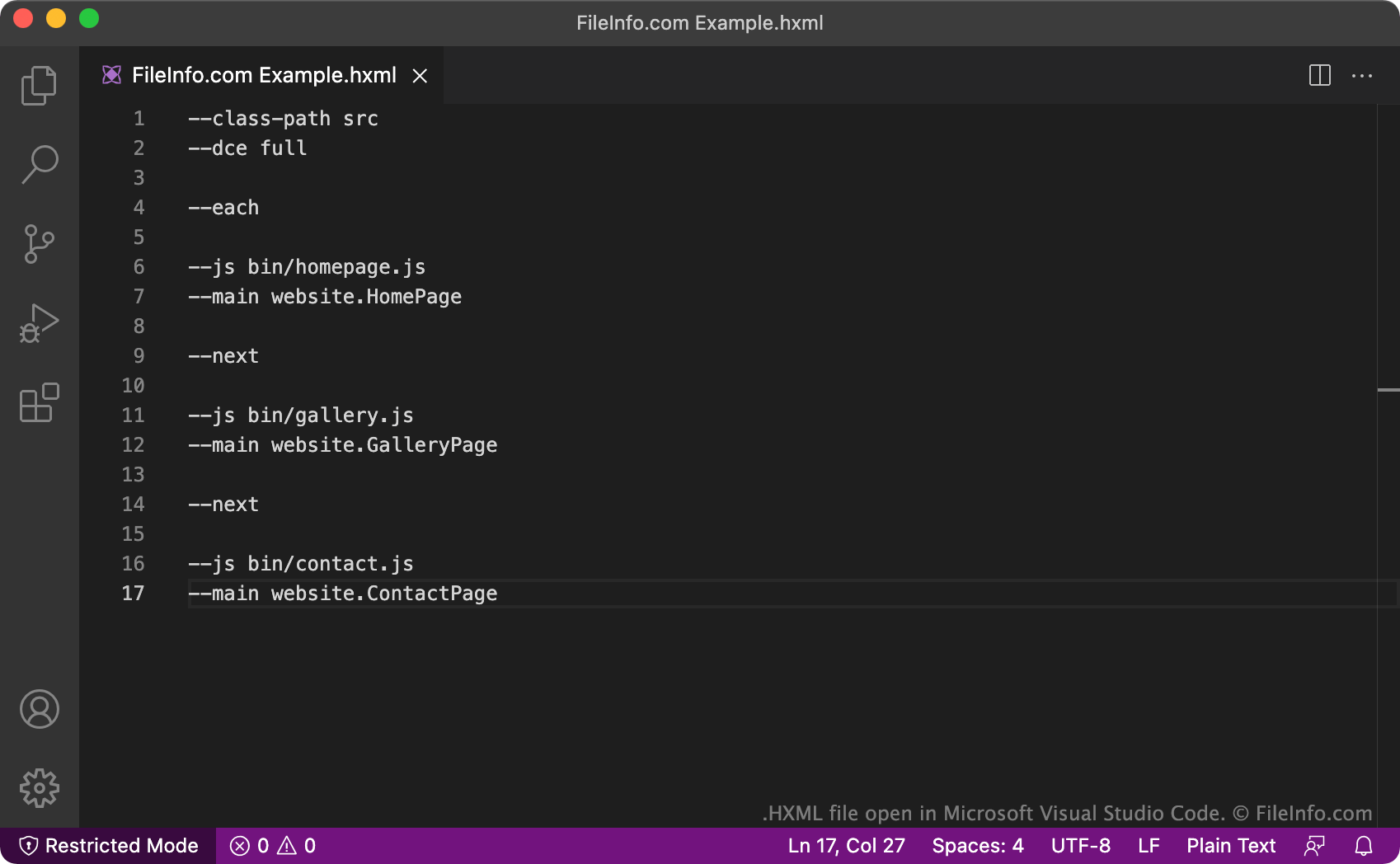
Wanneer ontwikkelaars een Haxe-project maken, maken ze een bijbehorend HXML-bestand. Het HXML-bestand bevat instellingen die de Haxe-compiler gebruikt om het project van de ontwikkelaar te compileren (het te vertalen naar een andere programmeertaal). HXML-bestanden bevatten altijd een lijst met te compileren klassen en te produceren uitvoerbestanden. HXML-bestanden kunnen ook aanvullende configuratieopties bevatten, zoals een specificatie dat elke klasse in een eigen uitvoerbestand moet worden gecompileerd (met de opdrachten --each en --next), of dat de compiler alle dode code verwijdert die tijdens het compilatieproces wordt gevonden (met de opdracht --dce).
Het is ook mogelijk om meerdere HXML-bestanden voor verschillende projecten in één overkoepelend HXML-bestand te nesten. Dit type HXML-bestand bevat tekstregels die verwijzen naar andere HXML-bestanden in plaats van naar Haxe-klassen. Door XHML-bestanden te nesten, kunnen ontwikkelaars gemakkelijker complexe programma's compileren waarvoor code uit meerdere Haxe-projecten nodig is, omdat ze één HXML-bestand kunnen uitvoeren in plaats van veel afzonderlijke bestanden.
OPMERKING: Het HXML-formaat verving het .HXPROJ-formaat.
Veelvoorkomende .HXML-bestandsnamen
Build.hxml - De standaardnaam die ontwikkelaars aan de meeste HXML-bestanden geven. Deze naam beschrijft de functie van het bestand (een Haxe-project bouwen).
Een HXML-bestand openen
Je kunt een HXML-bestand openen en bewerken in elke teksteditor of broncode-editor. Broncode-editors, zoals Microsoft Visual Studio Code, bieden hulpmiddelen waarmee je HXML-bestanden gemakkelijker kunt bewerken.
Als je een HXML-bestand wilt gebruiken om een Haxe-project te compileren, moet je Haxe installeren en je HXML-bestand uitvoeren. Open daarvoor een terminalvenster, ga naar de map die je bestand bevat en voer Haxe YourFileNameHere.hxml in. Haxe produceert vervolgens de uitvoer die in je HXML-bestand wordt beschreven.