

.HXML Dateiendung
Haxe-Projektdatei
| Entwickler | Haxe Foundation |
| Beliebtheit |
4,3 | 4 Stimmen |
Was ist eine HXML-Datei?
Eine HXML-Datei ist eine Konfigurationsdatei für ein Haxe-Entwicklungsprojekt. Sie enthält Text, den der Haxe-Compiler zum Kompilieren eines Projekts verwendet. HXML-Dateien definieren die enthaltenen Klassen und die Ausgabe eines Projekts.
Weitere Informationen
Haxe ist eine Open-Source-Programmiersprache für allgemeine Zwecke, die zum Erstellen von Videospielen, Webanwendungen, mobilen Anwendungen und plattformübergreifenden Desktopanwendungen verwendet wird. Haxe wird insbesondere in der HaxeFlixel-Spiel-Engine eingesetzt, einer Open-Source-Spiel-Engine zur Entwicklung von 2D-Spielen.
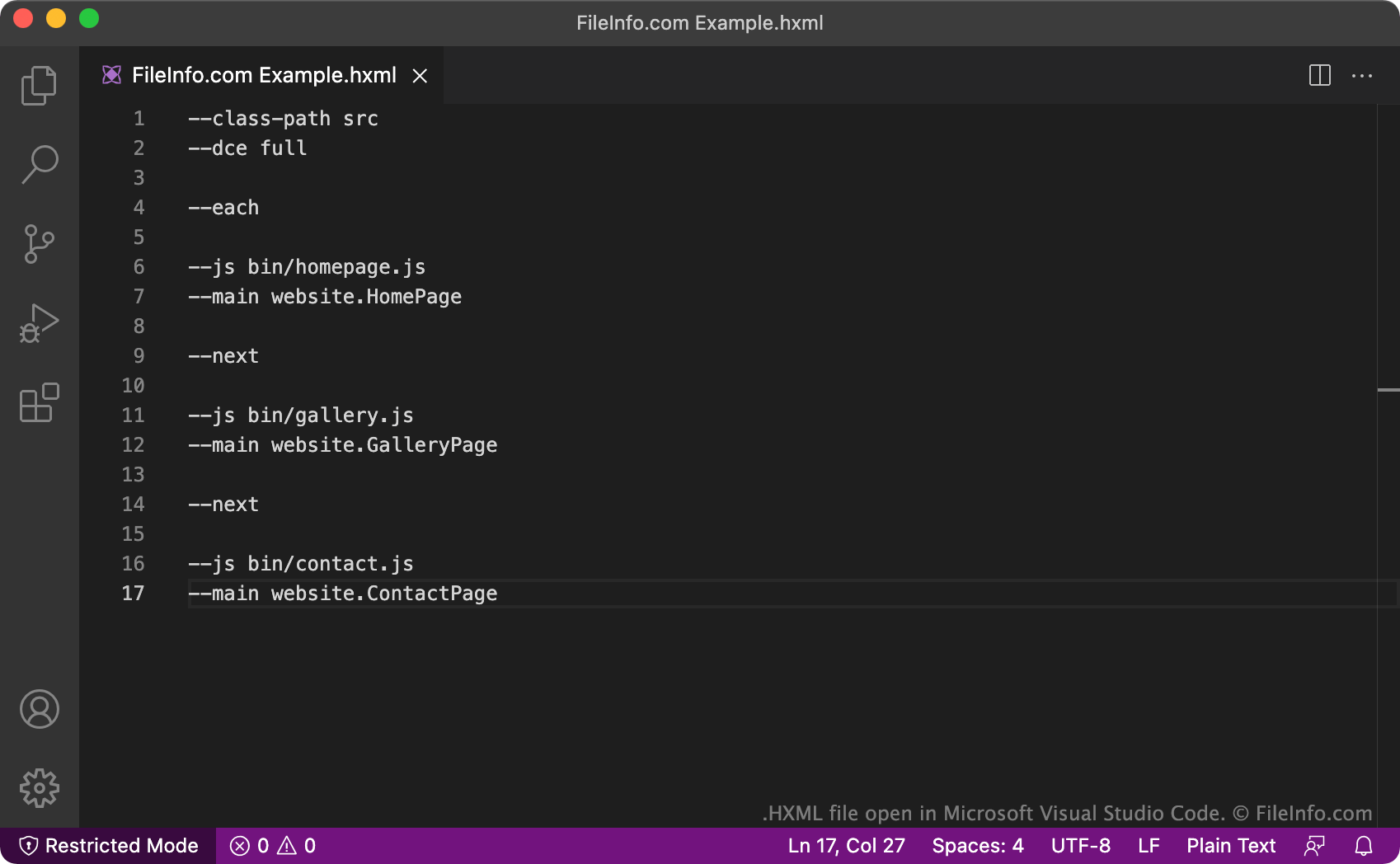
Wenn Entwickler ein Haxe-Projekt erstellen, legen sie eine zugehörige HXML-Datei an. Die HXML-Datei enthält Einstellungen, die der Haxe-Compiler verwendet, um das Projekt des Entwicklers zu kompilieren (in eine andere Programmiersprache zu übersetzen). In allen Fällen enthalten HXML-Dateien eine Liste der zu kompilierenden Klassen und der zu erzeugenden Ausgabedateien. HXML-Dateien können auch zusätzliche Konfigurationsoptionen enthalten, beispielsweise die Vorgabe, dass jede Klasse in einer eigenen Ausgabedatei kompiliert wird (mit den Befehlen --each und --next) oder dass der Compiler während des Kompilierungsvorgangs jeglichen ungenutzten Code entfernt, den er findet (mit dem Befehl --dce).
Es ist auch möglich, mehrere HXML-Dateien für mehrere Projekte in einer übergeordneten HXML-Datei zu verschachteln. Diese Art von HXML-Datei enthält Textzeilen, die auf andere HXML-Dateien verweisen, anstatt auf Haxe-Klassen. Durch das Verschachteln von XHML-Dateien können Entwickler komplexe Programme leichter kompilieren, die Code aus mehreren Haxe-Projekten benötigen, da sie eine HXML-Datei anstelle vieler einzelner Dateien ausführen können.
HINWEIS: Das HXML-Format ersetzte das .HXPROJ-Format.
Häufige .HXML-Dateinamen
Build.hxml - Der Standardname, den Entwickler den meisten HXML-Dateien geben. Dieser Name beschreibt die Funktion der Datei (ein Haxe-Projekt zu erstellen).
So öffnen Sie eine HXML-Datei
Sie können eine HXML-Datei in jedem Text- oder Quellcode-Editor öffnen und bearbeiten. Quellcode-Editoren wie Microsoft Visual Studio Code bieten Werkzeuge, die das Bearbeiten von HXML-Dateien erleichtern.
Um eine HXML-Datei zum Kompilieren eines Haxe-Projekts zu verwenden, müssen Sie Haxe installieren und Ihre HXML-Datei ausführen. Öffnen Sie dazu ein Terminalfenster, wechseln Sie in das Verzeichnis, das Ihre Datei enthält, und geben Sie Haxe YourFileNameHere.hxml ein. Haxe erzeugt anschließend die Ausgabe, die in Ihrer HXML-Datei beschrieben ist.