

.HXML 파일 확장자
Haxe 프로젝트 파일
| 개발사 | Haxe Foundation |
| 인기도 |
4.3 | 4 표 |
HXML 파일이란 무엇인가요?
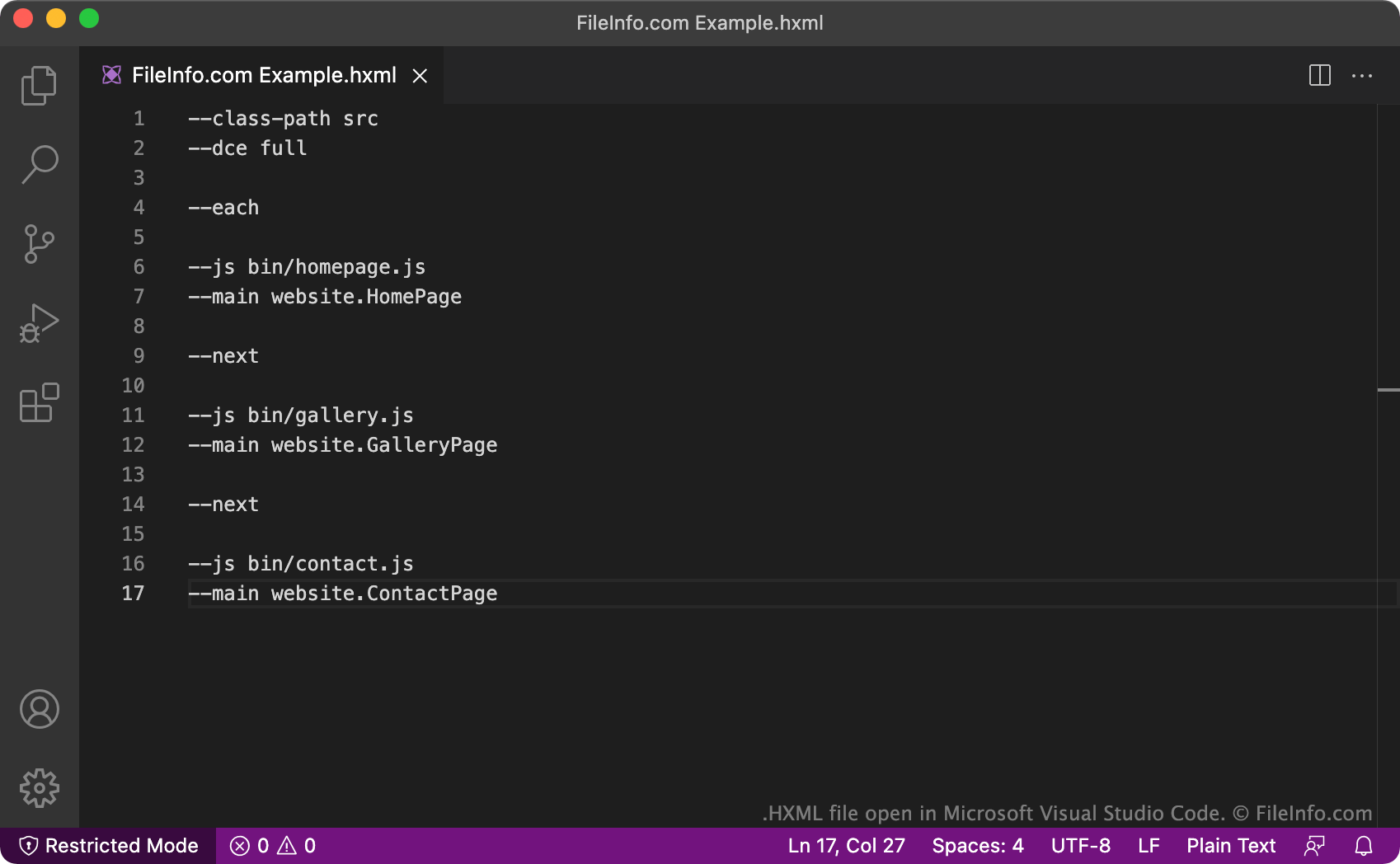
HXML 파일은 Haxe 개발 프로젝트의 구성 파일입니다. Haxe 컴파일러가 프로젝트를 컴파일하는 데 사용하는 텍스트가 포함되어 있습니다. HXML 파일은 프로젝트에 포함된 클래스와 출력을 정의합니다.
추가 정보
Haxe는 비디오 게임, 웹 애플리케이션, 모바일 애플리케이션, 크로스 플랫폼 데스크톱 애플리케이션을 만드는 데 사용되는 오픈 소스 범용 프로그래밍 언어입니다. 특히 Haxe는 2D 게임을 개발하는 데 사용되는 오픈 소스 게임 엔진인 HaxeFlixel 게임 엔진에서 사용됩니다.
개발자가 Haxe 프로젝트를 만들 때는 연결된 HXML 파일도 만듭니다. HXML 파일에는 Haxe 컴파일러가 개발자의 프로젝트를 컴파일하는 데 사용하는 설정이 포함되어 있습니다(프로젝트를 다른 프로그래밍 언어로 변환). 모든 경우에 HXML 파일에는 컴파일할 클래스 목록과 생성할 출력 파일이 포함됩니다. HXML 파일에는 각 클래스를 자체 출력 파일로 컴파일하도록 지정하는 옵션(--each 및 --next 명령 사용)이나 컴파일 과정에서 컴파일러가 찾은 사용되지 않는 코드를 제거하도록 지정하는 옵션(--dce 명령 사용)과 같은 추가 구성 옵션도 포함될 수 있습니다.
여러 프로젝트에 해당하는 여러 HXML 파일을 하나의 상위 HXML 파일 안에 중첩하는 것도 가능합니다. 이러한 유형의 HXML 파일에는 Haxe 클래스 대신 다른 HXML 파일을 참조하는 텍스트 줄이 포함됩니다. XHML 파일을 중첩하면 여러 Haxe 프로젝트의 코드가 필요한 복잡한 프로그램을 개발자가 더 쉽게 컴파일할 수 있습니다. 개발자는 여러 개의 개별 파일 대신 하나의 HXML 파일을 실행하면 되기 때문입니다.
참고: HXML 형식은 .HXPROJ 형식을 대체했습니다.
일반적인 .HXML 파일 이름
Build.hxml - 대부분의 HXML 파일에 개발자가 지정하는 기본 이름입니다. 이 이름은 파일의 기능(Haxe 프로젝트 빌드)을 설명합니다.
HXML 파일을 여는 방법
HXML 파일은 모든 텍스트 편집기나 소스 코드 편집기에서 열고 편집할 수 있습니다. Microsoft Visual Studio Code와 같은 소스 코드 편집기는 HXML 파일을 더 쉽게 편집할 수 있는 도구를 제공합니다.
HXML 파일을 사용하여 Haxe 프로젝트를 컴파일하려면 Haxe를 설치하고 HXML 파일을 실행해야 합니다. 터미널 창을 열고 파일이 포함된 디렉터리로 이동한 다음 Haxe YourFileNameHere.hxml을 입력하면 됩니다. 그러면 Haxe가 HXML 파일에 설명된 출력을 생성합니다.