.GWSAVE 文件扩展名

Inscryption Saved Game

开发者 Daniel Mullins Games
受欢迎程度
3.0  |  1 
 

什么是 GWSAVE 文件?

A GWSAVE file is a saved game created by Inscryption, a roguelike deck-building video game. It contains a plain text record of a player's current game progress and deck. Inscryption modders often modify their GWSAVE files to add cards to their decks, give themselves in-game items, and alter other gameplay elements.

更多信息

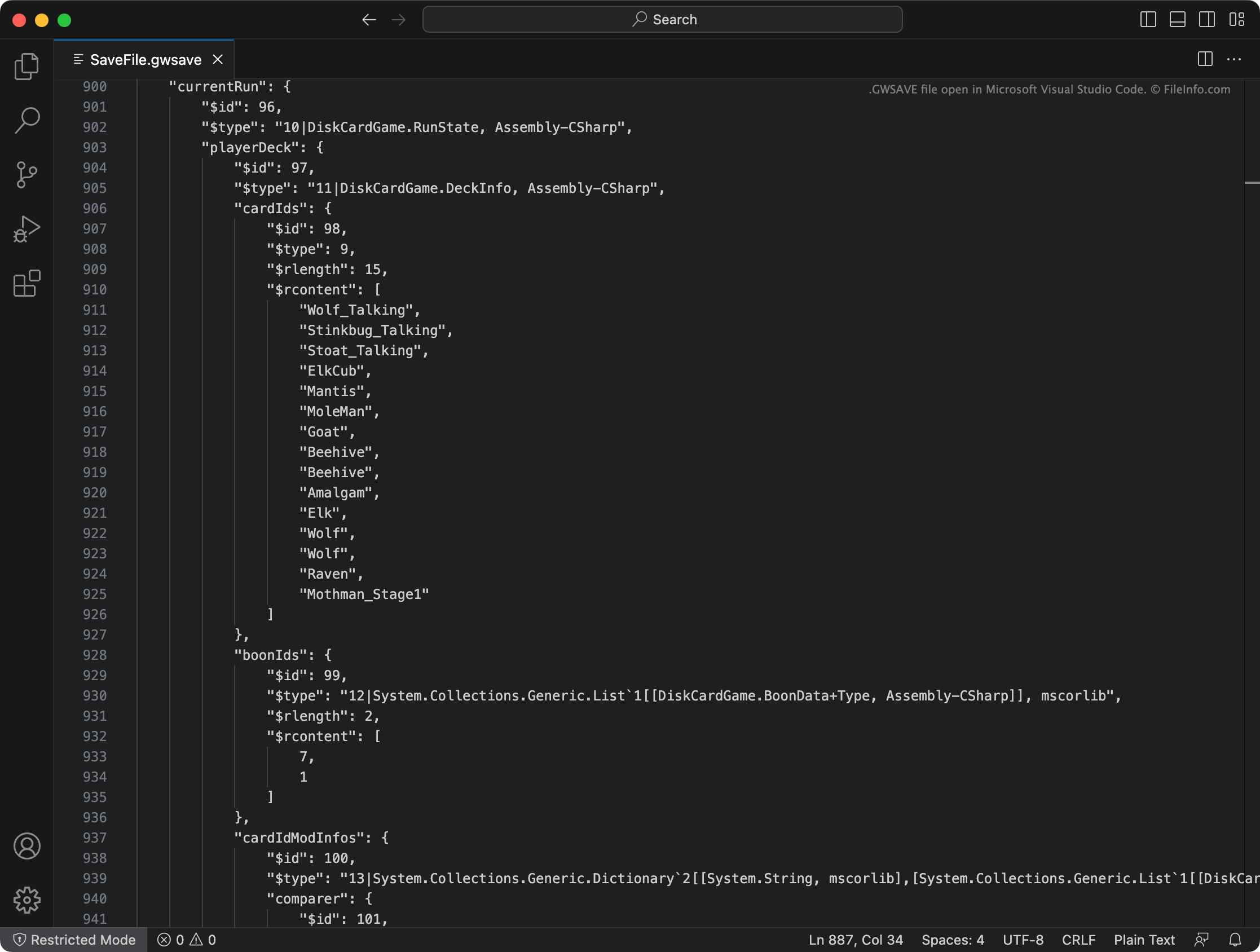
在 Microsoft Visual Studio Code 中打开的 .gwsave 文件截图
在 Microsoft Visual Studio Code 中打开的 GWSAVE 文件

In Inscryption, players take on the role of Luke Carder, a vlogger who has been sucked into a complex and malevolent deck-building video game. As the player progresses through the game, they add new cards to their deck, acquire items, and experience numerous surprises.

Inscryption records a player's current deck, acquired items, map location, and other progress and achievements in a GWSAVE file, named SaveFile.gwsave. (It also backs up a player's prior saved game in SaveFile-Backup.gwsave.) This file is a plain text file, which consists of various sections associated with specific aspects of gameplay.

For example, the playerDeck section describes the contents of a player's current deck (including how cards in the deck have been modified in-game), while the playerLives section records the number of lives a player has left. For more complete information on the data a GWSAVE file contains and how to modify that data, click here.

常见 .GWSAVE 文件名

SaveFile.gwsave - Inscryption's primary save file.

SaveFile-Backup.gwsave - Inscryption's backup save file.

如何打开 GWSAVE 文件

You can open a GWSAVE file and edit the saved game data it contains with Microsoft Visual Studio Code, Microsoft Notepad, Apple TextEdit, or any other text editor. Alternatively, you can use the online Inscryption Save Editor to edit the data your GWSAVE file contains.

To use a GWSAVE file with Inscryption, place it one of the following locations (and delete your existing GWSAVE file):

  • Windows: ~/​Steam/​steamapps/​common/​Inscryption
  • Mac: ~/​Users/​YourUserName/​Applications/​Inscryption.app

To place a GWSAVE file in Inscryption.app, right-click the file and select Show Package Contents. Then, move your GWSAVE file into the Contents directory that appears.

使用File Viewer Plus打开 400 多种文件格式。免费下载

可打开或引用 GWSAVE 文件的程序

分类: 游戏
更新时间: 2023-06-28

验证者 FileInfo.com

FileInfo.com 团队 独立研究了本页面列出的 Inscryption Saved Game 文件格式和 Mac and Windows 应用。 我们的目标是达到 100% 的准确率,并且仅发布我们已验证过的文件类型信息。

如果您想为此页面提出新增或更新建议,请告诉我们