

.GWSAVE Estensione file
Partita salvata di Inscryption
| Sviluppatore | Daniel Mullins Games |
| Popolarità |
3,0 | 1 Voto |
Che cos'è un file GWSAVE?
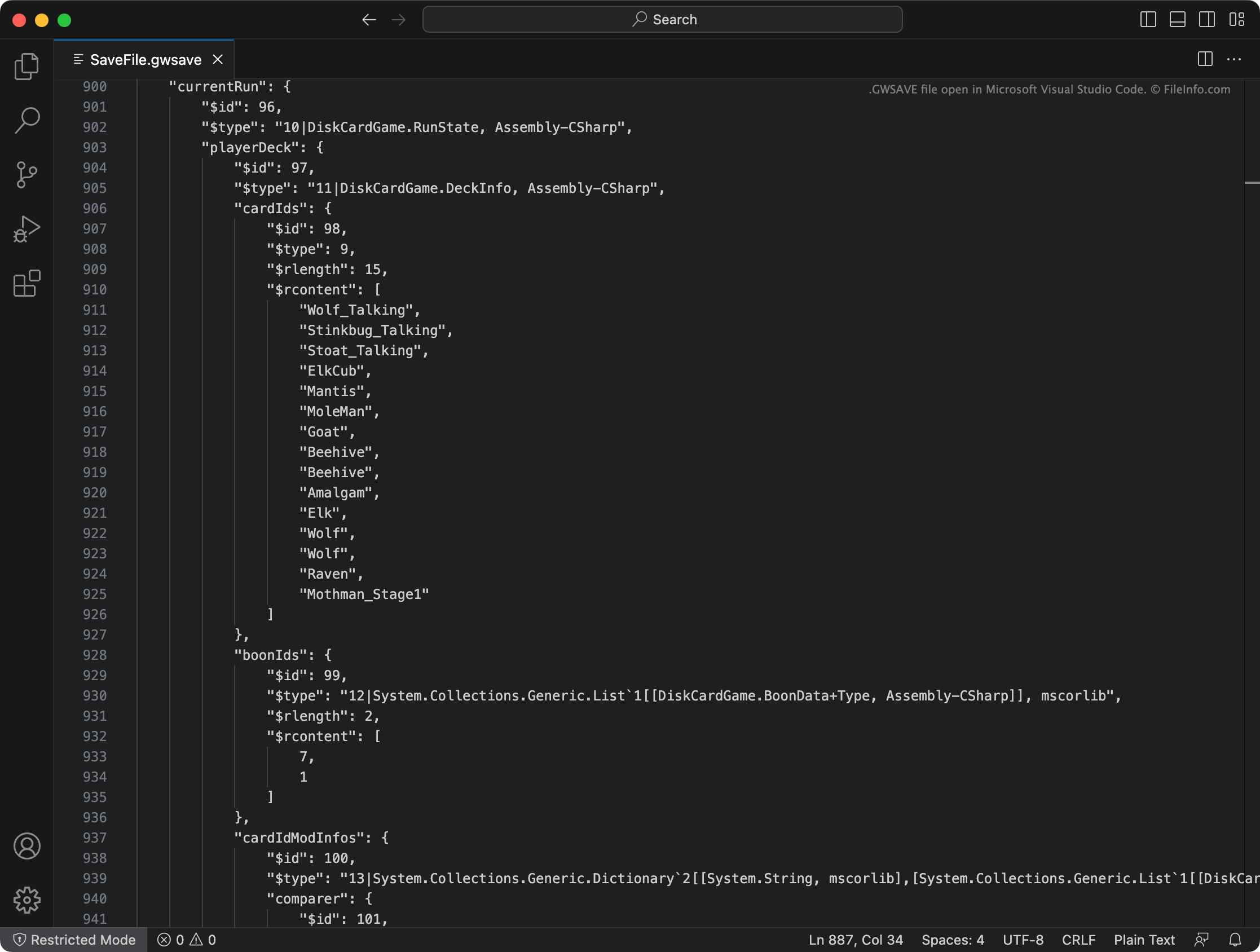
Un file GWSAVE è una partita salvata creata da Inscryption, un videogioco roguelike di costruzione di mazzi. Contiene un resoconto in testo semplice dei progressi di gioco attuali e del mazzo di un giocatore. I modder di Inscryption modificano spesso i propri file GWSAVE per aggiungere carte ai loro mazzi, assegnarsi oggetti di gioco e alterare altri elementi del gameplay.
Maggiori informazioni
In Inscryption, i giocatori assumono il ruolo di Luke Carder, un vlogger che è stato risucchiato in un complesso e maligno videogioco di costruzione di mazzi. Man mano che il giocatore avanza nel gioco, aggiunge nuove carte al proprio mazzo, acquisisce oggetti e vive numerose sorprese.
Inscryption registra il mazzo attuale di un giocatore, gli oggetti acquisiti, la posizione sulla mappa e altri progressi e obiettivi in un file GWSAVE, denominato SaveFile.gwsave. (Esegue inoltre il backup della partita salvata precedente di un giocatore in SaveFile-Backup.gwsave.) Questo file è un file di testo semplice costituito da varie sezioni associate ad aspetti specifici del gameplay.
Ad esempio, la sezione playerDeck descrive il contenuto del mazzo attuale di un giocatore (incluso il modo in cui le carte del mazzo sono state modificate nel gioco), mentre la sezione playerLives registra il numero di vite rimaste a un giocatore. Per informazioni più complete sui dati contenuti in un file GWSAVE e su come modificarli, fai clic qui.
Nomi file .GWSAVE comuni
SaveFile.gwsave - File principale della partita salvata di Inscryption.
SaveFile-Backup.gwsave - File di backup della partita salvata di Inscryption.
Come aprire un file GWSAVE
Puoi aprire un file GWSAVE e modificare i dati della partita salvata che contiene con Microsoft Visual Studio Code, Microsoft Notepad, Apple TextEdit o qualsiasi altro editor di testo. In alternativa, puoi usare l'Inscryption Save Editor online per modificare i dati contenuti nel tuo file GWSAVE.
Per usare un file GWSAVE con Inscryption, inseriscilo in una delle seguenti posizioni (ed elimina il file GWSAVE esistente):
- Windows: ~/Steam/steamapps/common/Inscryption
- Mac: ~/Users/YourUserName/Applications/Inscryption.app
Per inserire un file GWSAVE in Inscryption.app, fai clic con il pulsante destro del mouse sul file e seleziona . Quindi, sposta il file GWSAVE nella directory Contents visualizzata.