

.GWSAVE Extensão de arquivo
Jogo salvo do Inscryption
| Desenvolvedor | Daniel Mullins Games |
| Popularidade |
3,0 | 1 Voto |
O que é um arquivo GWSAVE?
Um arquivo GWSAVE é um jogo salvo criado pelo Inscryption, um jogo de videogame roguelike de construção de baralhos. Ele contém um registro em texto sem formatação do progresso atual do jogo e do baralho de um jogador. Modificadores do Inscryption costumam modificar seus arquivos GWSAVE para adicionar cartas aos baralhos, conceder itens do jogo e alterar outros elementos da jogabilidade.
Mais informações
No Inscryption, os jogadores assumem o papel de Luke Carder, um vlogger que foi sugado para dentro de um jogo de videogame complexo e malévolo de construção de baralhos. À medida que avançam no jogo, os jogadores adicionam novas cartas ao baralho, adquirem itens e vivenciam inúmeras surpresas.
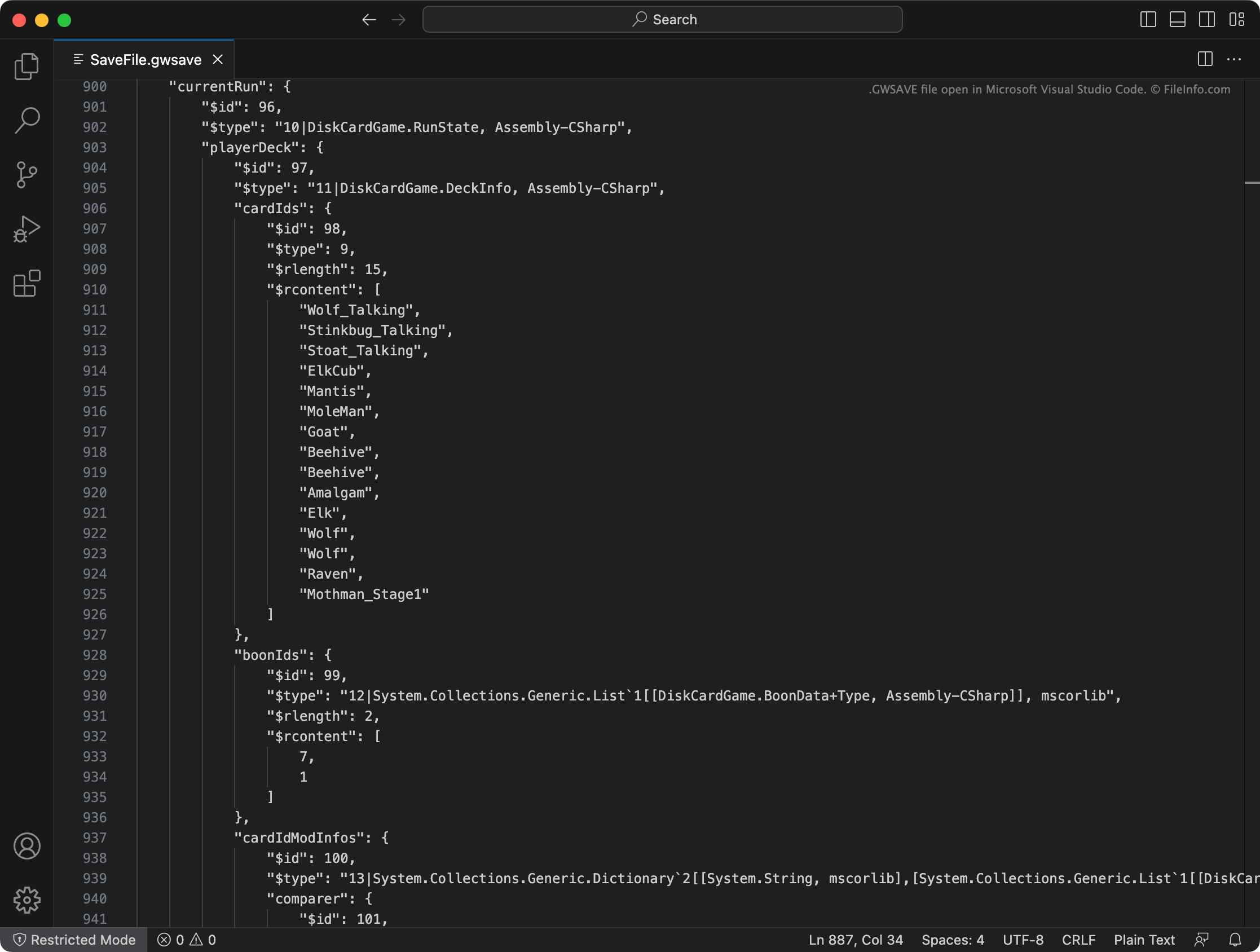
O Inscryption registra o baralho atual de um jogador, os itens adquiridos, a localização no mapa e outros progressos e conquistas em um arquivo GWSAVE chamado SaveFile.gwsave. (Ele também faz backup do jogo salvo anterior de um jogador em SaveFile-Backup.gwsave.) Esse arquivo é um arquivo de texto sem formatação que consiste em várias seções associadas a aspectos específicos da jogabilidade.
Por exemplo, a seção playerDeck descreve o conteúdo do baralho atual de um jogador (incluindo como as cartas do baralho foram modificadas no jogo), enquanto a seção playerLives registra o número de vidas restantes de um jogador. Para obter informações mais completas sobre os dados que um arquivo GWSAVE contém e como modificá-los, clique aqui.
Nomes de arquivo .GWSAVE comuns
SaveFile.gwsave - Arquivo principal de salvamento do Inscryption.
SaveFile-Backup.gwsave - Arquivo de backup do jogo salvo do Inscryption.
Como abrir um arquivo GWSAVE
Você pode abrir um arquivo GWSAVE e editar os dados do jogo salvo que ele contém com o Microsoft Visual Studio Code, o Microsoft Notepad, o Apple TextEdit ou qualquer outro editor de texto. Como alternativa, você pode usar o Inscryption Save Editor online para editar os dados contidos no arquivo GWSAVE.
Para usar um arquivo GWSAVE com o Inscryption, coloque-o em um dos seguintes locais (e exclua o arquivo GWSAVE existente):
- Windows: ~/Steam/steamapps/common/Inscryption
- Mac: ~/Users/YourUserName/Applications/Inscryption.app
Para colocar um arquivo GWSAVE em Inscryption.app, clique com o botão direito do mouse no arquivo e selecione . Em seguida, mova seu arquivo GWSAVE para o diretório Contents que aparece.