

.GWSAVE Dateiendung
Inscryption-Spielstand
| Entwickler | Daniel Mullins Games |
| Beliebtheit |
3,0 | 1 Stimme |
Was ist eine GWSAVE-Datei?
Eine GWSAVE-Datei ist ein von Inscryption erstellter Spielstand, einem Roguelike-Deckbuilding-Videospiel. Sie enthält einen Klartext-Datensatz mit dem aktuellen Spielfortschritt und Deck eines Spielers. Inscryption-Modder ändern ihre GWSAVE-Dateien häufig, um ihren Decks Karten hinzuzufügen, sich Gegenstände im Spiel zu geben und andere Spielelemente zu verändern.
Weitere Informationen
In Inscryption schlüpfen die Spieler in die Rolle von Luke Carder, einem Vlogger, der in ein komplexes und bösartiges Deckbuilding-Videospiel hineingezogen wurde. Im Verlauf des Spiels fügen sie ihrem Deck neue Karten hinzu, erwerben Gegenstände und erleben zahlreiche Überraschungen.
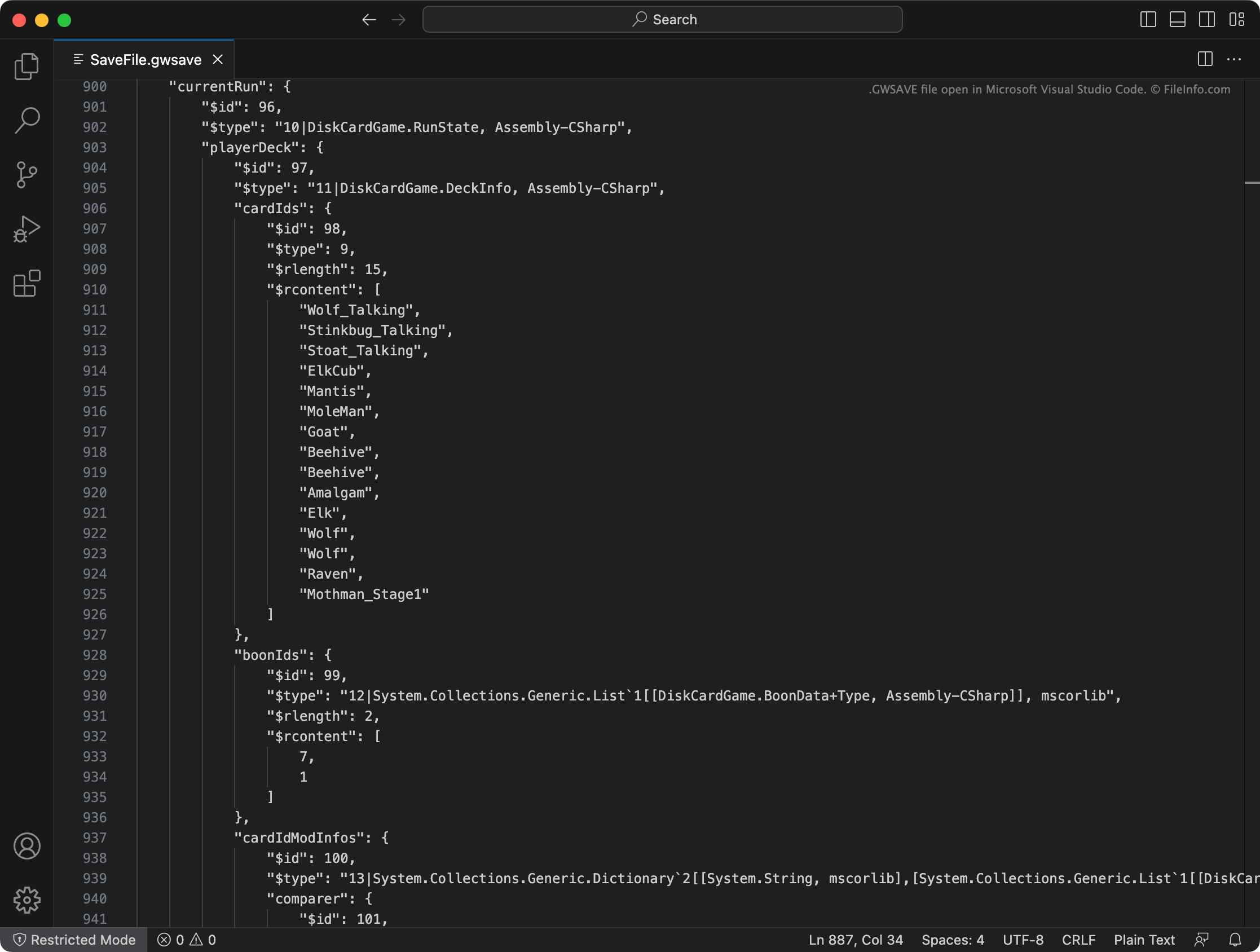
Inscryption speichert das aktuelle Deck eines Spielers, erworbene Gegenstände, den Ort auf der Karte sowie andere Fortschritte und Erfolge in einer GWSAVE-Datei namens SaveFile.gwsave. (Außerdem wird der vorherige Spielstand eines Spielers in SaveFile-Backup.gwsave gesichert.) Diese Datei ist eine Klartextdatei, die aus verschiedenen Abschnitten besteht, die bestimmten Aspekten des Spiels zugeordnet sind.
Der Abschnitt playerDeck beschreibt beispielsweise den Inhalt des aktuellen Decks eines Spielers (einschließlich der Änderungen, die im Spiel an den Karten im Deck vorgenommen wurden), während der Abschnitt playerLives die Anzahl der verbleibenden Leben eines Spielers speichert. Ausführlichere Informationen zu den Daten, die eine GWSAVE-Datei enthält, und dazu, wie diese Daten geändert werden können, finden Sie hier.
Häufige .GWSAVE-Dateinamen
SaveFile.gwsave - Primäre Spielstanddatei von Inscryption.
SaveFile-Backup.gwsave - Sicherungskopie der Spielstanddatei von Inscryption.
So öffnen Sie eine GWSAVE-Datei
Sie können eine GWSAVE-Datei mit Microsoft Visual Studio Code, Microsoft Notepad, Apple TextEdit oder jedem anderen Texteditor öffnen und die darin enthaltenen Spieldaten bearbeiten. Alternativ können Sie den Online-Inscryption-Spielstand-Editor verwenden, um die in Ihrer GWSAVE-Datei enthaltenen Daten zu bearbeiten.
Um eine GWSAVE-Datei mit Inscryption zu verwenden, legen Sie sie an einem der folgenden Speicherorte ab (und löschen Sie Ihre vorhandene GWSAVE-Datei):
- Windows: ~/Steam/steamapps/common/Inscryption
- Mac: ~/Users/YourUserName/Applications/Inscryption.app
Um eine GWSAVE-Datei in Inscryption.app abzulegen, klicken Sie mit der rechten Maustaste auf die Datei und wählen Sie . Verschieben Sie anschließend Ihre GWSAVE-Datei in das angezeigte Verzeichnis Contents.