

.GWSAVE Přípona souboru
Uložená hra Inscryption
| Vývojář | Daniel Mullins Games |
| Popularita |
3,0 | 1 hlas |
Co je soubor GWSAVE?
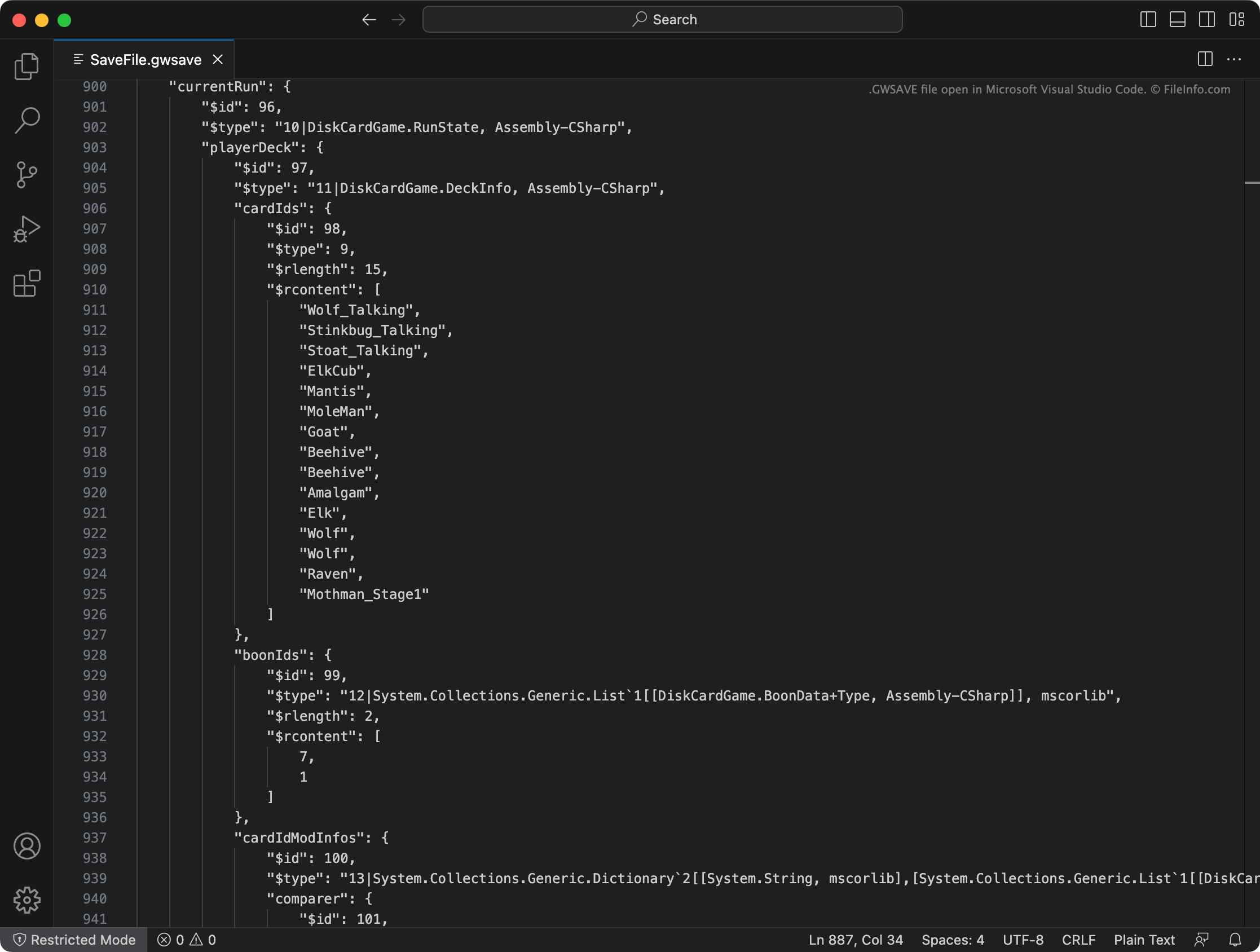
Soubor GWSAVE je uložená hra vytvořená hrou Inscryption, což je roguelike videohra se stavěním balíčku karet. Obsahuje záznam prostého textu o aktuálním postupu hráče ve hře a jeho balíčku. Moddeři hry Inscryption často upravují své soubory GWSAVE, aby si do balíčků přidali karty, dali herní předměty a změnili další prvky hry.
Další informace
Ve hře Inscryption se hráči ujímají role Luka Cardera, vlogera, kterého pohltila složitá a zlovolná videohra se stavěním balíčku karet. Jak hráč postupuje hrou, přidává do svého balíčku nové karty, získává předměty a zažívá řadu překvapení.
Inscryption zaznamenává hráčův aktuální balíček, získané předměty, umístění na mapě a další postup a úspěchy v souboru GWSAVE s názvem SaveFile.gwsave. (Zároveň zálohuje předchozí uloženou hru hráče do souboru SaveFile-Backup.gwsave.) Tento soubor je soubor prostého textu, který se skládá z různých částí souvisejících s konkrétními aspekty hry.
Například část playerDeck popisuje obsah hráčova aktuálního balíčku (včetně způsobu, jakým byly karty v balíčku upraveny ve hře), zatímco část playerLives zaznamenává počet životů, které hráči zbývají. Úplnější informace o datech, která soubor GWSAVE obsahuje, a o tom, jak tato data upravovat, získáte zde.
Běžné názvy souborů .GWSAVE
SaveFile.gwsave - Primární soubor uložené hry Inscryption.
SaveFile-Backup.gwsave - Záložní soubor uložené hry Inscryption.
Jak otevřít soubor GWSAVE
Soubor GWSAVE můžete otevřít a upravit data uložené hry, která obsahuje, pomocí programů Microsoft Visual Studio Code, Microsoft Notepad, Apple TextEdit nebo jiného textového editoru. Data obsažená v souboru GWSAVE můžete upravit také pomocí online nástroje Inscryption Save Editor.
Chcete-li soubor GWSAVE použít ve hře Inscryption, umístěte ho do jednoho z následujících umístění (a odstraňte svůj stávající soubor GWSAVE):
- Windows: ~/Steam/steamapps/common/Inscryption
- Mac: ~/Users/YourUserName/Applications/Inscryption.app
Chcete-li soubor GWSAVE umístit do Inscryption.app, klikněte na soubor pravým tlačítkem a vyberte . Poté přesuňte soubor GWSAVE do adresáře Contents, který se zobrazí.