

.GWSAVE Bestandsextensie
Opgeslagen spel van Inscryption
| Ontwikkelaar | Daniel Mullins Games |
| Populariteit |
3,0 | 1 stem |
Wat is een GWSAVE-bestand?
Een GWSAVE-bestand is een opgeslagen spel dat is gemaakt door Inscryption, een roguelike kaartspel. Het bevat een platte tekst-registratie van de huidige spelvoortgang en het kaartspel van een speler. Modmakers van Inscryption passen hun GWSAVE-bestanden vaak aan om kaarten aan hun kaartspel toe te voegen, zichzelf voorwerpen in het spel te geven en andere spelelementen te wijzigen.
Meer informatie
In Inscryption kruipen spelers in de huid van Luke Carder, een vlogger die in een complex en kwaadaardig kaartspel is gezogen. Naarmate de speler vordert in het spel, voegen ze nieuwe kaarten aan hun kaartspel toe, verzamelen ze voorwerpen en beleven ze talloze verrassingen.
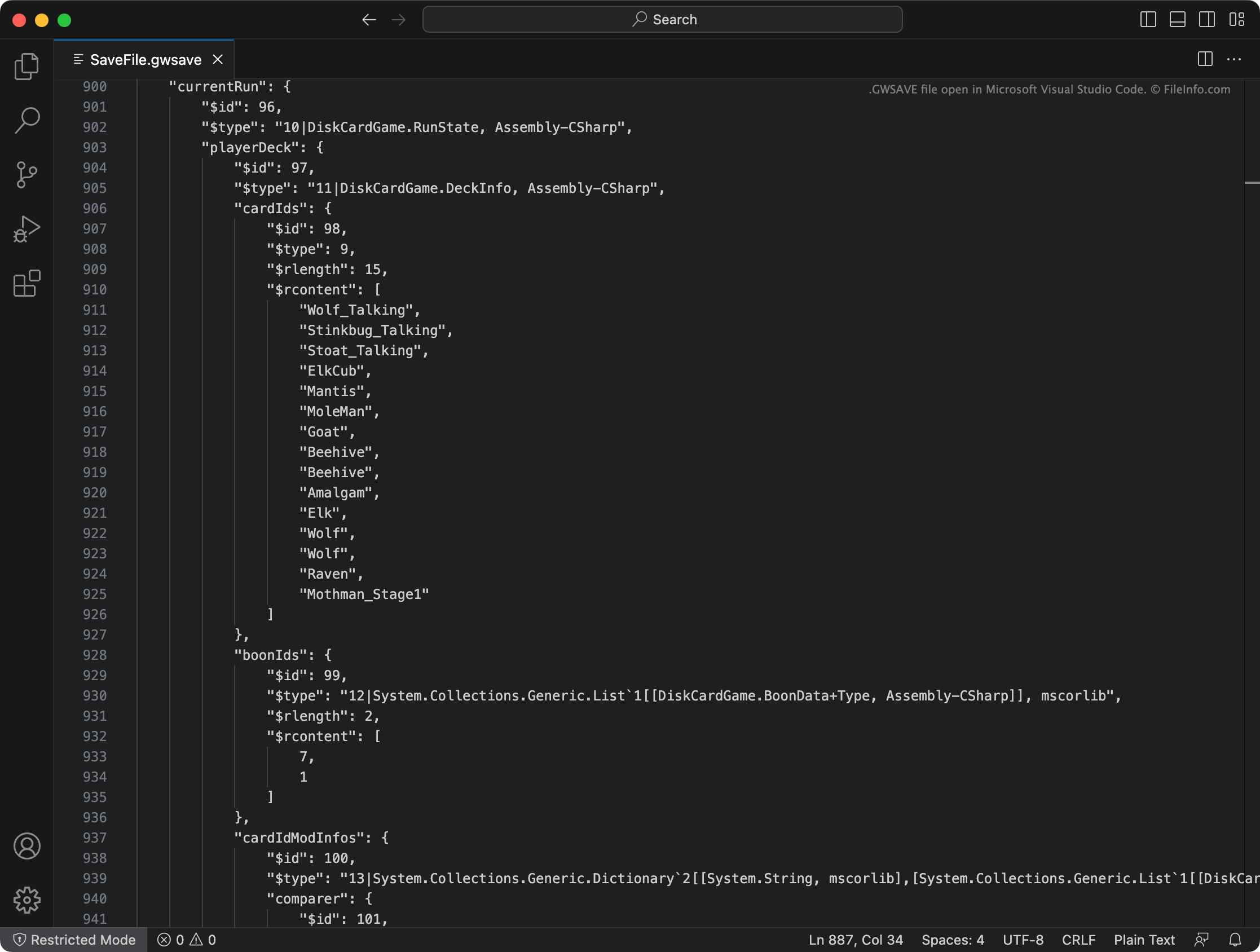
Inscryption slaat het huidige kaartspel, verzamelde voorwerpen, de locatie op de kaart en andere voortgang en prestaties van een speler op in een GWSAVE-bestand met de naam SaveFile.gwsave. (Het maakt ook een back-up van het vorige opgeslagen spel van een speler in SaveFile-Backup.gwsave.) Dit bestand is een bestand met platte tekst dat uit verschillende secties bestaat die verband houden met specifieke aspecten van het spel.
De sectie playerDeck beschrijft bijvoorbeeld de inhoud van het huidige kaartspel van een speler (waaronder hoe kaarten in het kaartspel in het spel zijn aangepast), terwijl de sectie playerLives het aantal resterende levens van een speler bijhoudt. Klik hier voor uitgebreidere informatie over de gegevens in een GWSAVE-bestand en hoe je die gegevens kunt aanpassen.
Veelvoorkomende .GWSAVE-bestandsnamen
SaveFile.gwsave - Het primaire opslagbestand van Inscryption.
SaveFile-Backup.gwsave - Het back-upbestand van Inscryption.
Een GWSAVE-bestand openen
Je kunt een GWSAVE-bestand openen en de opgeslagen spelgegevens die het bevat bewerken met Microsoft Visual Studio Code, Microsoft Notepad, Apple TextEdit of een andere teksteditor. Je kunt ook de online Inscryption Save Editor gebruiken om de gegevens in je GWSAVE-bestand te bewerken.
Als je een GWSAVE-bestand met Inscryption wilt gebruiken, plaats je het op een van de volgende locaties (en verwijder je je bestaande GWSAVE-bestand):
- Windows: ~/Steam/steamapps/common/Inscryption
- Mac: ~/Users/YourUserName/Applications/Inscryption.app
Als je een GWSAVE-bestand in Inscryption.app wilt plaatsen, klik je met de rechtermuisknop op het bestand en selecteer je . Verplaats je GWSAVE-bestand vervolgens naar de map Contents die verschijnt.