

.GWSAVE 파일 확장자
Inscryption 저장 게임
| 개발사 | Daniel Mullins Games |
| 인기도 |
3.0 | 1 표 |
GWSAVE 파일이란 무엇인가요?
GWSAVE 파일은 로그라이크 덱 빌딩 비디오 게임인 Inscryption이 생성한 저장 게임 파일입니다. 이 파일에는 플레이어의 현재 게임 진행 상황과 덱을 기록한 일반 텍스트가 포함되어 있습니다. Inscryption 모더들은 덱에 카드를 추가하고, 게임 내 아이템을 자신에게 지급하며, 기타 게임플레이 요소를 변경하기 위해 GWSAVE 파일을 수정하는 경우가 많습니다.
추가 정보
Inscryption에서 플레이어는 복잡하고 사악한 덱 빌딩 비디오 게임에 빨려 들어간 브이로거 Luke Carder의 역할을 맡습니다. 플레이어는 게임을 진행하면서 덱에 새로운 카드를 추가하고, 아이템을 획득하며, 수많은 놀라움을 경험합니다.
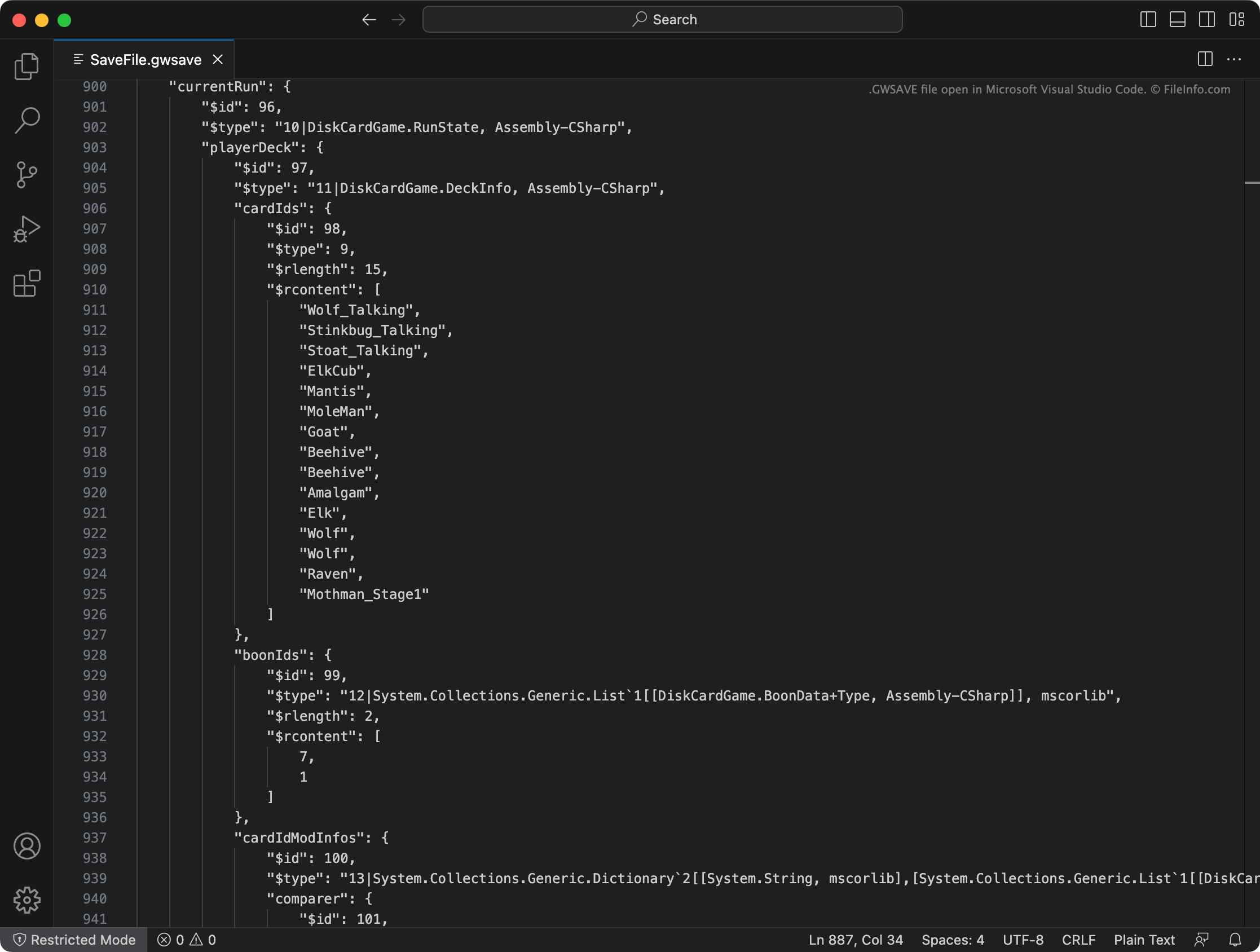
Inscryption은 플레이어의 현재 덱, 획득한 아이템, 지도 위치, 기타 진행 상황과 업적을 SaveFile.gwsave라는 GWSAVE 파일에 기록합니다. (또한 SaveFile-Backup.gwsave에 플레이어의 이전 저장 게임을 백업합니다.) 이 파일은 일반 텍스트 파일이며, 게임플레이의 특정 측면과 관련된 여러 섹션으로 구성되어 있습니다.
예를 들어 playerDeck 섹션에는 플레이어의 현재 덱 내용이 설명되어 있으며(덱의 카드가 게임 내에서 어떻게 수정되었는지도 포함), playerLives 섹션에는 플레이어에게 남은 생명 수가 기록되어 있습니다. GWSAVE 파일에 포함된 데이터와 해당 데이터를 수정하는 방법에 대한 자세한 정보는 여기를 클릭하세요.
일반적인 .GWSAVE 파일 이름
SaveFile.gwsave - Inscryption의 기본 저장 파일입니다.
SaveFile-Backup.gwsave - Inscryption의 백업 저장 파일입니다.
GWSAVE 파일을 여는 방법
Microsoft Visual Studio Code, Microsoft Notepad, Apple TextEdit 또는 다른 텍스트 편집기를 사용하여 GWSAVE 파일을 열고 그 안에 포함된 저장 게임 데이터를 편집할 수 있습니다. 또는 온라인 Inscryption Save Editor를 사용하여 GWSAVE 파일에 포함된 데이터를 편집할 수 있습니다.
GWSAVE 파일을 Inscryption에서 사용하려면 다음 위치 중 한 곳에 파일을 배치하세요(그리고 기존 GWSAVE 파일을 삭제하세요).
- Windows: ~/Steam/steamapps/common/Inscryption
- Mac: ~/Users/YourUserName/Applications/Inscryption.app
GWSAVE 파일을 Inscryption.app에 배치하려면 파일을 마우스 오른쪽 버튼으로 클릭하고 를 선택하세요. 그런 다음 나타나는 Contents 디렉터리로 GWSAVE 파일을 이동하세요.