.CVXCAD 文件扩展名
Canvas X Pro Drawing
| 开发者 | Canvas GFX |
| 受欢迎程度 |
3.0 | 1 票 |
什么是 CVXCAD 文件?
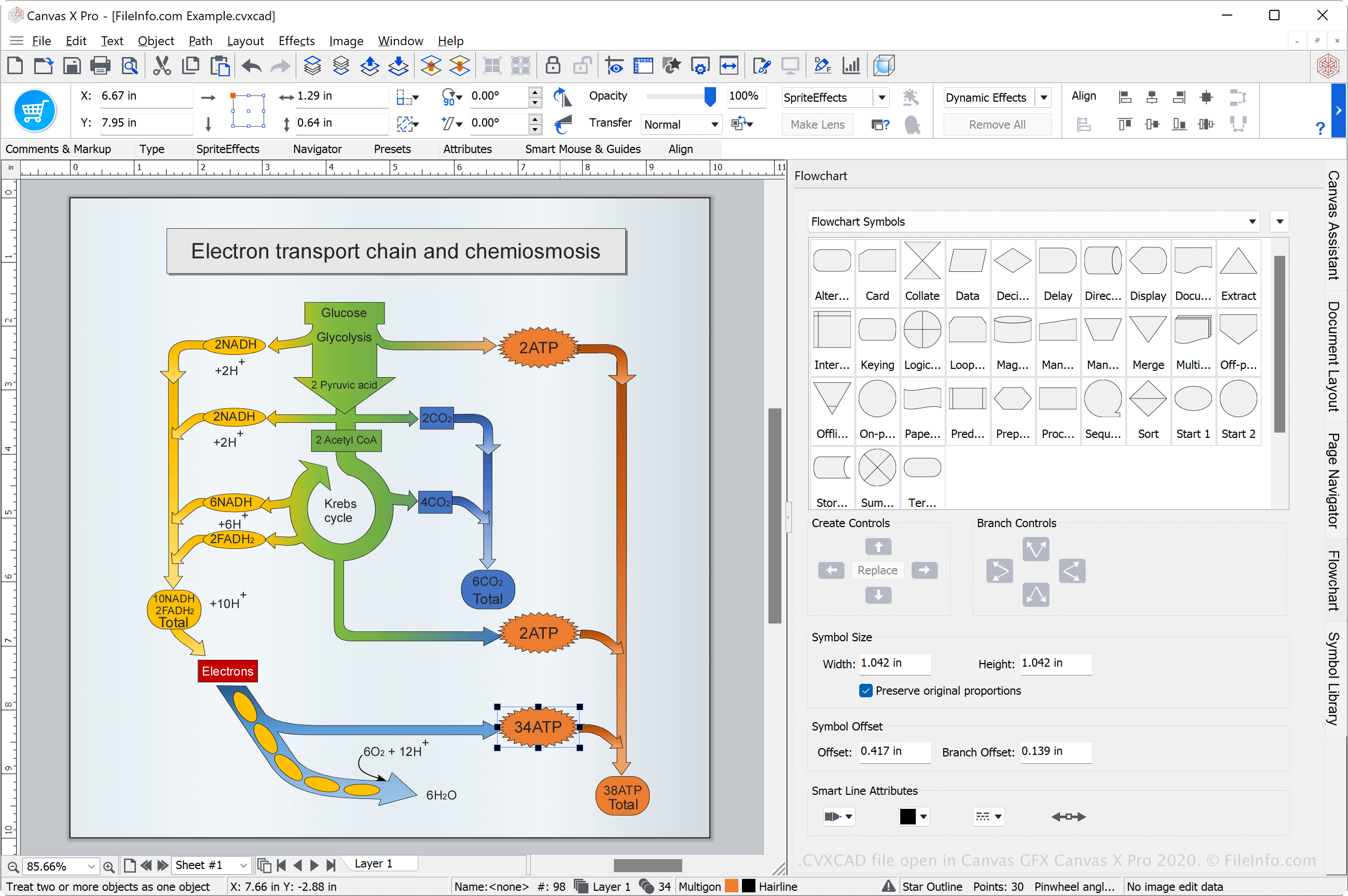
A CVXCAD file is a drawing created by Canvas GFX Canvas X Pro, a technical illustration program. It may contain raster and vector graphics, text, and shapes, and also includes project drawing settings such as layers and image effects. Canvas X Pro users save various types of drawings as CVXCAD files, such as blueprints, flowcharts, presentations, diagrams, flyers, and maps.
更多信息
Canvas X Pro is a 2D and 3D technical illustration application for Windows that supports many vector and raster image formats and provides an array of professional drawing tools. It saves drawings in the CVXCAD format by default. The format is a working format, which enables you to close the drawing, re-open it, and continue editing it after saving it.
How to create a CVXCAD file with Canvas X Pro
You can create CVXCAD files with Canvas X Pro by selecting File → Save As..., then choosing CVXCAD - Canvas X Pro from the "Save as type" dropdown menu (CVXCAD - Canvas X Pro should already be selected as the default save type).
如何打开 CVXCAD 文件
You can open a CVXCAD file with Canvas GFX Canvas X Pro in Windows. To open a CVXCAD file with Canvas X Pro, select File → Open....
如何转换 CVXCAD 文件
Canvas GFX Canvas X Pro can convert CVXCAD files to many file types including the following formats:
- .CVX - Canvas Drawing
- .CVI - Canvas Image
- .DWG - AutoCAD Drawing
- .DXF - Drawing Exchange Format
- .PSD - Photoshop Document Format
- .JPG - JPEG Image
- .PNG - Portable Network Graphic
- .GIF - Graphical Interchange Format
- .SVG - Scalable Vector Graphics File
- .EPS - Encapsulated PostScript
- .PDF - Portable Document Format