.CVDTPL 文件扩展名

Canvas X Draw Template

开发者 Canvas GFX
受欢迎程度
2.0  |  1 
 

什么是 CVDTPL 文件?

A CVDTPL file is a drawing template created by the Mac version of Canvas GFX Canvas X Draw, a 2D and 3D technical illustration application. It contains preset raster and vector graphics, annotations, custom shapes, and settings for replicating new .CVD drawings.

更多信息

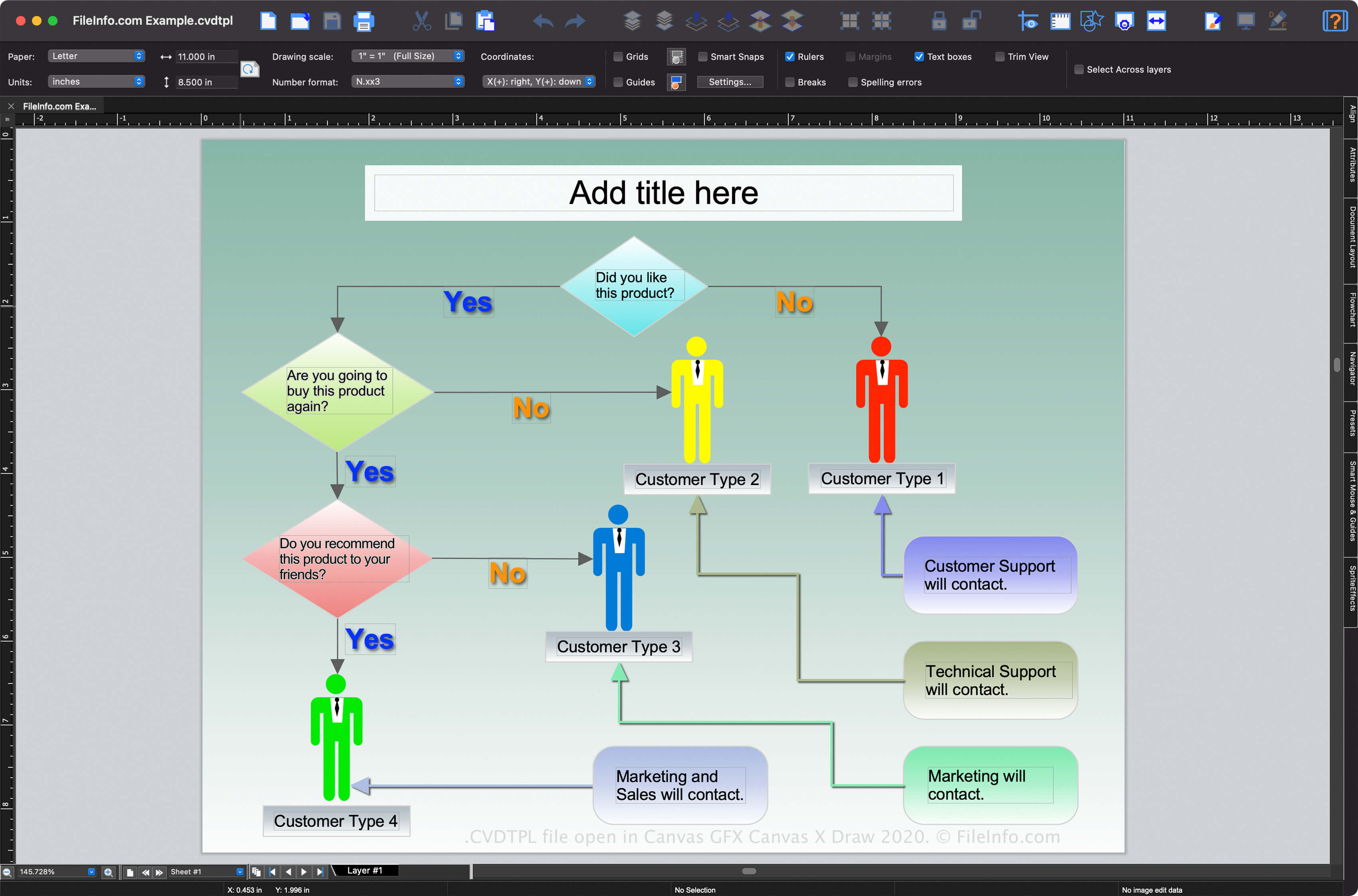
在 Canvas GFX Canvas X Draw 2020 中打开的 .cvdtpl 文件截图
在 Canvas GFX Canvas X Draw 2020 中打开的 CVDTPL 文件

Canvas X Draw is available for Windows and macOS, but only the Mac version supports CVDTPL files (the Windows version saves drawing templates as .TPL files, by default). The Canvas X Draw templates make it easier for users to create new drawings, such as flowcharts, presentations, or maps, with similar appearance and content while saving time.

How to create a CVDTPL file with the Mac version of Canvas X Draw

You can create a CVDTPL file with Canvas X Draw in macOS by selecting File → Save As Template....

注: ACD Systems originally developed Canvas X software, but it shifted development responsibilities to Canvas GFX In 2017.

如何打开 CVDTPL 文件

You can open a CVDTPL file with Canvas GFX Canvas X Draw in macOS. To open a CVDTPL file with Canvas X Pro, select File → Open.... If the CVDTPL file is saved in the default "Templates" folder included in the program installation directory, you can select File → New... and choose the template you want to open.

如何转换 CVDTPL 文件

The Mac version of Canvas GFX Canvas X Draw can convert CVDTPL files to many file types including the following formats:

  • .CVD - Canvas X Drawing
  • .DWG - AutoCAD Drawing
  • .DXF - Drawing Exchange Format
  • .PSD - Photoshop Document Format
  • .JPG - JPEG Image
  • .PNG - Portable Network Graphic
  • .GIF - Graphical Interchange Format
  • .SVG - Scalable Vector Graphics File
  • .CGM - Computer Graphics Metafile
  • .PDF - Portable Document Format
使用File Viewer Plus打开 400 多种文件格式。免费下载

可打开 CVDTPL 文件的程序

Mac

验证者 FileInfo.com

FileInfo.com 团队 独立研究了本页面列出的 Canvas X Draw Template 文件格式和 Mac 应用。 我们的目标是达到 100% 的准确率,并且仅发布我们已验证过的文件类型信息。

如果您想为此页面提出新增或更新建议,请告诉我们