

.FP Extensão de arquivo
Arquivo do FinePrint
| Desenvolvedor | FinePrint Software |
| Popularidade |
1,5 | 2 Votos |
Um arquivo FP é um arquivo criado pelo FinePrint, um utilitário de impressão do Windows que permite modificar trabalhos de impressão. Ele contém um trabalho de impressão, que inclui uma ou mais páginas a serem impressas, alterações na impressão, o layout do trabalho de impressão e as configurações de impressão.
Mais informações
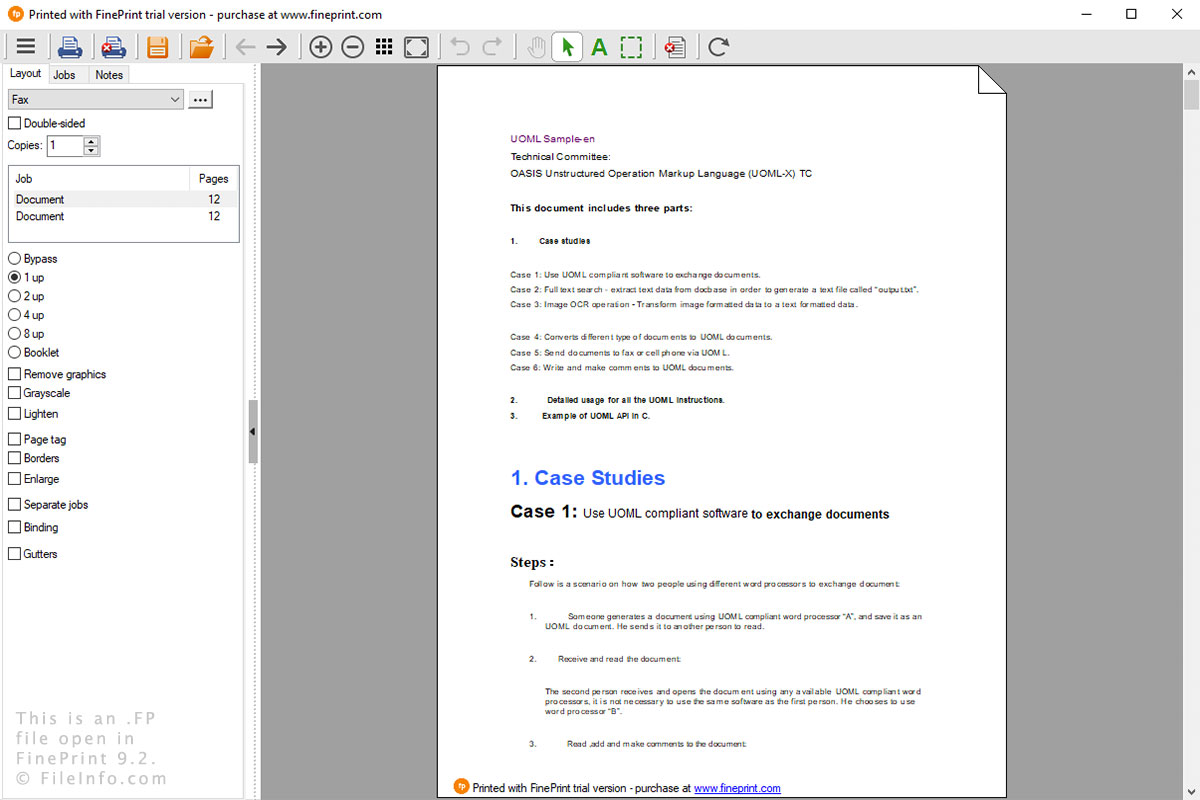
O FinePrint é usado para modificar trabalhos de impressão no Windows. Você pode realizar várias funções, como visualizar impressões, adicionar e remover páginas, editar texto, destacar texto, imprimir várias páginas em uma única folha, converter para tons de cinza e recortar páginas. Se você optar por salvar seu trabalho de impressão no FinePrint, o arquivo FP será criado para armazená-lo.
Depois de instalar o FinePrint, você pode abrir o utilitário ao imprimir um documento de qualquer programa do Windows. Depois de selecionar , o utilitário será aberto, permitindo que você modifique o documento e o imprima.
Você pode salvar um trabalho de impressão selecionando o ícone de disquete, dando um nome ao arquivo e escolhendo o local de salvamento. Você pode abrir um arquivo FP simplesmente clicando duas vezes nele ou selecionando o ícone de pasta no FinePrint e navegando até o arquivo FP.