.FP Přípona souboru

Fragment Program File

Vývojář OpenGL
Popularita
3.3  |  6 Hlasů
 

Co je soubor FP?

File used by programs that use OpenGL technology; specifies appearance properties for fragments (pixels in 3D space) in a three-dimensional model; enables the manipulation of pixels before rendering.

Další informace

FP files are written using low-level syntax called assembly language. They are saved in a plain text format.

Otevřete více než 400 formátů souborů pomocí File Viewer Plus.Stáhnout zdarma

Programy, které otevírají nebo odkazují na soubory FP

Windows
Zdarma
Linux
Zdarma

FileMaker Pro Spreadsheet

Vývojář Claris
Popularita
2.9  |  9 Hlasů
 

An FP file is a spreadsheet created by Claris FileMaker Pro. It contains data organized into columns and rows. FP files are saved in a format proprietary to FileMaker Pro.

Další informace

Businesses use FileMaker Pro to organize and review their business data. For example, businesses can use FileMaker Pro to create databases and spreadsheets that list their inventory, personnel, and projects. Some spreadsheets created with FileMaker Pro are saved with the .fp extension.

Jak otevřít soubor FP

You can open an FP file with FileMaker Pro (Windows, Mac).

Programy, které otevírají soubory FP

Windows
Zkušební verze zdarma
Mac
Zkušební verze zdarma

FinePrint File

Vývojář FinePrint Software
Popularita
1.5  |  2 Hlasů
 

An FP file is a file created by FinePrint, a Windows printing utility that allows you to modify print jobs. It contains a print job, which includes one or more pages to be printed, edits to the print, layout of the print job, and print settings.

Další informace

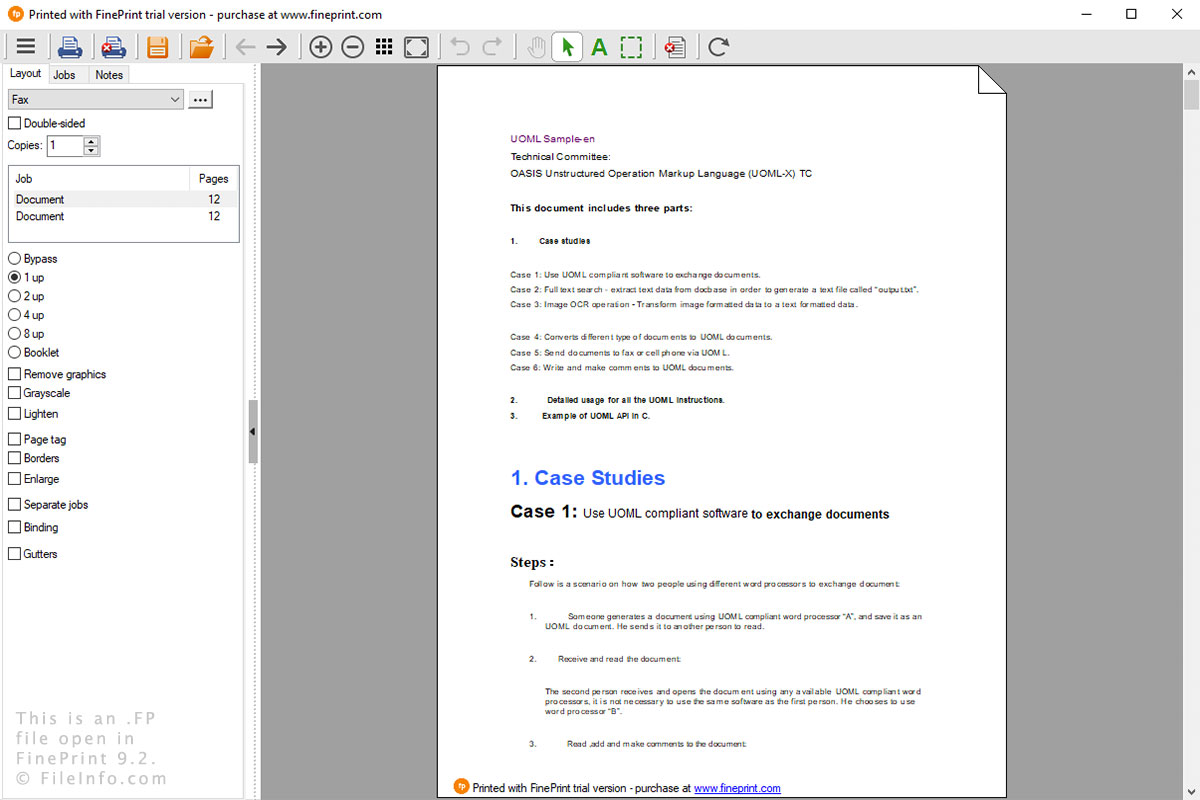
Snímek obrazovky souboru .fp v FinePrint 9.2
Soubor FP otevřený v FinePrint 9.2

FinePrint is used to modify print jobs in Windows. You can perform a variety of functions, such as preview prints, add and remove pages, edit text, highlight text, print multiple pages on a single sheet, convert to grayscale, and crop pages. If you choose to save your print job in FinePrint, the FP file is created to store the print job.

After installing FinePrint, you can open the utility when printing a document from any Windows program. After you select Print, the utility will open, allowing you to modify the document and print it.

You can save a print job by selecting the floppy disk icon, naming the file, and choosing the save location. You can open an FP file by simply double-clicking the file or selecting the folder icon in FinePrint and navigating to the FP file.

Programy, které otevírají soubory FP

Windows

Ověřil FileInfo.com

Tým FileInfo.com nezávisle prozkoumal všechny formáty souborů a programy uvedené na této stránce. Naším cílem je 100% přesnost a zveřejňujeme pouze informace o typech souborů, které jsme ověřili.

Pokud chcete navrhnout doplnění nebo aktualizaci této stránky, dejte nám vědět.