

.CODE-WORKSPACE Extensão de arquivo
Área de trabalho com várias raízes do Microsoft Visual Studio Code
| Desenvolvedor | Microsoft |
| Popularidade |
4,0 | 2 Votos |
O que é um arquivo CODE-WORKSPACE?
Um arquivo CODE-WORKSPACE é uma área de trabalho com várias raízes criada no Microsoft Visual Studio Code. Ele contém referências às pastas raiz incluídas em uma área de trabalho do Visual Studio Code. Os arquivos CODE-WORKSPACE são criados ao selecionar na barra de menus do Visual Studio Code.
Mais informações
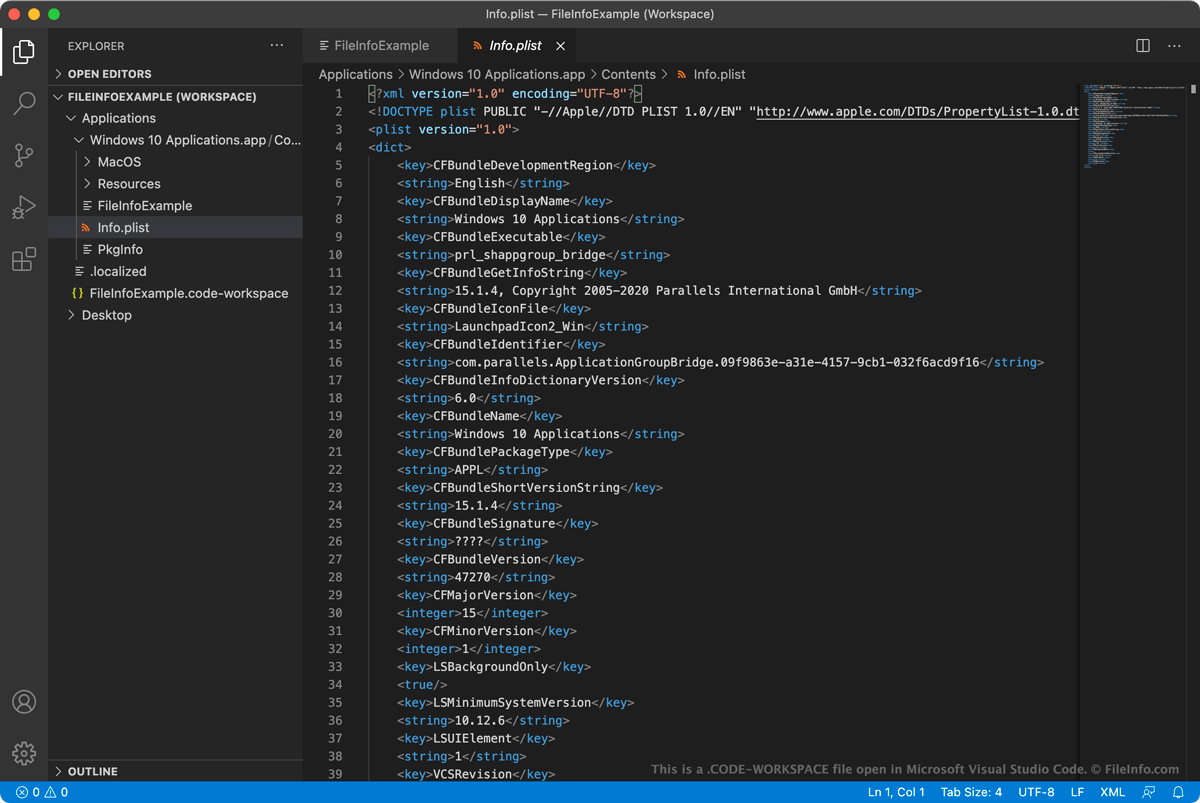
O Microsoft Visual Studio Code (VS Code) é um editor de código de código aberto e multiplataforma que os desenvolvedores podem usar para desenvolver e depurar aplicativos. Quando querem trabalhar em vários projetos relacionados no VS Code ao mesmo tempo, os desenvolvedores podem agrupar esses projetos em uma área de trabalho com várias raízes. Isso permite abrir e alternar entre projetos relacionados usando a barra lateral EXPLORER do VS Code, em vez de abrir cada projeto em uma instância separada do VS Code.
Por exemplo, um desenvolvedor que queira abrir e editar simultaneamente o código-fonte de um aplicativo e sua documentação pode adicionar os dois projetos a uma área de trabalho com várias raízes. Então, à medida que atualiza o código-fonte do aplicativo, ele pode atualizar a documentação do aplicativo para refletir essas alterações no código.
Quando um usuário salva uma área de trabalho com várias raízes (selecionando na barra de menus do VS Code), a área de trabalho é salva como um arquivo CODE-WORKSPACE. Esse arquivo é um arquivo JSON que contém uma lista dos diretórios raiz incluídos na área de trabalho. Quando um usuário carrega uma área de trabalho, o VS Code usa essas referências para determinar quais pastas mostrar na barra lateral EXPLORER.
Como adiciono uma pasta a uma área de trabalho do Visual Studio Code?
Para adicionar uma pasta a uma área de trabalho do Visual Studio Code:
- Selecione na barra de menus do Visual Studio Code.
- Na janela exibida, navegue até a pasta que deseja adicionar e selecione .
A pasta será adicionada à sua área de trabalho do Visual Studio Code.
Como abrir um arquivo CODE-WORKSPACE
Você pode usar um arquivo CODE-WORKSPACE para abrir uma área de trabalho com várias raízes no Microsoft Visual Studio Code (multiplataforma). Para fazer isso:
- Selecione na barra de menus do VS Code.
- Selecione e seu arquivo CODE-WORKSPACE.
As pastas referenciadas pelo seu arquivo CODE-WORKSPACE aparecerão na barra lateral EXPLORER do VS Code.
Se quiser ver o texto formatado como JSON contido em um arquivo CODE-WORKSPACE, você poderá abrir o arquivo em qualquer editor de texto. Talvez você queira fazer isso, por exemplo, se o VS Code não conseguir abrir seu arquivo CODE-WORKSPACE.