

.CODE-WORKSPACE Bestandsextensie
Microsoft Visual Studio Code multi-root-werkruimte
| Ontwikkelaar | Microsoft |
| Populariteit |
4,0 | 2 stemmen |
Wat is een CODE-WORKSPACE-bestand?
Een CODE-WORKSPACE-bestand is een multi-root-werkruimte die is gemaakt in Microsoft Visual Studio Code. Het bevat verwijzingen naar de hoofdmappen die in een Visual Studio Code-werkruimte zijn opgenomen. CODE-WORKSPACE-bestanden worden gemaakt door te selecteren in de menubalk van Visual Studio Code.
Meer informatie
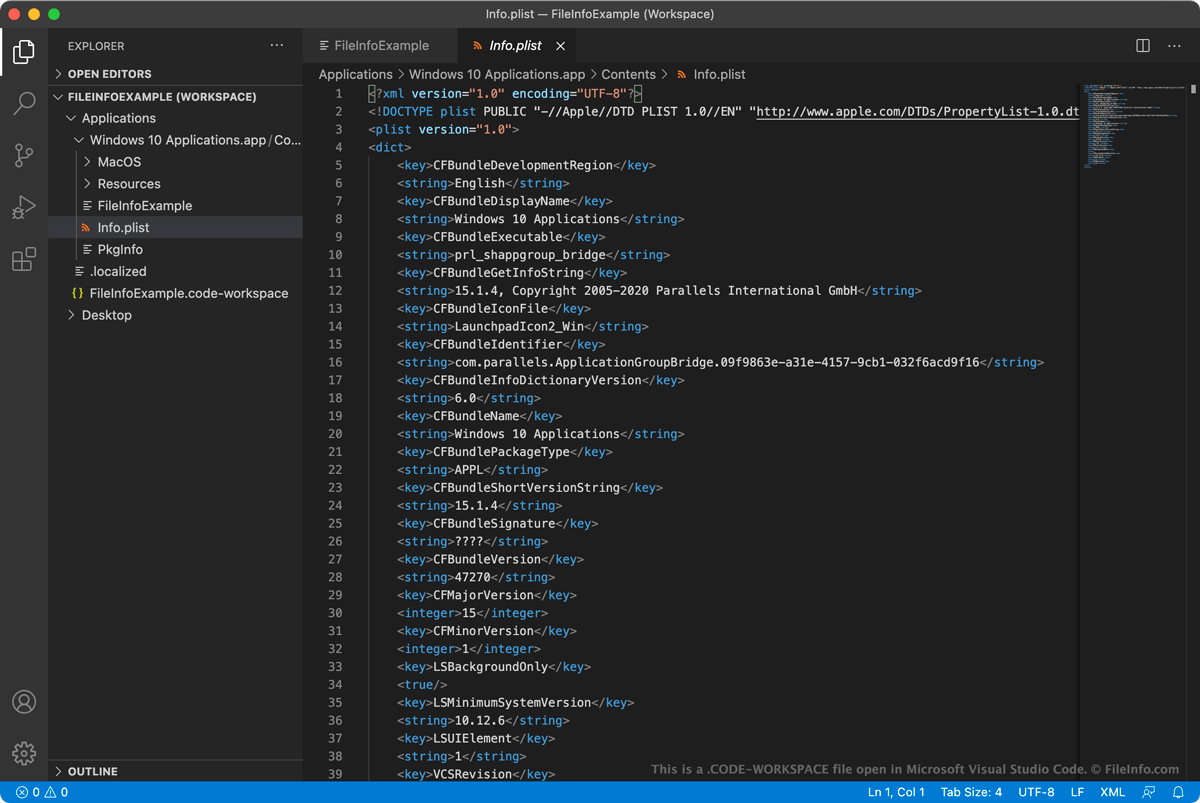
Microsoft Visual Studio Code (VS Code) is een open-source code-editor voor meerdere platforms die ontwikkelaars kunnen gebruiken om toepassingen te ontwikkelen en te debuggen. Wanneer ontwikkelaars tegelijkertijd aan meerdere gerelateerde projecten in VS Code willen werken, kunnen ze die projecten groeperen in een multi-root-werkruimte. Hierdoor kunnen ontwikkelaars gerelateerde projecten openen en ertussen schakelen via de EXPLORER-zijbalk van VS Code, in plaats van elk project in een afzonderlijk exemplaar van VS Code te openen.
Een ontwikkelaar die bijvoorbeeld tegelijkertijd de broncode en documentatie van een app wil openen en bewerken, kan beide projecten aan een multi-root-werkruimte toevoegen. Wanneer de ontwikkelaar vervolgens de broncode van de app bijwerkt, kan die ook de documentatie van de app bijwerken zodat deze overeenkomt met de wijzigingen in de code.
Wanneer een gebruiker een multi-root-werkruimte opslaat (door te selecteren in de menubalk van VS Code), wordt de werkruimte opgeslagen als een CODE-WORKSPACE-bestand. Dit bestand is een JSON-bestand dat een lijst bevat van de hoofd mappen die in de werkruimte zijn opgenomen. Wanneer een gebruiker een werkruimte laadt, gebruikt VS Code deze verwijzingen om te bepalen welke mappen in de EXPLORER-zijbalk moeten worden weergegeven.
Hoe voeg ik een map toe aan een Visual Studio Code-werkruimte?
Een map toevoegen aan een Visual Studio Code-werkruimte:
- Selecteer in de menubalk van Visual Studio Code.
- Navigeer in het venster dat verschijnt naar de map die je wilt toevoegen en selecteer .
De map wordt vervolgens toegevoegd aan je Visual Studio Code-werkruimte.
Een CODE-WORKSPACE-bestand openen
Je kunt een CODE-WORKSPACE-bestand gebruiken om een multi-root-werkruimte te openen in Microsoft Visual Studio Code (voor meerdere platforms). Ga hiervoor als volgt te werk:
- Selecteer in de menubalk van VS Code.
- Selecteer je CODE-WORKSPACE-bestand en selecteer .
De mappen waarnaar je CODE-WORKSPACE-bestand verwijst, verschijnen vervolgens in de EXPLORER-zijbalk van VS Code.
Als je de JSON-geformatteerde tekst in een CODE-WORKSPACE-bestand wilt bekijken, kun je het bestand in elke teksteditor openen. Dit kan bijvoorbeeld handig zijn als VS Code je CODE-WORKSPACE-bestand niet kan openen.