

.CODE-WORKSPACE Přípona souboru
Pracovní prostor s více kořenovými složkami Microsoft Visual Studio Code
| Vývojář | Microsoft |
| Popularita |
4,0 | 2 hlasy |
Co je soubor CODE-WORKSPACE?
Soubor CODE-WORKSPACE je pracovní prostor s více kořenovými složkami vytvořený v Microsoft Visual Studio Code. Obsahuje odkazy na kořenové složky zahrnuté v pracovním prostoru Visual Studio Code. Soubory CODE-WORKSPACE se vytvářejí výběrem možnosti z řádku nabídek Visual Studio Code.
Další informace
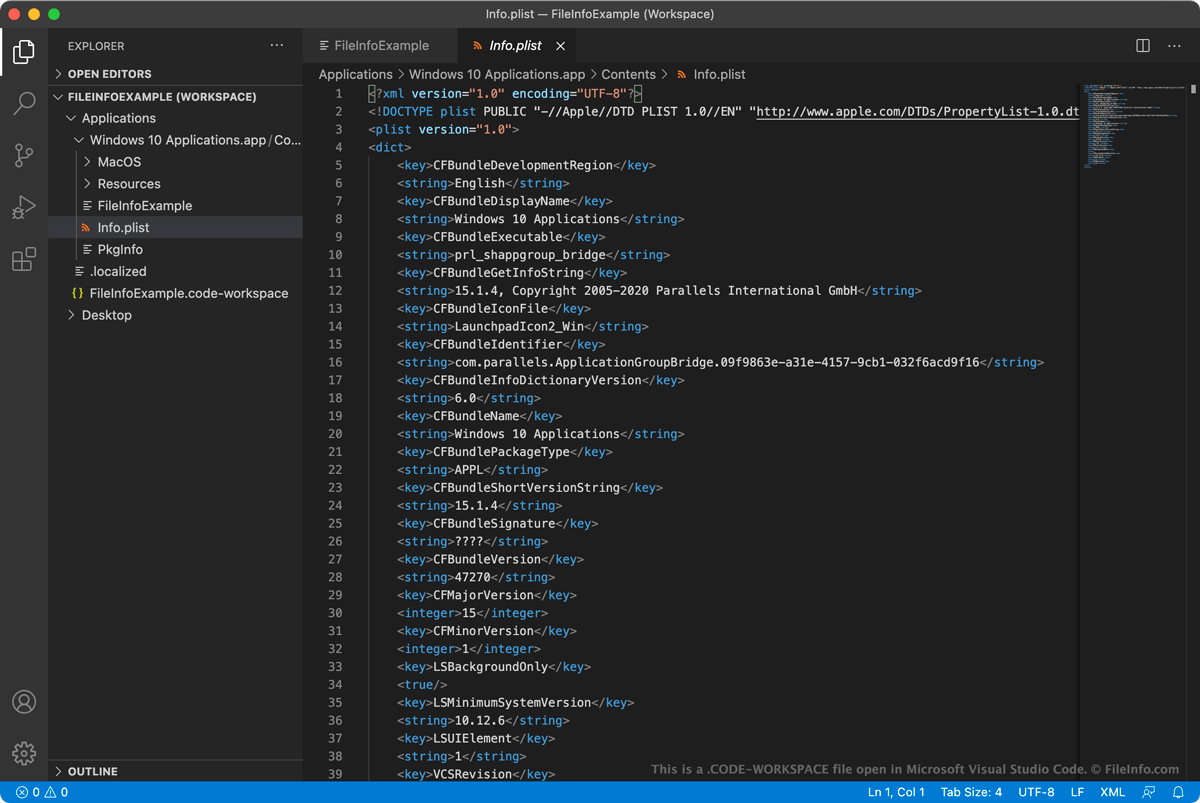
Microsoft Visual Studio Code (VS Code) je multiplatformní editor kódu s otevřeným zdrojovým kódem, který mohou vývojáři používat k vývoji a ladění aplikací. Když chtějí vývojáři ve VS Code pracovat současně na více souvisejících projektech, mohou tyto projekty seskupit do pracovního prostoru s více kořenovými složkami. Díky tomu mohou vývojáři otevírat související projekty a přepínat mezi nimi pomocí postranního panelu EXPLORER ve VS Code, místo aby každý projekt otevírali v samostatné instanci VS Code.
Vývojář, který chce například současně otevřít a upravovat zdrojový kód aplikace a její dokumentaci, může oba projekty přidat do pracovního prostoru s více kořenovými složkami. Když pak vývojář aktualizuje zdrojový kód aplikace, může aktualizovat také její dokumentaci tak, aby odpovídala změnám v kódu.
Když uživatel uloží pracovní prostor s více kořenovými složkami (výběrem možnosti z řádku nabídek VS Code), pracovní prostor se uloží jako soubor CODE-WORKSPACE. Tento soubor je soubor JSON, který obsahuje seznam kořenových adresářů zahrnutých v pracovním prostoru. Když uživatel načte pracovní prostor, VS Code pomocí těchto odkazů určí, které složky se mají zobrazit v postranním panelu EXPLORER.
Jak přidám složku do pracovního prostoru Visual Studio Code?
Postup přidání složky do pracovního prostoru Visual Studio Code:
- Na řádku nabídek Visual Studio Code vyberte .
- V zobrazeném okně přejděte do složky, kterou chcete přidat, a vyberte .
Složka se poté přidá do vašeho pracovního prostoru Visual Studio Code.
Jak otevřít soubor CODE-WORKSPACE
Soubor CODE-WORKSPACE můžete použít k otevření pracovního prostoru s více kořenovými složkami v Microsoft Visual Studio Code (multiplatformním). Postup:
- Na řádku nabídek VS Code vyberte .
- Vyberte svůj soubor CODE-WORKSPACE a klikněte na .
Složky, na které váš soubor CODE-WORKSPACE odkazuje, se poté zobrazí v postranním panelu EXPLORER ve VS Code.
Pokud chcete zobrazit text ve formátu JSON, který soubor CODE-WORKSPACE obsahuje, můžete soubor otevřít v libovolném textovém editoru. To může být užitečné například v případě, že VS Code nedokáže váš soubor CODE-WORKSPACE otevřít.