

.BAK Extensão de arquivo
- 1.Backup de favoritos do Chromium
- 2.Arquivo de backup
- 3.Backup de banco de dados do Act!
- 4.Backup de partitura do Finale 2012
- 5.Backup do MobileTrans
- 6.Backup de banco de dados do Microsoft SQL Server
- 7.Backup de mundo ou perfil de jogador do Terraria
- 8.Backup de projeto de vídeo do VEGAS
- 9.Backup de desenho do AutoCAD
- 10.Backup do Holo Launcher
- 11.Backup das configurações da Taskbar
Backup de favoritos do Chromium
| Desenvolvedor | |
| Popularidade |
3,9 | 758 Votos |
O que é um arquivo BAK?
Um arquivo Bookmarks.bak é um backup de um arquivo de favoritos criado pelo Google Chrome, pelo Microsoft Edge ou por outro navegador da Web baseado no Chromium. Ele contém uma lista de texto simples dos favoritos e das pastas de um usuário, formatada usando JSON. Navegadores baseados no Chromium criam automaticamente arquivos BAK chamados Bookmarks.bak.
Mais informações
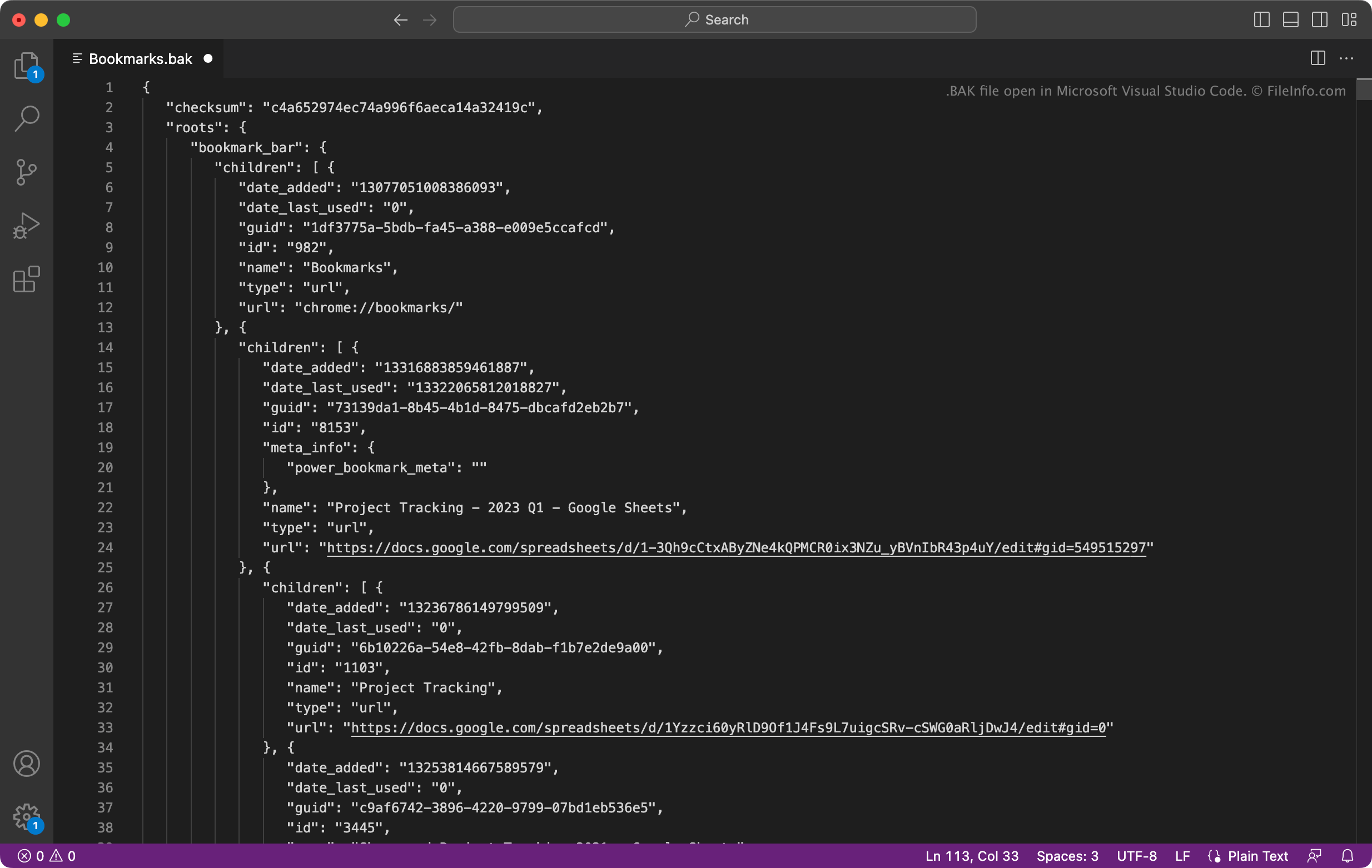
Muitos navegadores da Web populares, incluindo o Google Chrome e o Microsoft Edge, são baseados no navegador Chromium de código aberto do Google. Os navegadores baseados no Chromium salvam os favoritos dos usuários em um arquivo chamado Bookmarks. Eles também salvam um backup dos favoritos dos usuários em Bookmarks.bak.
Como restaurar seus favoritos com Bookmarks.bak
Se você usa um navegador baseado no Chromium e seu arquivo Bookmarks for corrompido ou desaparecer, poderá usar o arquivo Bookmarks.bak para restaurar seus favoritos e pastas. Para fazer isso, primeiro navegue até o diretório que contém os arquivos Bookmarks e Bookmarks.bak:
- Google Chrome para Windows: ~/Users/YourUserName/AppData/Local/Google/Chrome/User Data/Default
- Google Chrome para macOS: ~/Users/YourUserName/Library/Application Support/Google/Chrome/Default
- Microsoft Edge para Windows: ~/Users/YourUserName/AppData/Local/Microsoft/Edge/User Data/Default
- Microsoft Edge para macOS: ~/Users/YourUserName/Library/Application Support/Microsoft Edge/Default
Depois de localizar o arquivo de backup dos favoritos, exclua o arquivo Bookmarks (se ele aparecer). Em seguida, renomeie Bookmarks.bak para Bookmarks (remova a extensão do arquivo). Quando você fechar e reabrir o navegador, os favoritos contidos no arquivo Bookmarks renomeado aparecerão.
Como abrir um arquivo BAK
Você pode abrir Bookmarks.bak com o Microsoft Visual Studio Code (multiplataforma), o Microsoft Notepad (Windows), o Apple TextEdit (Mac) ou qualquer outro editor de texto. Isso permitirá que você veja os favoritos e os metadados contidos no arquivo.
Para obter instruções sobre como usar Bookmarks.bak para restaurar seus favoritos no Google Chrome ou no Microsoft Edge, veja acima.
Programas que abrem ou fazem referência a arquivos BAK
Backup de partitura do Finale 2012
| Desenvolvedor | MakeMusic |
| Popularidade |
3,4 | 62 Votos |
Mais informações
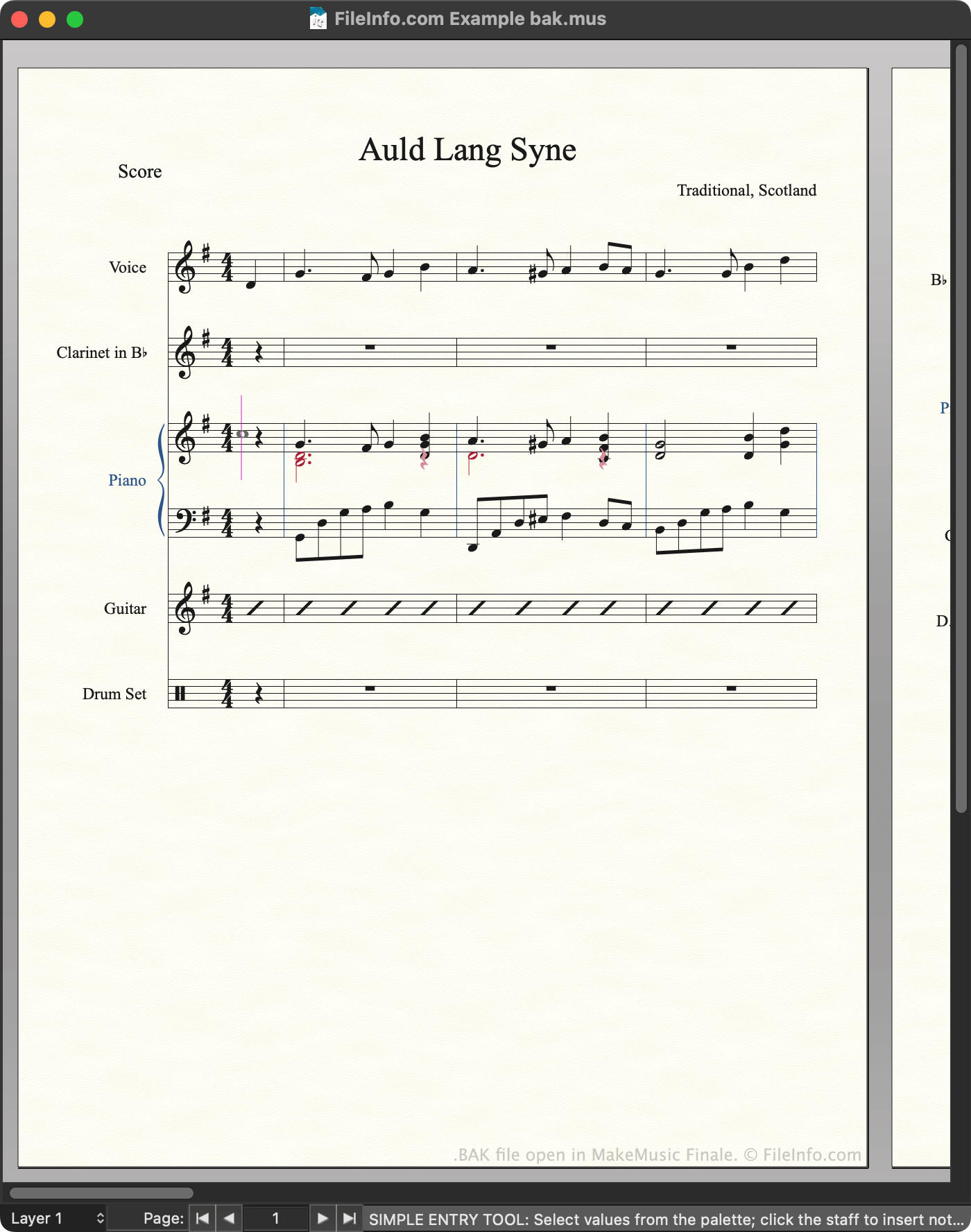
Compositores usam o MakeMusic Finale para criar, editar e reproduzir partituras musicais. O Finale 2012 e versões anteriores salvam partituras como arquivos MUS. Por padrão, sempre que um usuário salva um arquivo MUS, o Finale cria automaticamente um backup desse arquivo. O backup é armazenado no seguinte diretório:
~/Documents/Finale Files/Backups
Cada backup usa o mesmo nome de arquivo do arquivo MUS a partir do qual foi criado, exceto pelo fato de o nome do backup terminar com bak.mus para indicar que ele é um backup. Usuários e documentações do Finale costumam se referir a esses arquivos de backup como arquivos BAK, embora eles usem a extensão .mus.
Como impedir que o Finale crie arquivos BAK
Se você quiser impedir que o Finale crie arquivos BAK:
- Abra o menu do programa.
- Selecione na barra lateral esquerda.
- Desmarque a caixa de seleção .
NOTA: As versões mais recentes do Finale salvam backups como arquivos .BAKX.
Como abrir um arquivo BAK
Você pode abrir um arquivo BAK com o MakeMusic Finale (Windows, Mac). Para isso, selecione na barra de menus do programa. Em seguida, navegue até o arquivo BAK e abra-o.
Depois de abrir o arquivo BAK, você pode usar a opção para salvar o arquivo como um arquivo MUS normal ou um arquivo .MUSX.
Como converter um arquivo BAK
Programas que abrem arquivos BAK
Backup do MobileTrans
| Desenvolvedor | Wondershare |
| Popularidade |
3,4 | 54 Votos |
Um arquivo BAK é um arquivo de backup criado pelo WonderShare MobileTrans, um programa usado para fazer backup e transferir dados de dispositivos móveis. Ele contém uma cópia dos dados do dispositivo de um usuário, que pode incluir contatos, mensagens, compromissos do calendário, fotos, músicas, vídeos, configurações de aplicativos e outros dados. Os usuários criam e carregam arquivos BAK na tela do MobileTrans.
Mais informações

Usuários de smartphones podem usar o WonderShare MobileTrans para fazer backup de grande parte dos dados armazenados em seus dispositivos. Para isso, os usuários conectam o dispositivo ao computador, acessam a tela do MobileTrans e selecionam . Em seguida, eles podem especificar quais dados devem ser incluídos no backup.
O MobileTrans salva os backups como arquivos BAK. Por padrão, o MobileTrans armazena os arquivos BAK no seguinte diretório:
~Users/YourUserName/Wondershare/MobileTransPro/Backup
Para usar um arquivo BAK com o MobileTrans, você deve colocá-lo no diretório indicado acima. Depois disso, o MobileTrans poderá localizar o arquivo durante o processo de restauração do backup.
Nomes de arquivo .BAK comuns
[name of device]_[date]_[time].bak - Convenção de nomenclatura para arquivos BAK do MobileTrans.
Como abrir um arquivo BAK
Você pode abrir um arquivo BAK com o WonderShare MobileTrans (Windows, Mac). Para isso, primeiro verifique se o arquivo BAK está armazenado no seguinte diretório:
~Users/YourUserName/Wondershare/MobileTransPro/Backup
Em seguida:
- Abra o WonderShare MobileTrans.
- Conecte o smartphone ao computador.
- Acesse a tela .
- Na seção , selecione .
Seu arquivo BAK aparecerá no WonderShare MobileTrans. Você pode usar o botão Restore para restaurar no smartphone o backup contido no arquivo BAK.
Programas que abrem arquivos BAK
Backup de mundo ou perfil de jogador do Terraria
| Desenvolvedor | Re-Logic |
| Popularidade |
3,2 | 15 Votos |
Um arquivo BAK é um arquivo de backup criado pelo Re-Logic Terraria, um jogo de ação e aventura 2D e de construção em um ambiente sandbox. Ele contém uma cópia de um mundo do Terraria (arquivo .WLD) ou de um perfil de jogador (arquivo .PLR). Os jogadores podem usar arquivos BAK para restaurar mundos ou perfis danificados ou ausentes.
Mais informações
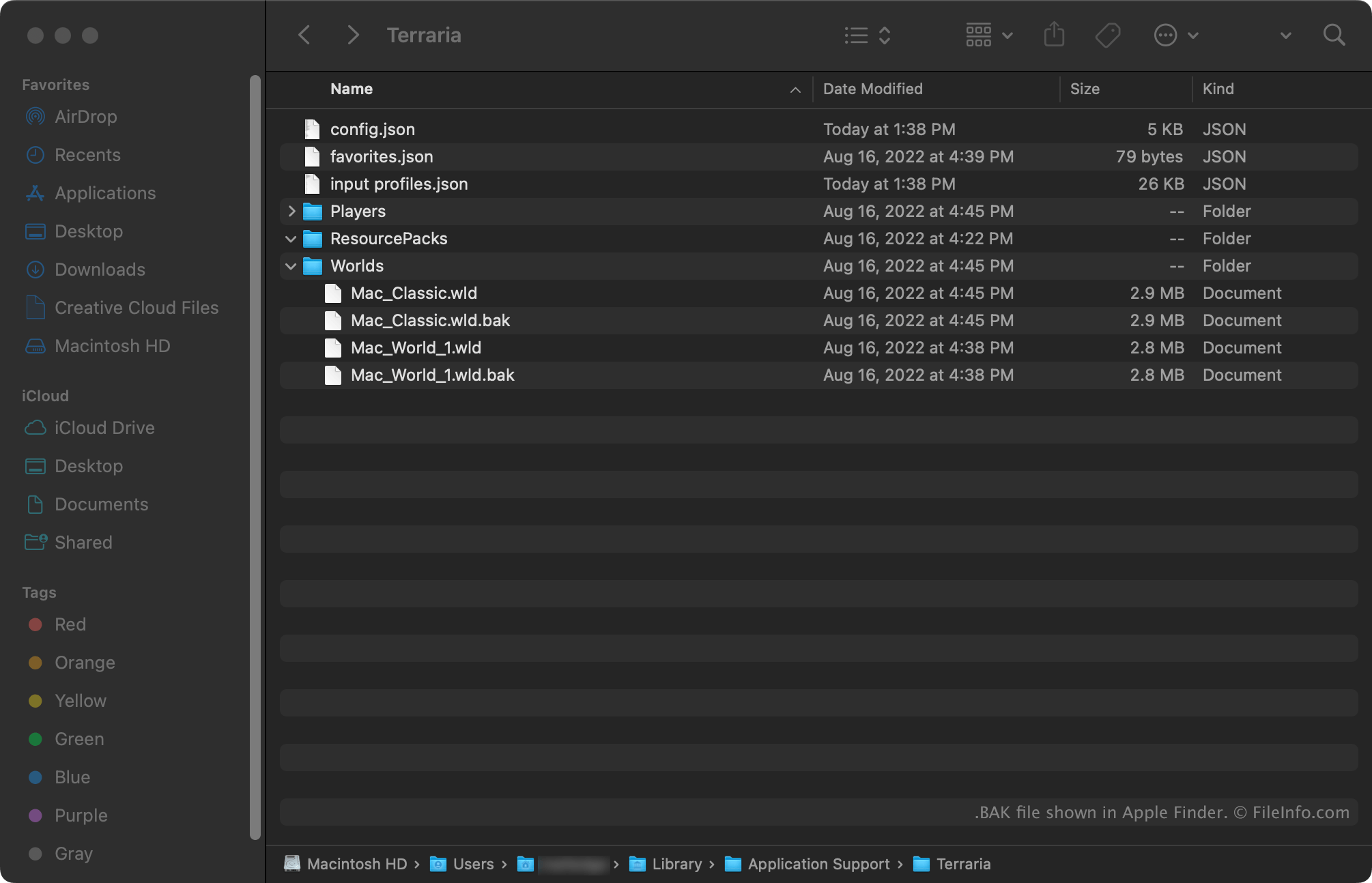
Terraria é um jogo multiplataforma de exploração, construção e sobrevivência. As versões para Windows e Mac do Terraria criam automaticamente backups dos mundos e perfis de jogador. Os backups de mundos usam a extensão .wld.bak. Os backups de perfis de jogador usam a extensão .plr.bak.
Os backups de mundos são armazenados nos seguintes diretórios:
- Windows: ~/Users/YourUserName/Documents/My Games/Terraria/Worlds
- Mac: ~/Users/YourUserName/Library/Application Support/Terraria/Worlds
Os backups de perfis de jogador são armazenados nos seguintes diretórios:
- Windows: ~/Users/YourUserName/Documents/My Games/Terraria/Players
- Mac: ~/Users/YourUserName/Library/Application Support/Terraria/Players
Como abrir um arquivo BAK
Para usar um arquivo BAK para restaurar um mundo ou perfil de jogador do Re-Logic Terraria (Windows, Mac):
- Remova a extensão .bak do nome do arquivo.
- Coloque o arquivo no diretório apropriado do jogo (indicado acima).
Na próxima vez que você abrir o Terraria, o mundo ou perfil de jogador contido no arquivo aparecerá para seleção.