.BAK 파일 확장자

Chromium Bookmarks Backup

개발사 Google
인기도
3.9  |  758 투표
 

BAK 파일이란 무엇인가요?

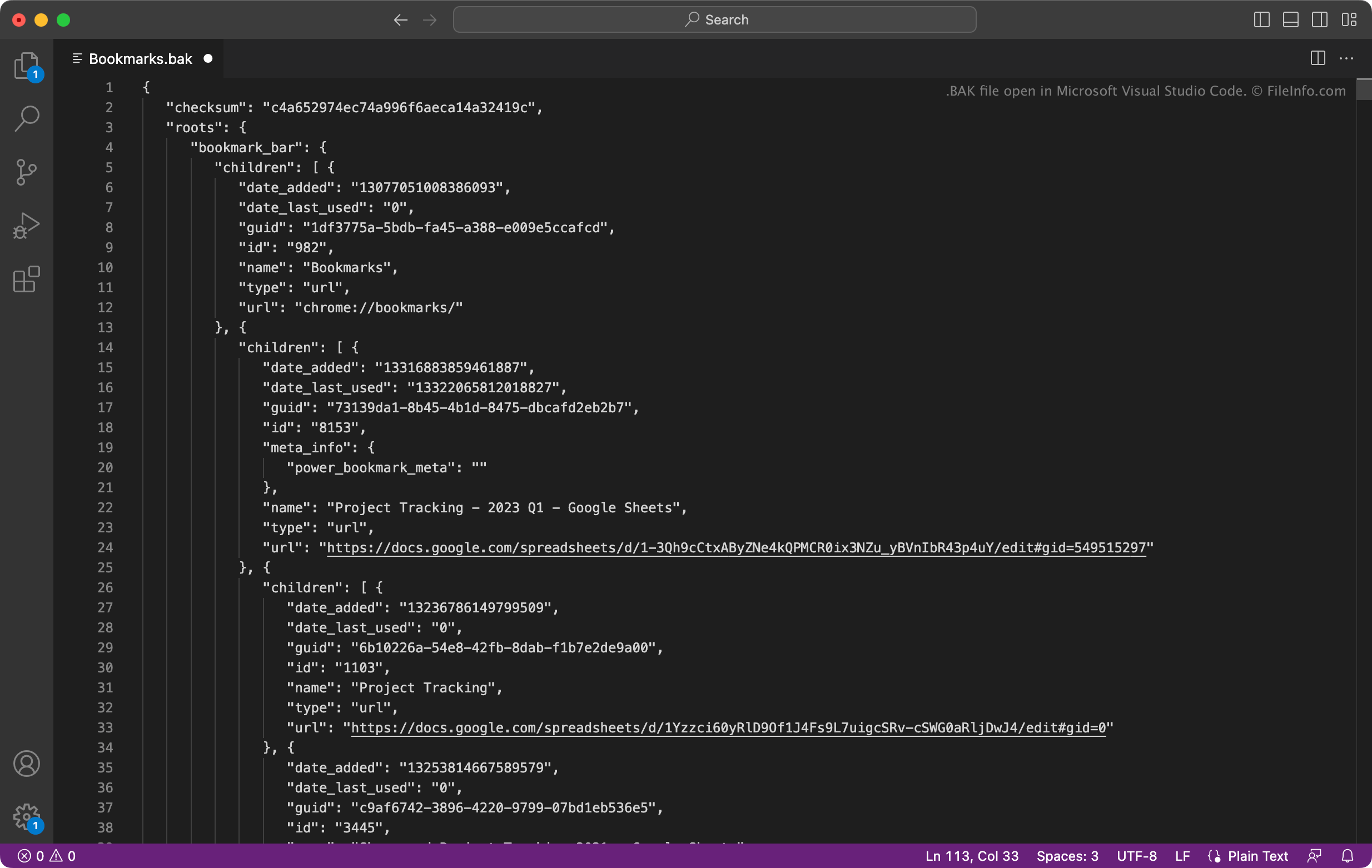
A Bookmarks.bak file is a backup of a bookmarks file created by Google Chrome, Microsoft Edge, or another Chromium-based web browser. It contains a plain text list of a user's bookmarks and folders, formatted using JSON. Chromium-based browsers automatically create BAK files named Bookmarks.bak.

추가 정보

Microsoft Visual Studio Code에서 열린 .bak 파일의 스크린샷
Microsoft Visual Studio Code에서 열린 BAK 파일

Many popular web browsers, including Google Chrome and Microsoft Edge, are based on Google's open-source Chromium browser. Chromium-based browsers save users' bookmarks in a file named Bookmarks. They also save a backup of users' bookmarks in Bookmarks.bak.

How to restore your bookmarks with Bookmarks.bak

If you use a Chromium-based browser, and your Bookmarks file becomes corrupt or goes missing, you can use your Bookmarks.bak file to restore your bookmarks and folders. To do so, first navigate to the directory that contains your Bookmarks and Bookmarks.bak file:

  • Google Chrome for Windows: ~/​Users/​YourUserName/​AppData/​Local/​Google/​Chrome/​User Data/​Default
  • Google Chrome for macOS: ~/​Users/​YourUserName/​Library/​Application Support/​Google/​Chrome/​Default
  • Microsoft Edge for Windows: ~/​Users/​YourUserName/​AppData/​Local/​Microsoft/​Edge/​User Data/​Default
  • Microsoft Edge for macOS: ~/​Users/​YourUserName/​Library/​Application Support/​Microsoft Edge/​Default
The Default directory may be Profile 1 or another username, depending on what user's bookmarks you want to recover.

Once you have located the Bookmarks backup file, delete the Bookmarks file (if it appears). Then, rename Bookmarks.bak to Bookmarks (remove the file extension). When you close and reopen your browser, the bookmarks contained in your renamed Bookmarks will appear.

BAK 파일을 여는 방법

You can open Bookmarks.bak with Microsoft Visual Studio Code (multiplatform), Microsoft Notepad (Windows), Apple TextEdit (Mac), or any other text editor. Doing so will allow you to view the bookmarks and metadata the file contains.

For instructions on how to use Bookmarks.bak to restore your bookmarks in Google Chrome or Microsoft Edge, see above.

File Viewer Plus(으)로 400개 이상의 파일 형식을 여세요.무료 다운로드

BAK 파일을 열거나 참조하는 프로그램

Windows
Linux
카테고리: 백업
업데이트: 2025-08-21

Backup File

개발사 해당 없음
인기도
3.8  |  184 투표
 

BAK files are typically backups of documents, databases, projects, or other data. Many programs automatically create BAK files to back up users' data. Others allow users to manually create BAK files. These files are usually stored alongside the data they're backing up or in a separate directory named Backup or Backups.

추가 정보

Different programs create and use BAK files differently. For example, a drawing program may automatically create a BAK file whenever a user edits their drawing, to preserve the just-prior version. Alternatively, a database program may allow a user to manually create a BAK file that contains a backup copy of their database.

BAK 파일을 여는 방법

In many cases, you can open a BAK file by removing .bak from its filename and opening it as you would a normal version of that file. For example, you can open document.doc.bak by changing its name to document.doc and opening it as you would any DOC file. (If your file uses only the .bak extension, you may have to add the extension it would normally have while renaming it. For example, you would rename document.bak to document.doc.)

In other cases, you must follow specific instructions included with the program that created a BAK file to open the file. In these cases, refer to your program's backup documentation.

BAK 파일을 여는 프로그램

All Platforms
Program that created the BAK file
카테고리: 백업
업데이트: 2023-07-13

Act! Database Backup

개발사 Swiftpage
인기도
3.4  |  69 투표
 

A BAK file is a database backup file created by Swiftpage Act!, a customer relationship management (CRM) program. It contains a copy of an Act! database (.ADF file). This copy backs up the customer contact, company, group, notes, history, and activities data stored in the database.

추가 정보

Businesses use Swiftpage Act! to manage and communicate with their customers. Act! stores all customer-related data in a database file, which Act! managers and administrators can choose to back up. For example, before upgrading to a new version of Act!, a business's IT administrator might back up their Act! database.

Act! saves database backups as BAK files. Typically, these BAK files are stored in a .ZIP file produced during the backup process. This ZIP file includes related Act! data, such as attached documents, document templates, report templates, and saved database queries.

참고: Act! was previously developed by The Sage Group.

BAK 파일을 여는 방법

You can use Act! Diagnostics to restore the database a BAK file contains to Swiftpage Act! (Windows). To do so:

  1. Open the Windows Start menu, type actdiag, and press Enter to open Act! Diagnostics.
  2. Select Tools → Restore Database.
  3. To overwrite an existing database, select Restore BAK file. To add your BAK file as a new database, select Restore BAK file As.
  4. Follow the prompts to restore the database your BAK file contains.

BAK 파일을 여는 프로그램

Windows
무료 체험판
카테고리: 백업
업데이트: 2023-03-08

Finale 2012 Score Backup

개발사 MakeMusic
인기도
3.4  |  62 투표
 

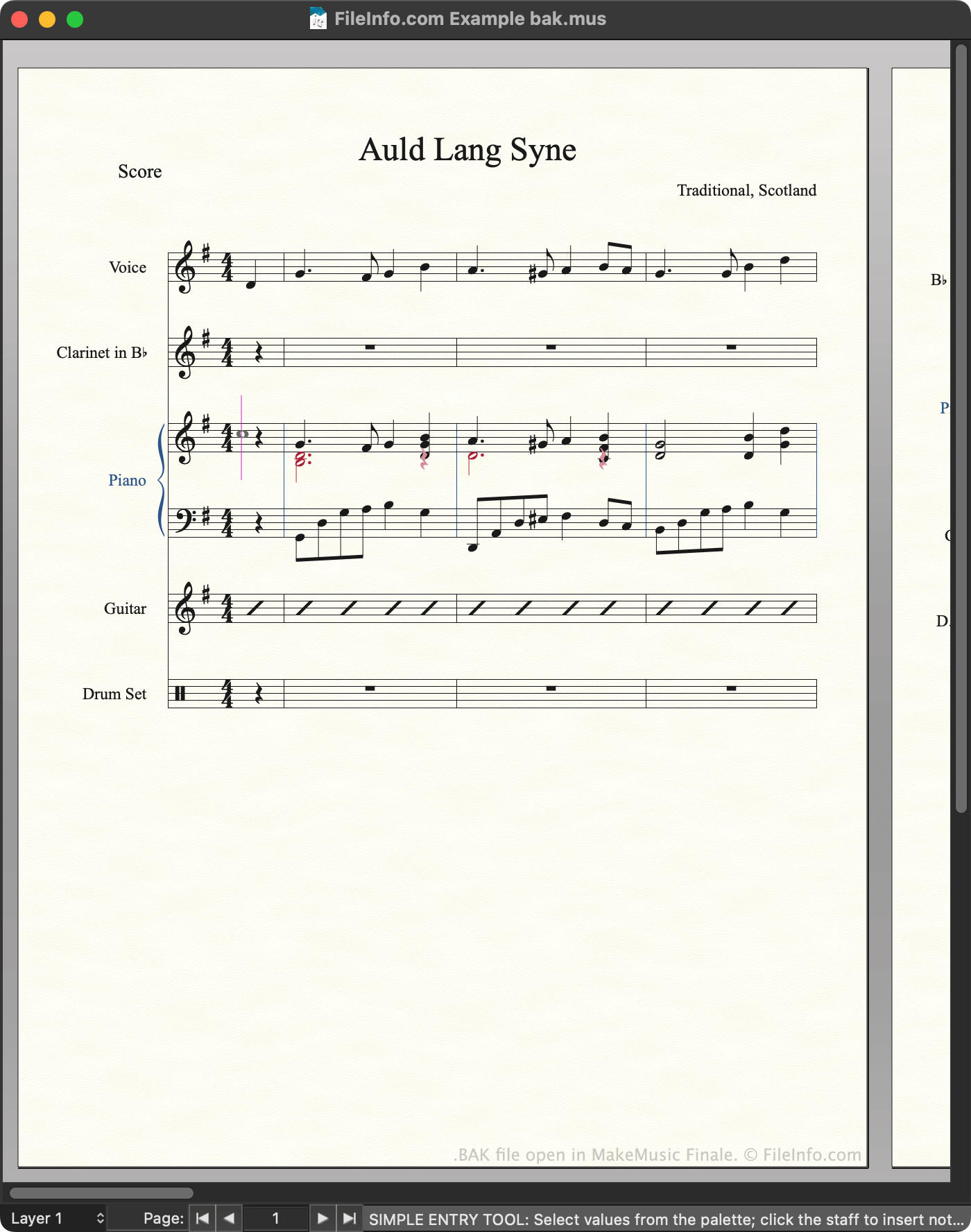
A BAK file is a backup of a musical score created by MakeMusic Finale, a music notation application. It contains an automatically-generated copy of an associated .MUS file. Finale BAK files use the extension bak.mus.

추가 정보

MakeMusic Finale에서 열린 .bak 파일의 스크린샷
MakeMusic Finale에서 열린 BAK 파일

Composers use MakeMusic Finale to create, edit, and play back musical scores. Finale 2012 and previous versions save scores as MUS files. By default, whenever a user saves a MUS file, Finale automatically creates a backup of that file. The backup is stored in the following directory:

~/​Documents/​Finale Files/​Backups

Each backup uses the same filename as the MUS file from which it was created, except that the backup's filename ends with bak.mus to denote that it is a backup. Finale users and documentation often refer to these backup files as BAK files, even though the files use the .mus extension.

How to stop Finale from creating BAK files

If you want to stop Finale from creating BAK files:

  1. Open the program's Preferences menu.
  2. Select Save from the left-hand sidebar.
  3. Clear the Make Backups When Saving Files checkbox.

참고: Newer versions of Finale save backups as .BAKX files.

BAK 파일을 여는 방법

You can open a BAK file with MakeMusic Finale (Windows, Mac). To do so, select File → Open... from the program's menu bar. Then, navigate to and open your BAK file.

After you open your BAK file, you can use the File → Save As... option to save the file as a normal MUS or .MUSX file.

BAK 파일을 변환하는 방법

You can use MakeMusic Finale to export the score a BAK file contains in many formats, including:

  • .AIFF - Audio Interchange File Format
  • .WAV - WAVE Audio
  • .EPUB - Open eBook
  • .MIDI - MIDI Music Data
  • .MXL - Compressed MusicXML

BAK 파일을 여는 프로그램

Windows
무료 체험판
Mac
무료 체험판
카테고리: 백업
업데이트: 2023-02-22

MobileTrans Backup

개발사 Wondershare
인기도
3.4  |  54 투표
 

A BAK file is a backup file created by WonderShare MobileTrans, a program used to back up and transfer mobile device data. It contains a copy of a user's device data, which may include contacts, messages, calendar appointments, photos, music, videos, app settings, and other data. Users create and load BAK files from MobileTrans's Backup & Restore screen.

추가 정보

Wondershare MobileTrans에서 열린 .bak 파일의 스크린샷
Wondershare MobileTrans에서 열린 BAK 파일

Smartphone users can use WonderShare MobileTrans to back up much of the data stored on their devices. To do so, users connect their device to their computer, go to MobileTrans's Backup & Restore screen, and select Backup. They can then specify what data should be included in the backup.

MobileTrans saves backups as BAK files. By default, MobileTrans stores BAK files in the following directory:

~Users/​YourUserName/​Wondershare/​MobileTransPro/​Backup

To use a BAK file with MobileTrans, you must place it in the directory noted above. Then, MobileTrans will be able to locate the file during the backup restoration process.

일반적인 .BAK 파일 이름

[name of device]_[date]_[time].bak - Naming convention for MobileTrans BAK files.

BAK 파일을 여는 방법

You can open a BAK file with WonderShare MobileTrans (Windows, Mac). To do so, first make sure your BAK file is stored in the following directory:

~Users/​YourUserName/​Wondershare/​MobileTransPro/​Backup

Then:

  1. Open WonderShare MobileTrans.
  2. Connect your smartphone to your computer.
  3. Go to the Backup & Restore screen.
  4. From the Phone Backup & Restore section, select Restore.

Your BAK file will appear in WonderShare MobileTrans. You can use the Restore button to restore the backup your BAK file contains to your smartphone.

BAK 파일을 여는 프로그램

Windows
무료 체험판
Mac
무료 체험판
카테고리: 백업
업데이트: 2023-02-28

Microsoft SQL Server Database Backup

개발사 Microsoft
인기도
3.3  |  16 투표
 

A BAK file is a backup of a Microsoft SQL Server database. It contains a copy of all or some of the files included within the database. BAK files are created using SQL Server Management Studio, Transact-SQL, or Windows PowerShell.

추가 정보

Database administrators use Microsoft SQL Server to store data within relational databases that reside on one or more servers. Because servers can fail and databases can become corrupted, administrators often create backups of their databases and store them on separate servers. That way, administrators can easily replace their original database with its backup if an issue arises. Database backups are saved as BAK files.

Sometimes, administrators create backups that contain only part of a database. These backups, known as differential backups or partial backups, are also saved with the .bak extension.

BAK 파일을 여는 방법

You can open a BAK file and use it to restore a SQL Server database in Microsoft SQL Server Management Studio, which is included in Microsoft SQL Server. To do so, follow the instructions included in Microsoft's online SQL documentation.

BAK 파일을 여는 프로그램

Windows

Terraria World or Player Backup

개발사 Re-Logic
인기도
3.2  |  15 투표
 

A BAK file is a backup file created by Re-Logic Terraria, a 2D action-adventure and sandbox construction game. It contains a copy of either a Terraria world (.WLD file) or player profile (.PLR file). Players can use BAK files to restore damaged or missing worlds or profiles.

추가 정보

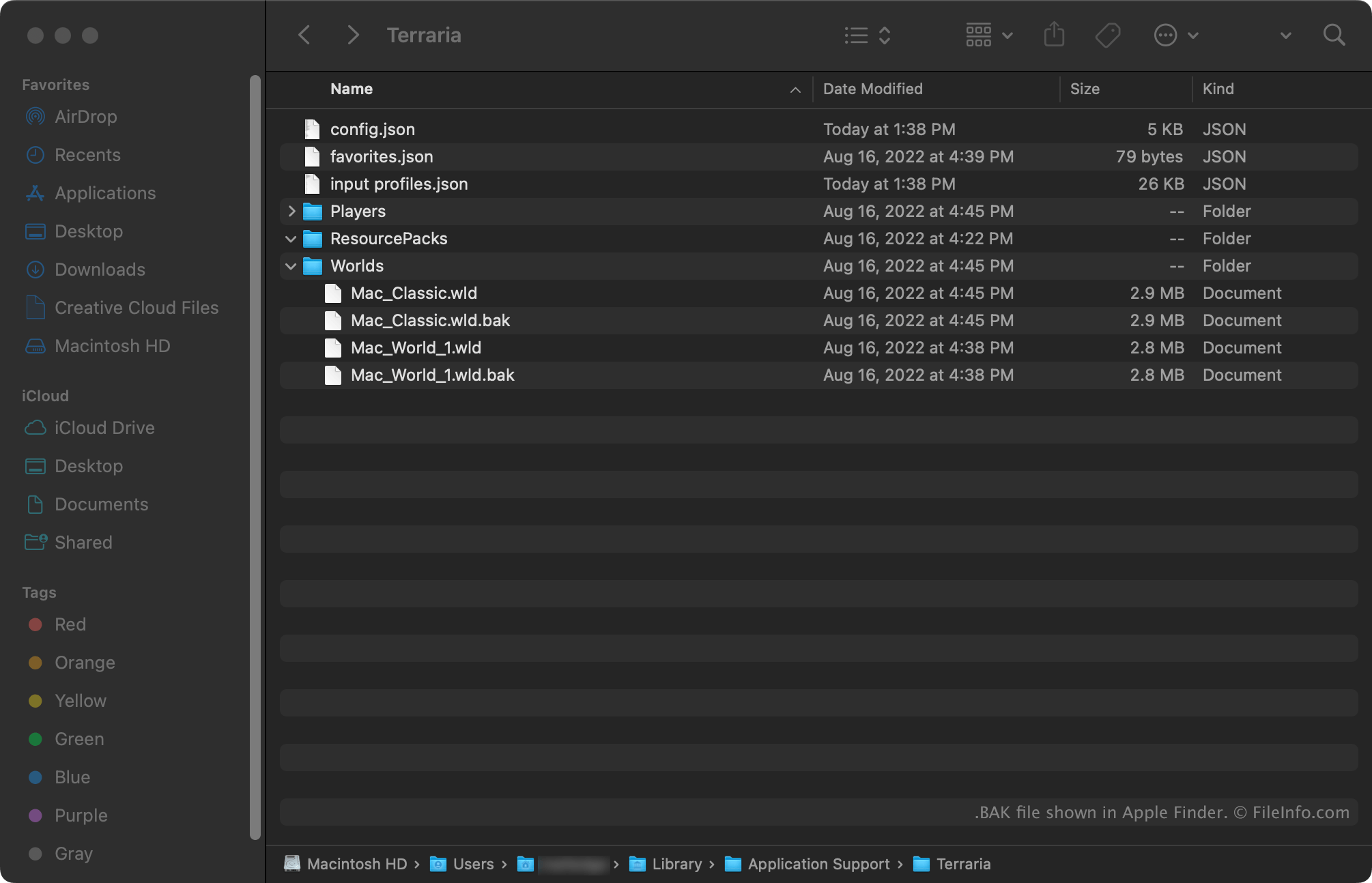
BAK file shown in Apple Finder

Terraria is a multiplatform exploration, construction, and survival game. The Windows and Mac versions of Terraria automatically create backups of players' worlds and player profiles. World backups use the extension .wld.bak. Player profile backups use the extension .plr.bak.

World backups are stored in the following directories:

  • Windows: ~/​Users/​YourUserName/​Documents/​My Games/​Terraria/​Worlds
  • Mac: ~/​Users/​YourUserName/​Library/​Application Support/​Terraria/​Worlds

Player profile backups are stored in the following directories:

  • Windows: ~/​Users/​YourUserName/​Documents/​My Games/​Terraria/​Players
  • Mac: ~/​Users/​YourUserName/​Library/​Application Support/​Terraria/​Players

BAK 파일을 여는 방법

To use a BAK file to restore a Re-Logic Terraria (Windows, Mac) world or player profile:

  1. Remove the .bak extension from the file's name.
  2. Place the file in the appropriate game directory (noted above).

The next time you open Terraria, the world or player profile your file contains will appear for selection.

BAK 파일을 여는 프로그램

Windows
Mac
카테고리: 게임
업데이트: 2023-02-28

VEGAS Video Project Backup

개발사 MAGIX
인기도
3.6  |  8 투표
 

A BAK file is a backup file created by MAGIX VEGAS, a professional video-editing and disc-authoring application. It contains a copy of a VEGAS video project (.VEG file). VEGAS backup files use the extension .veg.bak.

추가 정보

In the event MAGIX VEGAS quits before you can manually save an in-progress video project, the program will automatically save that project as a BAK file. BAK files can be used to recover a project and save it as a VEG file.

Typically, VEGAS BAK files are located in the following directory:

C:/​Users/​YourUserName/​AppData/​Local/​VEGAS Pro

BAK 파일을 여는 방법

You can open a VEGAS BAK file in MAGIX VEGAS (Windows). To do so, change the file's extension from .veg.bak to .veg and then open the file in VEGAS.

BAK 파일을 여는 프로그램

Windows
무료 체험판
카테고리: 백업
업데이트: 2021-03-10

AutoCAD Drawing Backup

개발사 Autodesk
인기도
4.7  |  3 투표
 

A BAK file is a backup of an AutoCAD drawing (.DWG file). By default, AutoCAD creates a BAK file every time a user manually saves a drawing. This file contains the last-saved version of the drawing (which a user can load to restore that version).

추가 정보

AutoCAD creates BAK files to allow users to revert to a previous version of their drawing, if they realize they've made a mistake or the original drawing file has become corrupted. In most cases, these files are saved in the same directory as the DWG file from which they were created. However, users can also use the MOVEBAK command to manually specify where AutoCAD saves BAK files.

AutoCAD maintains only one BAK file for each DWG file. When the program creates a new BAK file for a drawing, it deletes the previous backup. BAK files always use the same filename as the drawing from which they were created, except they use the .bak extension instead of the .dwg extension. (For example, drawing.bak is a backup of drawing.dwg.)

BAK 파일을 여는 방법

To open an AutoCAD BAK file, change its extension from .bak to .dwg. Then, open it as you would any .DWG file.

BAK 파일을 여는 프로그램

Windows
무료 체험판
Mac
무료 체험판
Web
무료 체험판
iOS
Android
카테고리: CAD
업데이트: 2023-07-13

Holo Launcher Backup

개발사 Mobint Software
인기도
1.3  |  3 투표
 

A BAK file is a backup file created by the Android 2.2+ version of Holo Launcher. It contains a record of a Holo Launcher user's custom Android launcher settings and shortcuts. BAK files can be created and imported using Holo Launcher's Backup & Restore menu.

추가 정보

Holo Launcher for Android 2.2+ devices, also known as Holo Launcher for Froyo, is an old Android customization app. Android users use Holo Launcher to replace the operating system's default home screen and customize the way the operating system looks and behaves.

If a user wants to back up their current Holo Launcher for Froyo settings, they can do so using the app's Backup & Restore → Backup option. Doing so saves the user's current settings and shortcuts as a BAK file.

BAK 파일을 여는 방법

You can open a Holo Launcher BAK file in Holo Launcher for Froyo (Android), using the app's Backup & Restore → Restore option. Doing so will apply the settings and shortcuts the BAK file contains to your Android device.

BAK 파일을 여는 프로그램

Android
Holo Launcher for Froyo  —  단종됨
무료
카테고리: 설정
업데이트: 2021-11-30

Taskbar Settings Backup

개발사 Braden Farmer
인기도
1.0  |  3 투표
 

A BAK file is a backup file created by Taskbar, an app launcher for Android and Chrome OS devices. It contains a record of a user's Taskbar settings. Taskbar users can use a BAK file to restore their settings to a previous state.

추가 정보

Taskbar allows Android and Chrome OS users to add a Windows-like Start menu to their device's screen. This allows users to quickly search for and open applications. Taskbar contains many settings, including the ability to hide Taskbar at certain times, block certain apps from appearing in the Start menu, customize Taskbar's appearance, and more.

If a user wants to back up their current Taskbar settings, they can open the app and select Advanced features → Manage app data → Backup settings to file.... A Save as prompt will appear, from which the user can save their settings as a BAK file. The file is typically named Taskbar-YYYYMMDD-######.bak.

Each BAK file is a Zip-compressed file that contains a .JSON file. The JSON file contains a plain text list of the user's Taskbar settings.

BAK 파일을 여는 방법

You can use a BAK file to restore your Taskbar settings. To do so, open the app and select Advanced features → Manage app data → Restore settings from file.... Then, navigate to and open your BAK file.

If necessary, you can also decompress your BAK file using any Zip-decompression utility, and then view the JSON data your file contains. (You may have to change the file's extension to .ZIP before you can decompress it.)

BAK 파일을 여는 프로그램

Android
무료
Chrome OS
무료
카테고리: 설정
업데이트: 2022-01-03

검증자 FileInfo.com

FileInfo.com 팀 이 페이지에 나열된 모든 파일 형식과 소프트웨어 프로그램을 독자적으로 조사했습니다. 저희의 목표는 100% 정확성이며, 검증한 파일 유형에 대한 정보만 게시합니다.

이 페이지에 추가하거나 업데이트할 내용을 제안하고 싶으시면 알려 주세요.