

.SSV Rozszerzenie pliku
Plik wartości rozdzielanych średnikami
| Deweloper | Brak danych |
| Popularność |
3,5 | 2 Głosy |
Plik SSV to plik danych w zwykłym tekście zapisany w formacie wartości rozdzielanych średnikami (SSV), podobnym do pliku .CSV lub .TSV, ale przechowującym wartości oddzielone średnikami zamiast przecinków lub tabulatorów. Zawiera dane zorganizowane w kolumny oddzielone średnikami (;) oraz wiersze oddzielone znakami końca wiersza. Użytkownicy mogą używać plików SSV do przesyłania danych między aplikacjami, na przykład z programu bazodanowego do arkusza kalkulacyjnego.
Więcej informacji
Chociaż pliki SSV nie są tak powszechne jak pliki CSV i TSV, wiele programów do obsługi arkuszy kalkulacyjnych i baz danych może eksportować dane w formacie SSV. Na przykład Dell OpenManage Server Administrator umożliwia eksportowanie danych w formacie SSV za pomocą polecenia omreport system summary -fmt ssv. Następnie można zaimportować plik SSV do komputerowej wersji programu Microsoft Excel.
Plik SSV można również utworzyć ręcznie za pomocą edytorów zwykłego tekstu, takich jak Microsoft Notepad lub Apple TextEdit. Po zapisaniu pliku można zmienić rozszerzenie pliku .txt na .ssv. Ręczne tworzenie pliku SSV może jednak być czasochłonne, jeśli masz dużo danych.
UWAGA: Pierwsze „S” w skrócie „SSV” może również oznaczać „Space” (spacja) lub „Separator” (separator), co oznacza, że wartości mogą być oddzielone znakiem innym niż średniki.
Jak otworzyć plik SSV

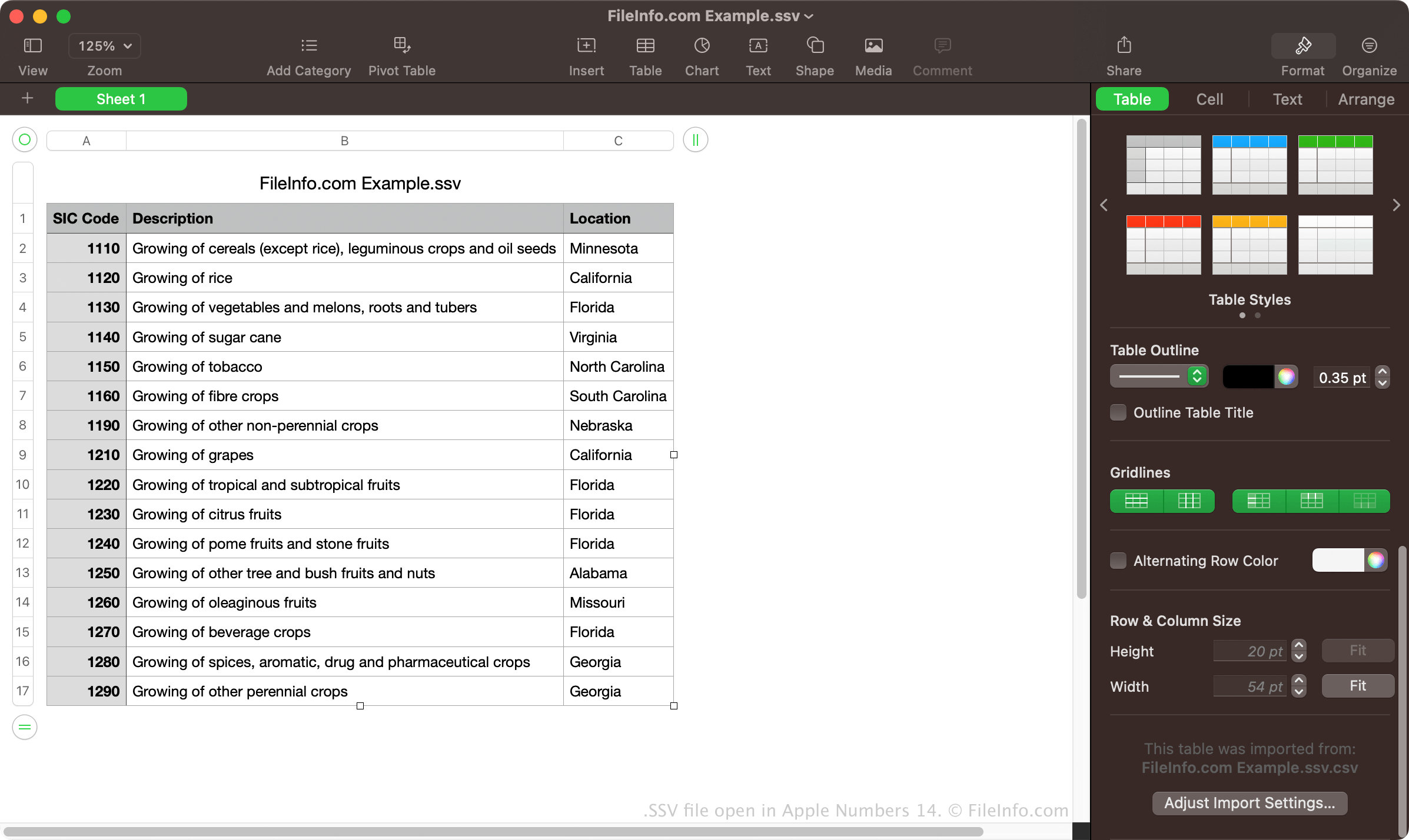
Pliki SSV można otwierać za pomocą różnych aplikacji do obsługi arkuszy kalkulacyjnych, w tym Microsoft Excel, Apple Numbers i Google Sheets. Programy te umożliwiają wyświetlanie danych zorganizowanych w kolumny i wiersze.
Pliki SSV można również otwierać za pomocą edytora zwykłego tekstu, takiego jak Microsoft Notepad lub Apple TextEdit. Programy te wyświetlą dane zawarte w plikach SSV, ale nie sformatują ich w taki sam sposób jak aplikacje do obsługi arkuszy kalkulacyjnych.
Jak przekonwertować plik SSV
Różne aplikacje do obsługi arkuszy kalkulacyjnych, takie jak Microsoft Excel, Apple Numbers i Google Sheets, mogą konwertować pliki SSV do kilku innych formatów.
Na przykład Microsoft Excel może konwertować pliki SSV do następujących formatów:
- .XLSX - arkusz kalkulacyjny Microsoft Excel
- .XLS - arkusz kalkulacyjny Microsoft Excel (starszy format)
- .CSV - plik wartości rozdzielanych przecinkami
- .ODS - arkusz kalkulacyjny OpenDocument
- .DIF - format wymiany danych
- .PDF - Portable Document Format
- .RTF - Rich Text Format
- .TXT - zwykły tekst
- .XML - Extensible Markup Language
- .XPS - XML Paper Specification (tylko Windows)