

.SSV Přípona souboru
Soubor hodnot oddělených středníky
| Vývojář | Neuvedeno |
| Popularita |
3,5 | 2 hlasy |
Soubor SSV je datový soubor ve formátu prostého textu uložený ve formátu hodnot oddělených středníky (SSV), který se podobá souboru .CSV nebo .TSV, ale ukládá hodnoty oddělené středníky namísto čárek nebo tabulátorů. Obsahuje data uspořádaná do sloupců oddělených středníky (;) a řádků oddělených konci řádků. Soubory SSV mohou sloužit k přenosu dat mezi aplikacemi, například z databázového programu do tabulkové aplikace.
Další informace
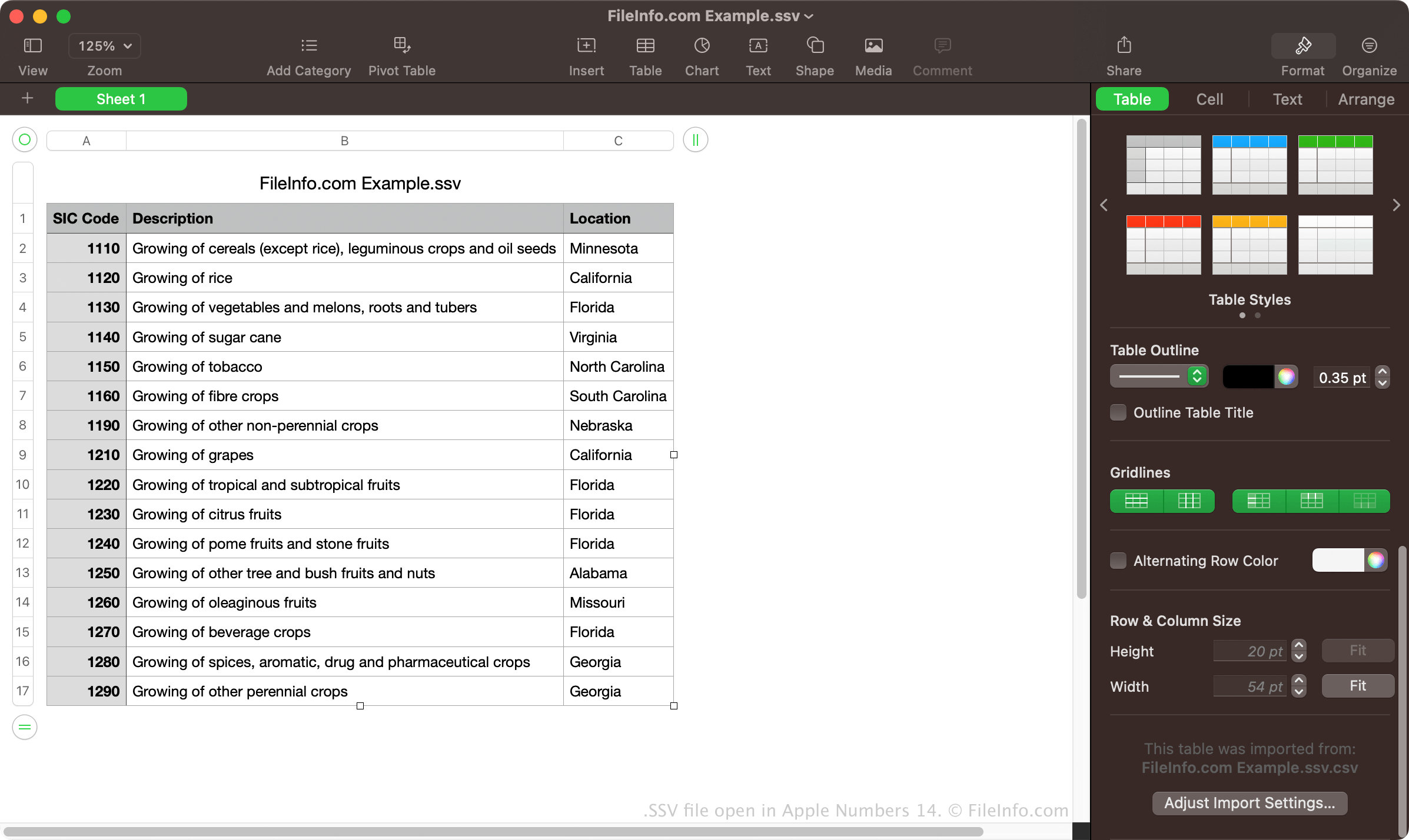
Ačkoli soubory SSV nejsou tak běžné jako soubory CSV a TSV, mnoho tabulkových a databázových programů dokáže data exportovat ve formátu SSV. Například Dell OpenManage Server Administrator umožňuje exportovat data ve formátu SSV pomocí příkazu omreport system summary -fmt ssv. Soubor SSV pak můžete importovat do desktopové verze programu Microsoft Excel.
Soubor SSV můžete také vytvořit ručně v editoru prostého textu, například v programech Microsoft Notepad nebo Apple TextEdit. Po uložení souboru můžete příponu .txt přejmenovat na .ssv. Ruční vytvoření souboru SSV však může být časově náročné, pokud máte velké množství dat.
POZNÁMKA: První „S“ ve zkratce „SSV“ může také znamenat „Space“ nebo „Separator“, což znamená, že hodnoty mohou být odděleny jiným znakem než středníky.
Jak otevřít soubor SSV

Soubory SSV můžete otevřít v různých tabulkových aplikacích, včetně programů Microsoft Excel, Apple Numbers a Google Sheets. Tyto programy umožňují zobrazit data uspořádaná do sloupců a řádků.
Soubory SSV můžete také otevřít v editoru prostého textu, například v programech Microsoft Notepad nebo Apple TextEdit. Tyto programy zobrazí data v souborech SSV, ale nenaformátují je stejným způsobem jako tabulkové aplikace.
Jak převést soubor SSV
Různé tabulkové aplikace, například Microsoft Excel, Apple Numbers a Google Sheets, dokážou převést soubory SSV do několika dalších formátů.
Microsoft Excel může například převést soubory SSV do následujících formátů:
- .XLSX – tabulka Microsoft Excel
- .XLS – tabulka Microsoft Excel (starší formát)
- .CSV – soubor hodnot oddělených čárkami
- .ODS – tabulka OpenDocument
- .DIF – formát pro výměnu dat
- .PDF – Portable Document Format
- .RTF – formát RTF
- .TXT – prostý text
- .XML – Extensible Markup Language
- .XPS – XML Paper Specification (pouze Windows)