

.SSV Extension de fichier
Fichier de valeurs séparées par des points-virgules
| Développeur | N/D |
| Popularité |
3,5 | 2 Votes |
Un fichier SSV est un fichier de données en texte brut enregistré au format de valeurs séparées par des points-virgules (SSV), qui est similaire à un fichier .CSV ou .TSV, mais qui stocke les valeurs séparées par des points-virgules plutôt que par des virgules ou des tabulations. Il contient des données organisées en colonnes séparées par des points-virgules (;) et en lignes séparées par des sauts de ligne. Les utilisateurs peuvent utiliser des fichiers SSV pour transférer des données entre des applications, par exemple d'un programme de base de données vers une application de feuille de calcul.
Plus d'informations
Bien que les fichiers SSV soient moins courants que les fichiers CSV et TSV, de nombreux programmes de feuille de calcul et de base de données peuvent exporter des données au format SSV. Par exemple, Dell OpenManage Server Administrator vous permet d'exporter des données au format SSV à l'aide de la commande omreport system summary -fmt ssv. Vous pouvez ensuite importer le fichier SSV dans la version de bureau de Microsoft Excel.
Vous pouvez également créer manuellement un fichier SSV avec des éditeurs de texte brut, tels que Microsoft Notepad ou Apple TextEdit. Après avoir enregistré le fichier, vous pouvez renommer l'extension du fichier .txt en .ssv. Cependant, créer manuellement un fichier SSV peut prendre du temps si vous avez beaucoup de données.
REMARQUE : Le premier « S » de « SSV » peut également signifier « Space » ou « Separator », ce qui signifie que les valeurs peuvent être séparées par un caractère autre que des points-virgules.
Comment ouvrir un fichier SSV

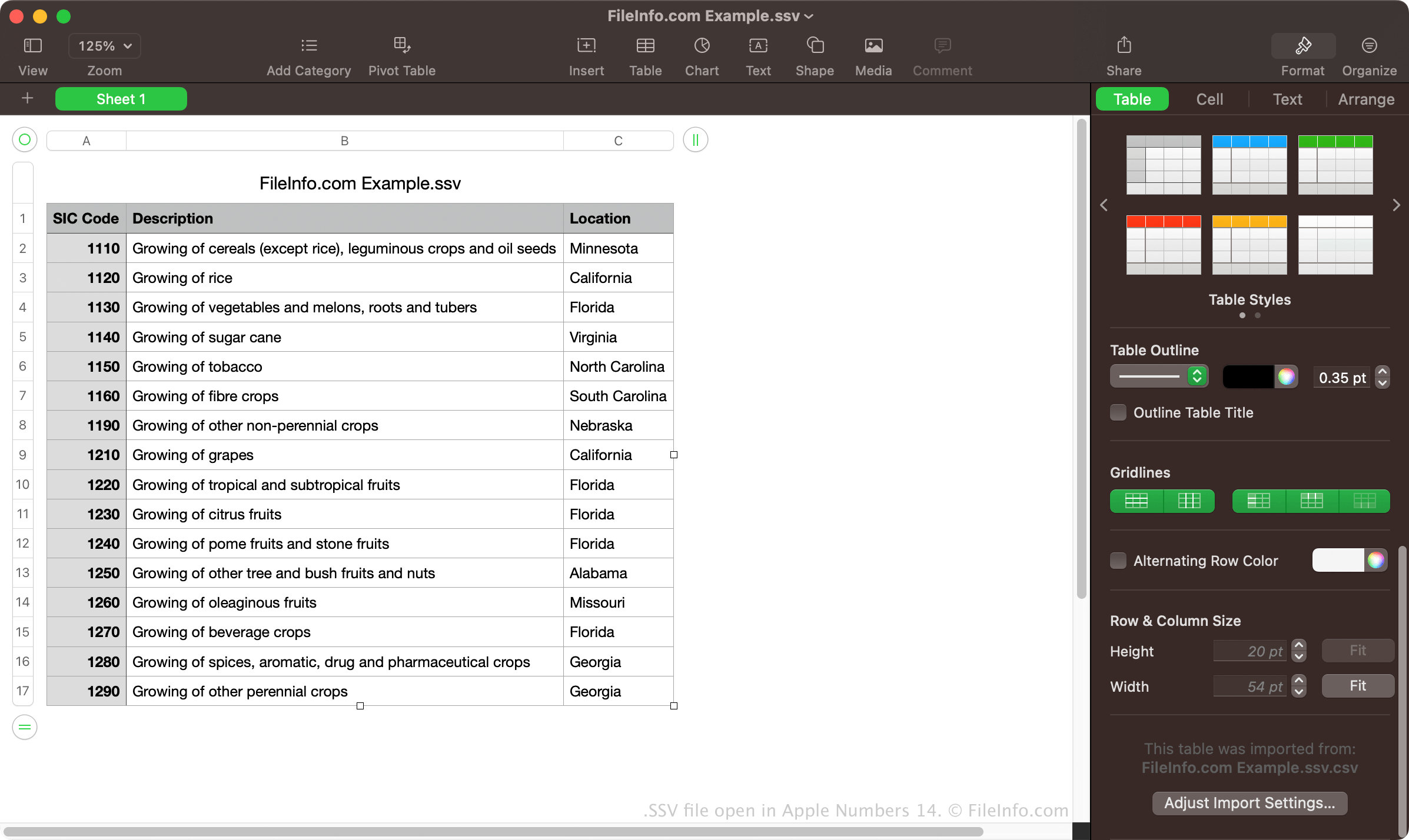
Vous pouvez ouvrir des fichiers SSV avec diverses applications de feuille de calcul, notamment Microsoft Excel, Apple Numbers et Google Sheets. Ces programmes vous permettent d'afficher les données organisées en colonnes et en lignes.
Vous pouvez également ouvrir des fichiers SSV avec un éditeur de texte brut, tel que Microsoft Notepad ou Apple TextEdit. Ces programmes affichent les données des fichiers SSV, mais ne les mettent pas en forme de la même manière que les applications de feuille de calcul.
Comment convertir un fichier SSV
Diverses applications de feuille de calcul, telles que Microsoft Excel, Apple Numbers et Google Sheets, peuvent convertir les fichiers SSV en plusieurs autres formats.
Par exemple, Microsoft Excel peut convertir les fichiers SSV dans les formats suivants :
- .XLSX - Feuille de calcul Microsoft Excel
- .XLS - Feuille de calcul Microsoft Excel (ancienne version)
- .CSV - Fichier de valeurs séparées par des virgules
- .ODS - Feuille de calcul OpenDocument
- .DIF - Format d'échange de données
- .PDF - Format de document portable
- .RTF - Format de texte enrichi
- .TXT - Texte brut
- .XML - Langage de balisage extensible
- .XPS - XML Paper Specification (Windows uniquement)