

.SSV Extensão de arquivo
Arquivo de valores separados por ponto e vírgula
| Desenvolvedor | N/D |
| Popularidade |
3,5 | 2 Votos |
Um arquivo SSV é um arquivo de dados de texto simples salvo no formato de valores separados por ponto e vírgula (SSV), semelhante a um arquivo .CSV ou .TSV, mas que armazena valores separados por ponto e vírgula em vez de vírgulas ou tabulações. Ele contém dados organizados em colunas separadas por ponto e vírgula (;) e linhas separadas por quebras de linha. As pessoas podem usar arquivos SSV para transferir dados entre aplicativos, como de um programa de banco de dados para um aplicativo de planilha.
Mais informações
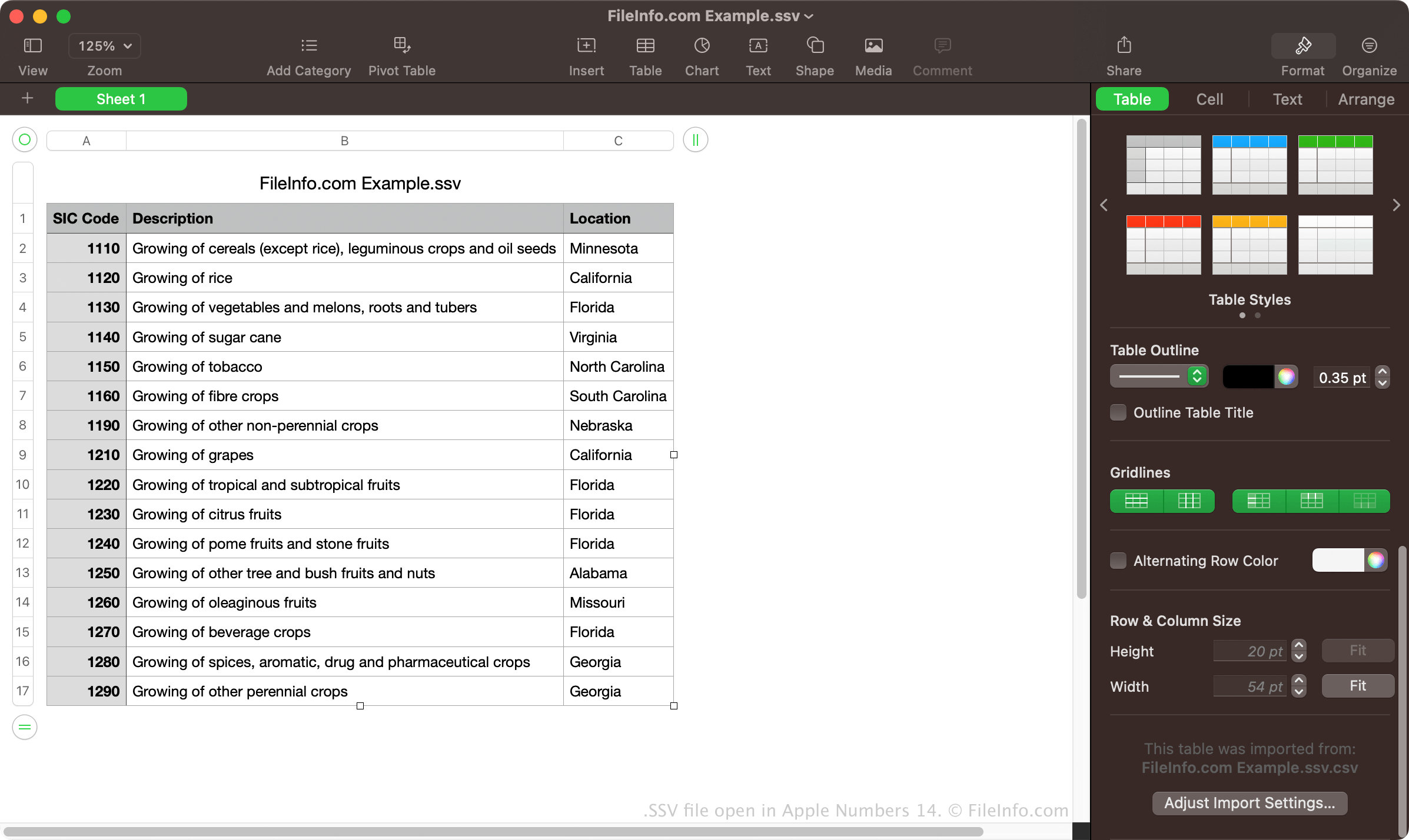
Embora os arquivos SSV não sejam tão comuns quanto os arquivos CSV e TSV, muitos programas de planilha e banco de dados podem exportar dados no formato SSV. Por exemplo, o Dell OpenManage Server Administrator permite exportar dados no formato SSV usando o comando omreport system summary -fmt ssv. Em seguida, você pode importar o arquivo SSV na versão para desktop do Microsoft Excel.
Você também pode criar manualmente um arquivo SSV com editores de texto simples, como o Microsoft Notepad ou o Apple TextEdit. Depois de salvar o arquivo, você pode renomear a extensão do arquivo .txt para .ssv. No entanto, criar manualmente um arquivo SSV pode consumir muito tempo se você tiver muitos dados.
NOTA: O primeiro "S" em "SSV" também pode significar "Space" ou "Separator", indicando que os valores podem ser separados por um caractere diferente de ponto e vírgula.
Como abrir um arquivo SSV

Você pode abrir arquivos SSV com vários aplicativos de planilha, incluindo o Microsoft Excel, o Apple Numbers e o Google Sheets. Esses programas permitem visualizar os dados organizados em colunas e linhas.
Você também pode abrir arquivos SSV com um editor de texto simples, como o Microsoft Notepad ou o Apple TextEdit. Esses programas exibirão os dados nos arquivos SSV, mas não os formatarão da mesma maneira que os aplicativos de planilha.
Como converter um arquivo SSV
Vários aplicativos de planilha, como o Microsoft Excel, o Apple Numbers e o Google Sheets, podem converter arquivos SSV para vários outros formatos.
Por exemplo, o Microsoft Excel pode converter arquivos SSV para os seguintes formatos:
- .XLSX - Planilha do Microsoft Excel
- .XLS - Planilha do Microsoft Excel (legada)
- .CSV - Arquivo de valores separados por vírgula
- .ODS - Planilha OpenDocument
- .DIF - Formato de intercâmbio de dados
- .PDF - Formato de Documento Portátil
- .RTF - Formato de Texto Rico
- .TXT - Texto simples
- .XML - Linguagem de Marcação Extensível
- .XPS - Especificação de Papel XML (somente Windows)