

.WS Bestandsextensie
Windows-script
| Ontwikkelaar | Microsoft |
| Populariteit |
3,8 | 29 stemmen |
Wat is een WS-bestand?
Een WS-bestand bevat een uitvoerbaar script dat kan worden uitgevoerd via de Windows Script Host. Het script kan bestaan uit verschillende typen routines en elementen, waaronder JScript- en VBScript-routines en XML-elementen. Wanneer je dubbelklikt op een WS-bestand, voert de Windows Script Host automatisch het script uit dat het bestand bevat.
Meer informatie
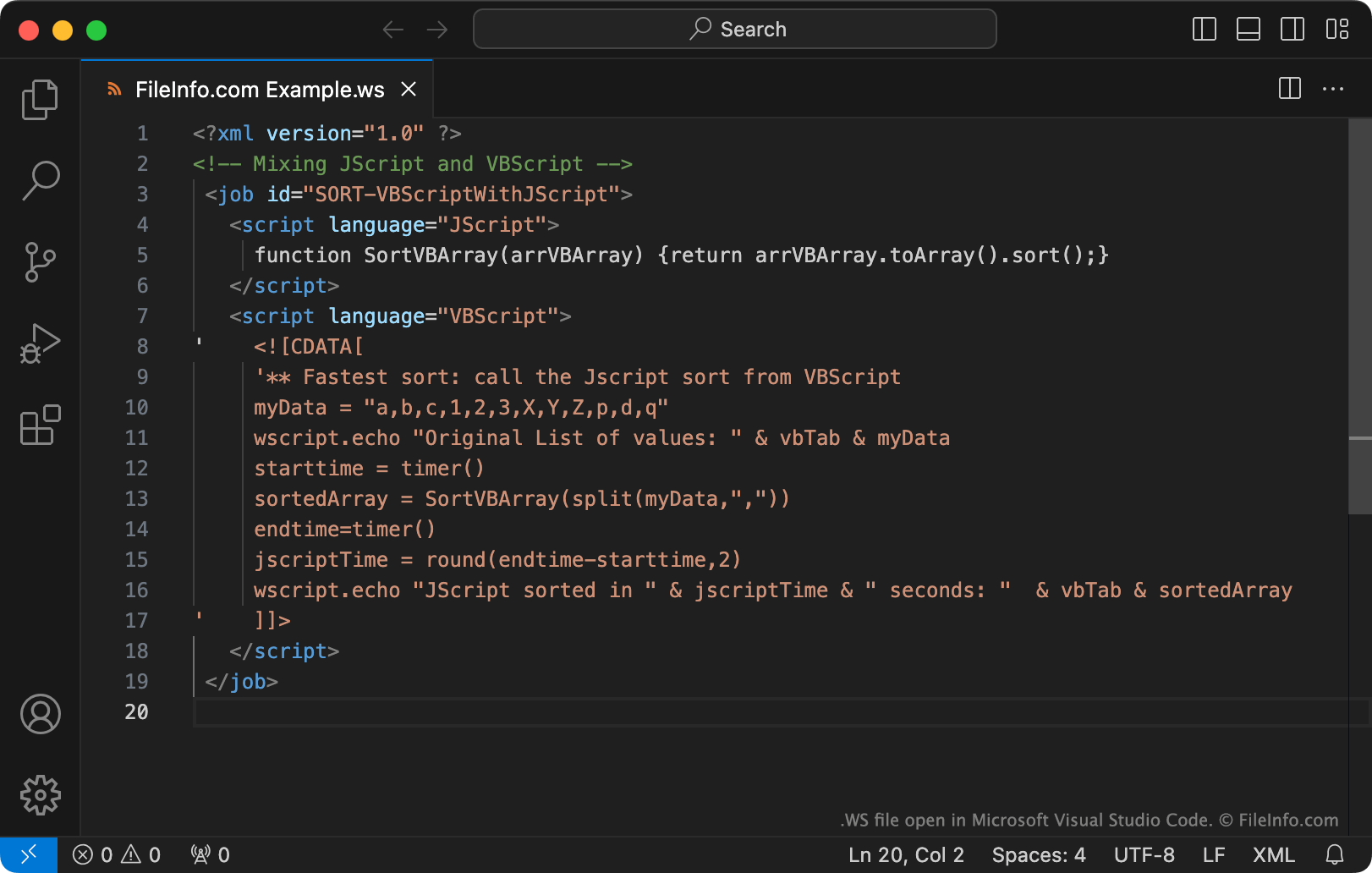
De Windows Script Host is een hulpmiddel dat systeembeheerders kunnen gebruiken om verschillende aanmeldings- en beheertaken te automatiseren. Hiervoor maken en voeren beheerders Windows-scripts uit, die kunnen worden opgeslagen als WS-bestanden.
WS-bestanden zijn bestanden met platte tekst. WS-bestanden kunnen met name routines bevatten die zijn geschreven in JScript, VBScript, BASIC, Perl, Python en veel andere programmeertalen. Om WS-bestanden te maken, gebruiken beheerders Microsoft Notepad, Microsoft Visual Studio Code of een andere teksteditor.
OPMERKING: Windows-scripts worden vaker opgeslagen als .WSF-bestanden.
Een WS-bestand openen
Als je de inhoud van een WS-bestand wilt bekijken of bewerken, kun je het openen met Microsoft Notepad, Microsoft Visual Studio Code of een andere teksteditor.
In Windows kun je het script in een WS-bestand uitvoeren door op het bestand te dubbelklikken of door de opdrachtregelopdracht wscript te gebruiken (zoals hier wordt beschreven).
Waarschuwing
Dubbelklik niet op een WS-bestand dat je als e-mailbijlage of van een niet-vertrouwde bron ontvangt. Omdat Windows WS-bestanden automatisch uitvoert wanneer gebruikers erop dubbelklikken, gebruiken cybercriminelen WS-bestanden soms om de computers van gebruikers aan te vallen.
Programma's die WS-bestanden openen
Whitespace-broncode
| Ontwikkelaar | Edwin Brady and Chris Morris |
| Populariteit |
3,0 | 2 stemmen |
Een WS-bestand is een programma dat is geschreven in de programmeertaal Whitespace. Het bevat broncode van Whitespace, die bestaat uit spaties, tabs en regeleinden (whitespace-tekens). WS-bestanden bevatten ook vaak opmerkingen die zijn geschreven met letters, cijfers en andere tekens die geen whitespace-tekens zijn.
Meer informatie
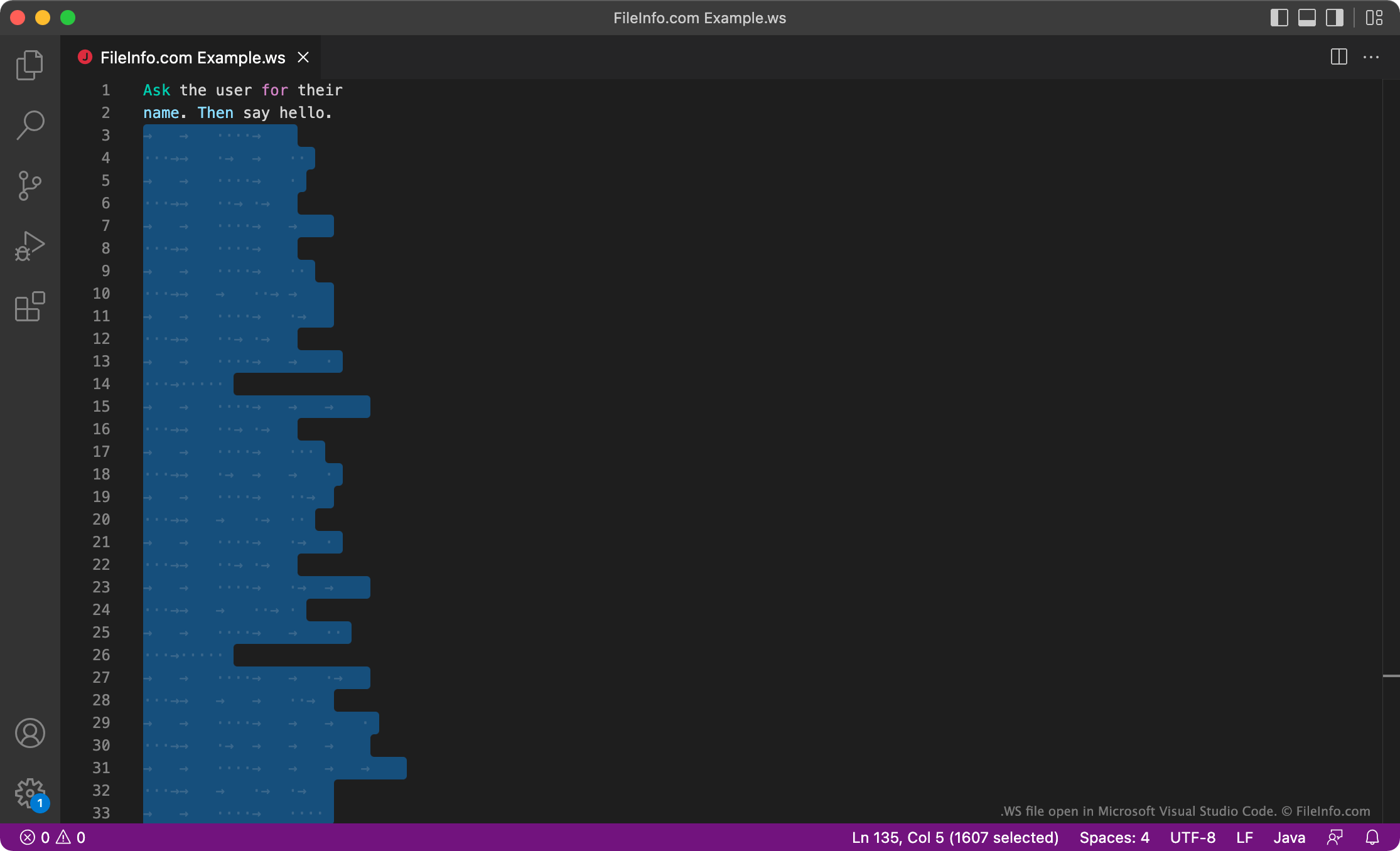
Whitespace is een programmeertaal die is ontwikkeld door Edwin Brady en Chris Morris. De Whitespace-interpreter negeert alle tekens die geen whitespace-tekens zijn. Daarom worden Whitespace-programma's uitsluitend geschreven met spaties, tabs en regeleinden, die de interpreter leest als opdrachten of gegevens. Opdrachten worden geschreven met vooraf ingestelde reeksen spaties, tabs en regeleinden. Andere gegevens worden binair geschreven, waarbij spaties staan voor nullen en tabs voor enen.
Hoewel Whitespace niet wordt gebruikt voor serieuze softwareontwikkeling, vinden sommige ontwikkelaars het leuk om binnen de beperkingen van de taal te programmeren en leuke Whitespace-programma's te maken. Deze ontwikkelaars kunnen hun Whitespace-programma's opslaan als WS-bestanden.
Een WS-bestand openen
Je kunt een WS-bestand openen en bewerken in elke teksteditor of editor voor broncode, zoals Microsoft Visual Studio Code. Houd er rekening mee dat je WS-bestand er leeg uit kan zien, omdat Whitespace-programma's uitsluitend met whitespace-tekens worden geschreven. Je kunt het programma in een WS-bestand uitvoeren met een Whitespace-interpreter.