

.WSB Bestandsextensie
Configuratiebestand voor Windows Sandbox
| Ontwikkelaar | Microsoft |
| Populariteit |
3,0 | 1 stem |
Wat is een WSB-bestand?
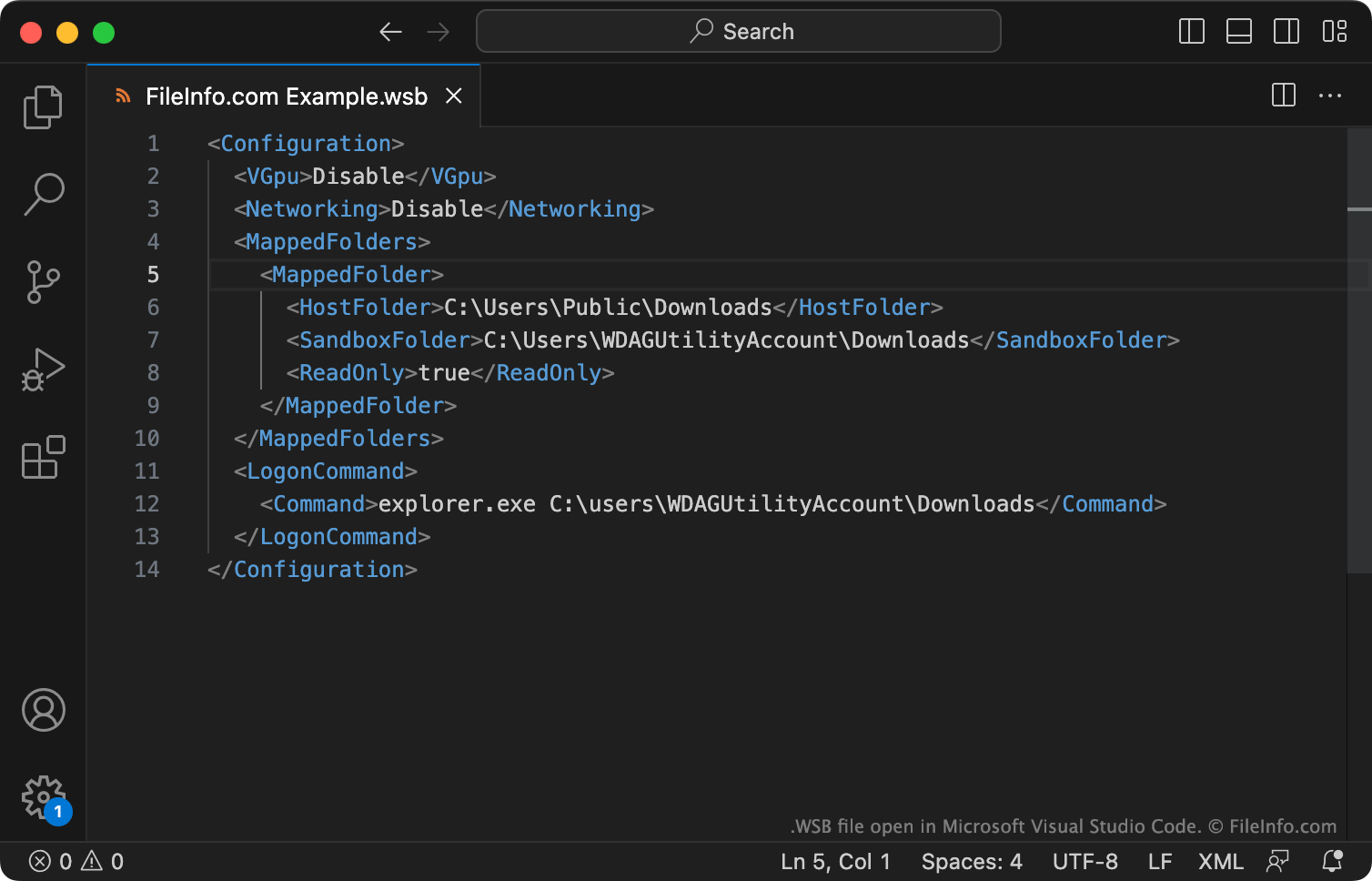
Een WSB-bestand is een configuratiebestand voor Windows Sandbox. Het bevat instellingen in XML-indeling waarmee bepaalde aspecten van een Windows Sandbox-instantie worden aangepast. Om een WSB-bestand te gebruiken, dubbelklik je op het bestand op een computer waarop Windows Sandbox is ingeschakeld.
Meer informatie
Windows Sandbox is een functie voor virtualisatie die in bepaalde edities van Windows is opgenomen, zoals Windows Pro, Enterprise en Education. Hiermee kun je een geïsoleerde (of "sandboxed") instantie van Windows uitvoeren binnen je huidige Windows-instantie. Hierdoor kun je bijvoorbeeld een programma in Windows Sandbox installeren en uitvoeren zonder dat dit gevolgen heeft voor je hostcomputer.
Je kunt optioneel WSB-bestanden maken en gebruiken om bepaalde aspecten te bepalen van de manier waarop je Windows Sandbox-instanties werken. Elk WSB-bestand begint met de tekst <Configuration> en eindigt met de tekst </Configuration>. Tussen deze tags kun je instellingen opgeven die bepalen of:
- Een Sandbox-instantie een gevirtualiseerde GPU (vGPU) of Windows Advanced Rasterization Platform (WARP) gebruikt
- De Sandbox-instantie netwerktoegang heeft
- Mappen met de hostinstantie moeten worden gedeeld (met lees- of schrijfmogelijkheid)
- Opdrachten worden uitgevoerd wanneer de Sandbox wordt gestart
- De microfoon- en webcaminput van de hostcomputer met de Sandbox wordt gedeeld
- Extra beveiligingsinstellingen op de RDP-sessie worden toegepast
- De printers en het klembord van de hostcomputer met de Sandbox worden gedeeld
Daarnaast kun je de geheugencapaciteit van de Sandbox opgeven (in MB).
Raadpleeg de officiële documentatie van Microsoft voor volledige instructies over het opgeven en wijzigen van deze instellingen.
Een WSB-bestand openen
Je kunt een WSB-bestand openen en bewerken met Microsoft Notepad, Microsoft Visual Studio Code of een andere teksteditor (net als elk ander XML-bestand).
Als je een WSB-bestand met Windows Sandbox wilt gebruiken, controleer je eerst of Windows Sandbox beschikbaar en ingeschakeld is op je Windows-computer. Als dat het geval is, dubbelklik je op het WSB-bestand om een Sandbox-instantie te starten die de instellingen uit dat WSB-bestand gebruikt.