.WS 文件扩展名

Windows Script

开发者 Microsoft
受欢迎程度
3.8  |  29 
 

什么是 WS 文件?

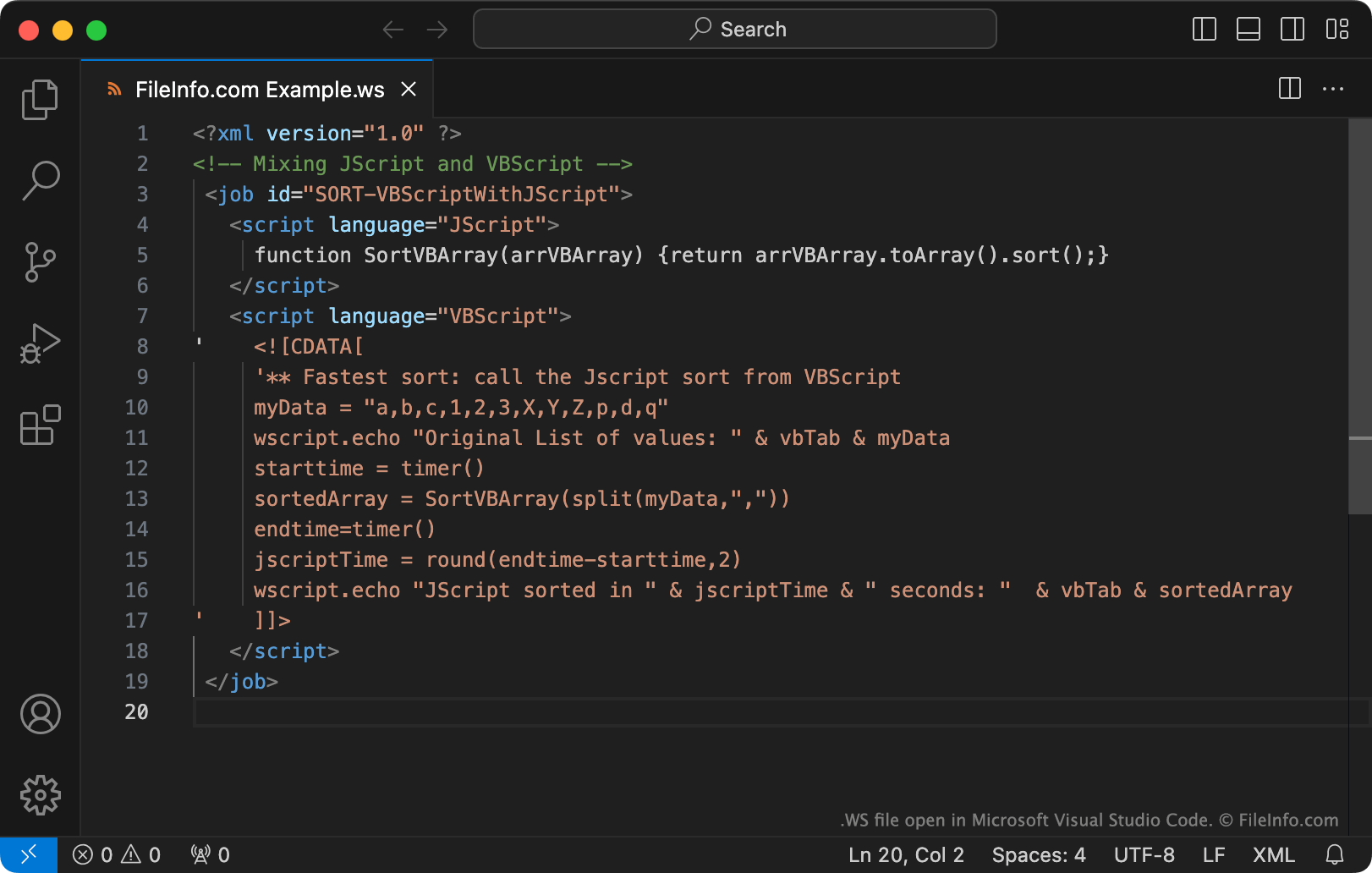
A WS file contains an executable script that can be run via the Windows Script Host. The script may be comprised of various types of routines and elements, including JScript and VBScript routines and XML elements. When you double-click a WS file, the Windows Script Host will automatically run the script the file contains.

更多信息

在 Microsoft Visual Studio Code 中打开的 .ws 文件截图
在 Microsoft Visual Studio Code 中打开的 WS 文件

The Windows Script Host is a tool that system administrators can use to automate a variety of login and administrative actions. To do so, administrators create and run Windows Scripts, which may be saved as WS files.

WS files are plain text files. Notably, WS files can include routines written using JScript, VBScript, BASIC, Perl, Python, and many other programming languages. To create WS files, administrators use Microsoft Notepad, Microsoft Visual Studio Code, or another text editor.

注: Windows Scripts are more commonly saved as .WSF files.

如何打开 WS 文件

If you want to view or edit a WS file's contents, you can open it with Microsoft Notepad, Microsoft Visual Studio Code, or any other text editor.

In Windows, you can run the script a WS file contains by double-clicking the file or using the wscript command-line command (as described here.)

警告

Do not double-click a WS file that you receive as an email attachment or from an untrusted source. Because Windows automatically runs WS files when users double-click them, cybercriminals sometimes use WS files to attack users' computers.

使用File Viewer Plus打开 400 多种文件格式。免费下载

可打开 WS 文件的程序

WonderSwan Game ROM

开发者 不适用
受欢迎程度
3.0  |  5 
 

A WS file is a game ROM file used by WonderSwan emulators, such as Oswan, OpenEmu, and Higan. It contains an exact copy of the game data dumped from the original WonderSwan game cartridge.

更多信息

WonderSwan emulators allow users to play WonderSwan games on a computer as if they were run on the original system. Game data from the original WonderSwan game cartridge is dumped into a WS file, which stores the game data in a format that can be played by a WonderSwan emulator.

WonderSwan is a Japanese handheld video game console created by Bandai. It was released in 1999 as a competitor to Nintendo's Game Boy Color. It was discontinued in 2003. WonderSwan game titles include Buffers Evolution, Beatmania, Final Lap 2000, Gunpey, Harobots, and Puzzle Bobble.

可打开 WS 文件的程序

Windows
免费
免费
免费
Mac
免费
免费
分类: 游戏
更新时间: 2019-02-07

1-2-3 Word Search Maker Puzzle File

开发者 Variety Games
受欢迎程度
3.5  |  2 
 

File created by 1-2-3 Word Search Maker, a program used for making word search puzzles; stores a word list as well as the alphabetical grid containing the words to find; also stores the solution by highlighting the word list in the puzzle.

更多信息

When you have completed designing a word puzzle, you can print it with a standard printer.

注: WS files are saved in a simple text format and can be viewed with any text editor to browse the contents.

可打开 WS 文件的程序

分类: 数据
更新时间: 2012-07-03

Whitespace Source Code

开发者 Edwin Brady and Chris Morris
受欢迎程度
3.0  |  2 
 

A WS file is a program written in the Whitespace programming language. It contains Whitespace source code, which consists of spaces, tabs, and linefeeds (whitespace characters). WS files also often contain comments written using letters, numbers, and other non-whitespace characters.

更多信息

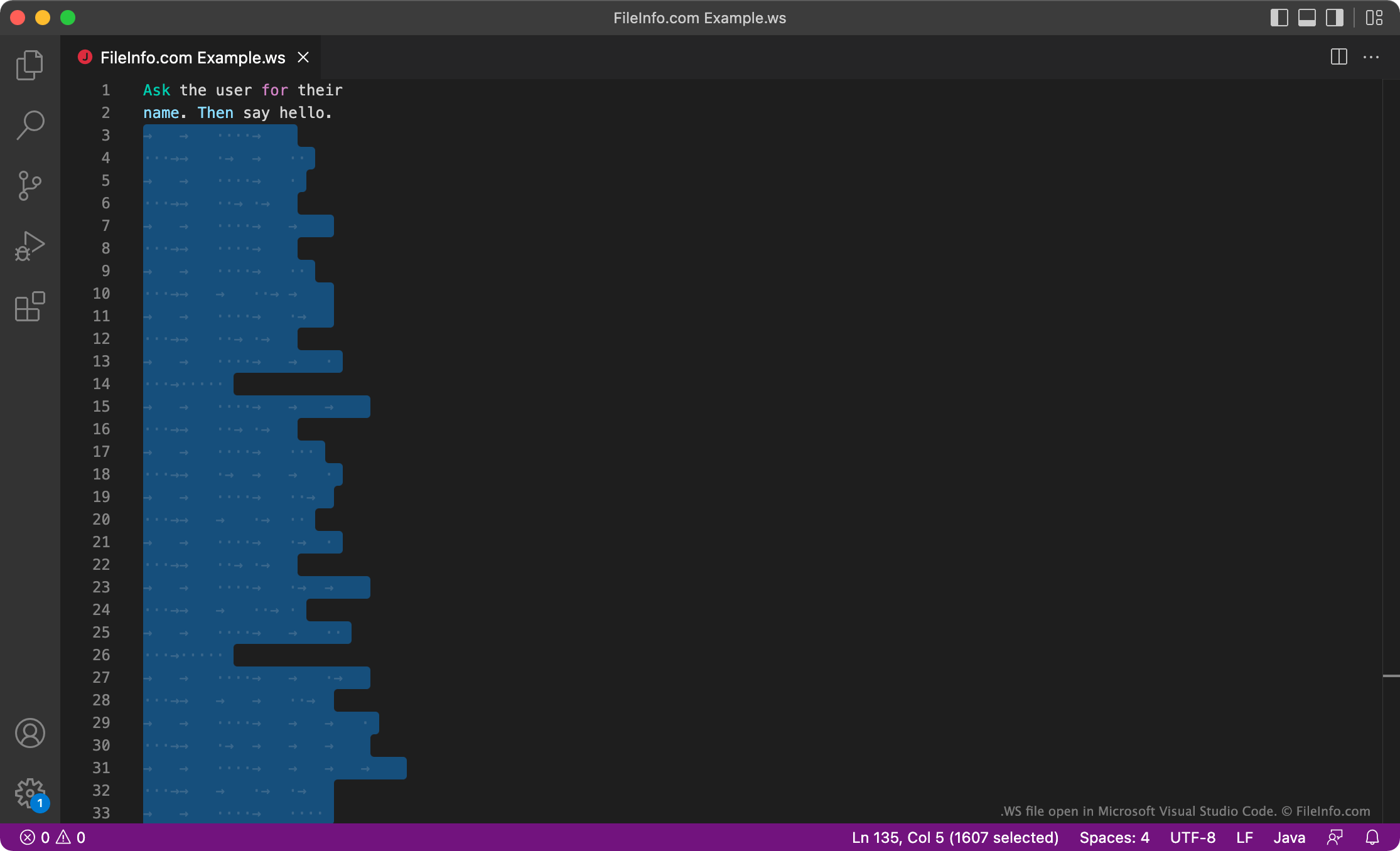
在 Microsoft Visual Studio Code 中打开的 .ws 文件截图
在 Microsoft Visual Studio Code 中打开的 WS 文件

Whitespace is a programming language developed by Edwin Brady and Chris Morris. The Whitespace interpreter ignores any non-whitespace characters, so Whitespace programs are written using only spaces, tabs, and linefeeds, which the interpreter reads as either commands or data. Commands are written using preset sequences of spaces, tabs, and linefeeds. Other data is written in binary, using spaces as 0s and tabs as 1s.

While Whitespace is not used for serious development, some developers enjoy developing within the language's limitations and creating fun Whitespace programs. These developers may save their Whitespace programs as WS files.

如何打开 WS 文件

You can open and edit a WS file in any text or source code editor, such as Microsoft Visual Studio Code. Keep in mind that, because Whitespace programs are written using only whitespace characters, your WS file may appear empty. You can run the program a WS file contains using a Whitespace interpreter.

可打开 WS 文件的程序

分类: 开发者
更新时间: 2022-04-12

验证者 FileInfo.com

FileInfo.com 团队 独立研究了本页面列出的所有文件格式和软件程序。 我们的目标是达到 100% 的准确率,并且仅发布我们已验证过的文件类型信息。

如果您想为此页面提出新增或更新建议,请告诉我们