.WS ファイル拡張子

Windows Script

開発元 Microsoft
人気度
3.8  |  29 
 

WSファイルとは?

A WS file contains an executable script that can be run via the Windows Script Host. The script may be comprised of various types of routines and elements, including JScript and VBScript routines and XML elements. When you double-click a WS file, the Windows Script Host will automatically run the script the file contains.

詳細情報

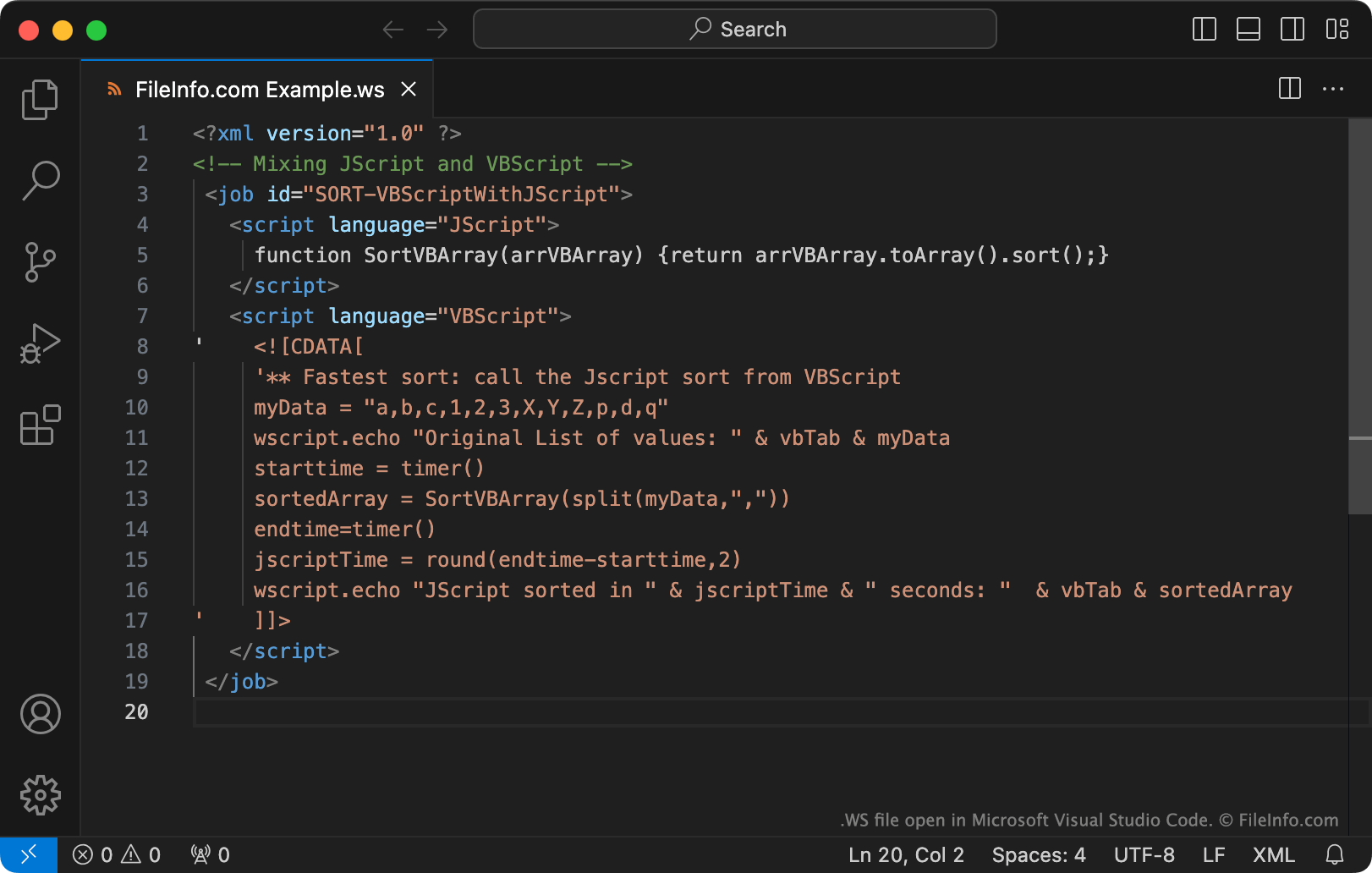
Microsoft Visual Studio Codeで開いた.wsファイルのスクリーンショット
Microsoft Visual Studio Codeで開いたWSファイル

The Windows Script Host is a tool that system administrators can use to automate a variety of login and administrative actions. To do so, administrators create and run Windows Scripts, which may be saved as WS files.

WS files are plain text files. Notably, WS files can include routines written using JScript, VBScript, BASIC, Perl, Python, and many other programming languages. To create WS files, administrators use Microsoft Notepad, Microsoft Visual Studio Code, or another text editor.

注: Windows Scripts are more commonly saved as .WSF files.

WSファイルの開き方

If you want to view or edit a WS file's contents, you can open it with Microsoft Notepad, Microsoft Visual Studio Code, or any other text editor.

In Windows, you can run the script a WS file contains by double-clicking the file or using the wscript command-line command (as described here.)

警告

Do not double-click a WS file that you receive as an email attachment or from an untrusted source. Because Windows automatically runs WS files when users double-click them, cybercriminals sometimes use WS files to attack users' computers.

File Viewer Plusで400種類以上のファイル形式を開けます。無料ダウンロード

WSファイルを開くプログラム

WonderSwan Game ROM

開発元 不明
人気度
3.0  |  5 
 

A WS file is a game ROM file used by WonderSwan emulators, such as Oswan, OpenEmu, and Higan. It contains an exact copy of the game data dumped from the original WonderSwan game cartridge.

詳細情報

WonderSwan emulators allow users to play WonderSwan games on a computer as if they were run on the original system. Game data from the original WonderSwan game cartridge is dumped into a WS file, which stores the game data in a format that can be played by a WonderSwan emulator.

WonderSwan is a Japanese handheld video game console created by Bandai. It was released in 1999 as a competitor to Nintendo's Game Boy Color. It was discontinued in 2003. WonderSwan game titles include Buffers Evolution, Beatmania, Final Lap 2000, Gunpey, Harobots, and Puzzle Bobble.

WSファイルを開くプログラム

Windows
無料
無料
無料
Mac
無料
無料
カテゴリ: ゲーム
更新日: 2019-02-07

1-2-3 Word Search Maker Puzzle File

開発元 Variety Games
人気度
3.5  |  2 
 

File created by 1-2-3 Word Search Maker, a program used for making word search puzzles; stores a word list as well as the alphabetical grid containing the words to find; also stores the solution by highlighting the word list in the puzzle.

詳細情報

When you have completed designing a word puzzle, you can print it with a standard printer.

注: WS files are saved in a simple text format and can be viewed with any text editor to browse the contents.

WSファイルを開くプログラム

Windows
カテゴリ: データ
更新日: 2012-07-03

Whitespace Source Code

開発元 Edwin Brady and Chris Morris
人気度
3.0  |  2 
 

A WS file is a program written in the Whitespace programming language. It contains Whitespace source code, which consists of spaces, tabs, and linefeeds (whitespace characters). WS files also often contain comments written using letters, numbers, and other non-whitespace characters.

詳細情報

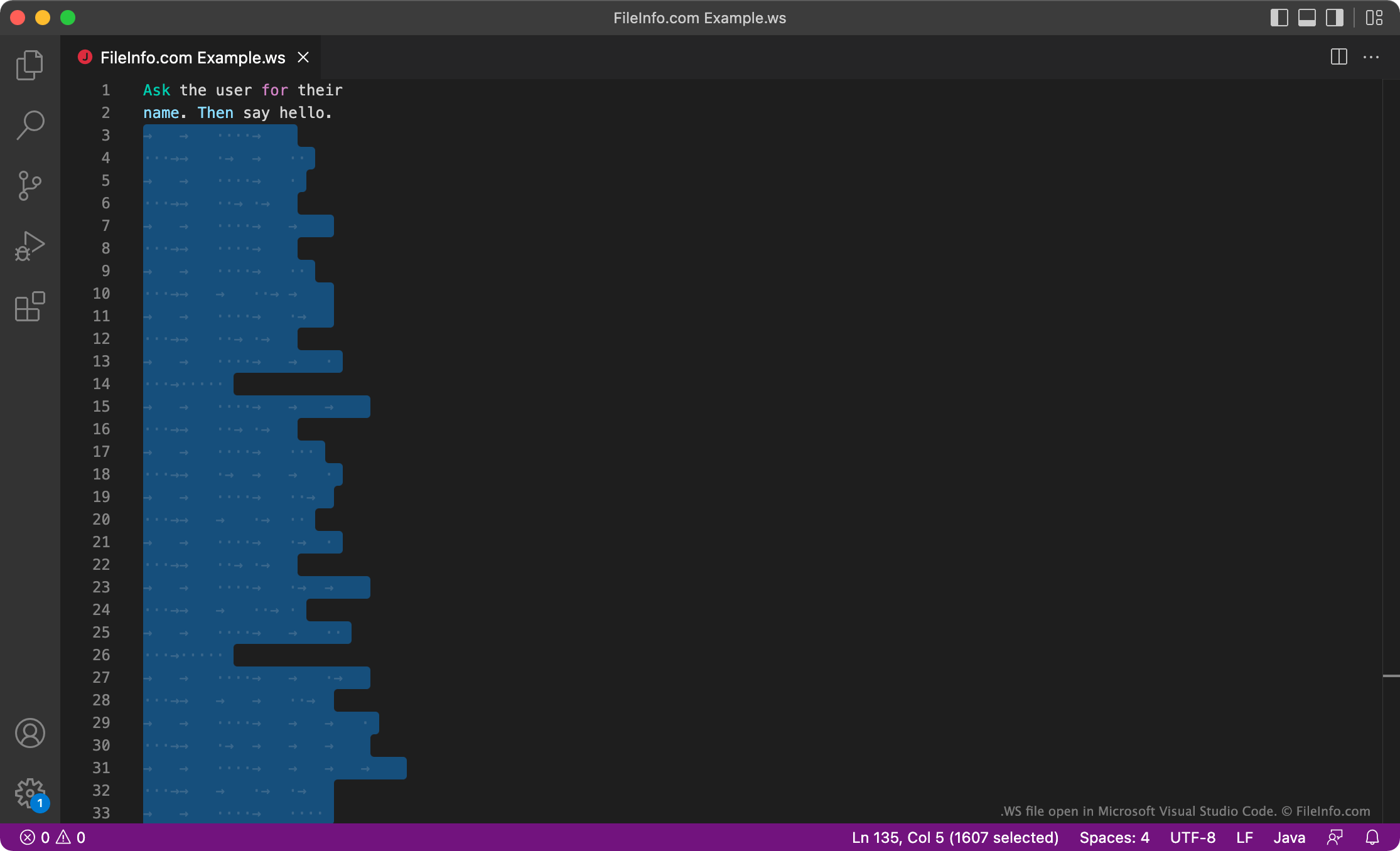
Microsoft Visual Studio Codeで開いた.wsファイルのスクリーンショット
Microsoft Visual Studio Codeで開いたWSファイル

Whitespace is a programming language developed by Edwin Brady and Chris Morris. The Whitespace interpreter ignores any non-whitespace characters, so Whitespace programs are written using only spaces, tabs, and linefeeds, which the interpreter reads as either commands or data. Commands are written using preset sequences of spaces, tabs, and linefeeds. Other data is written in binary, using spaces as 0s and tabs as 1s.

While Whitespace is not used for serious development, some developers enjoy developing within the language's limitations and creating fun Whitespace programs. These developers may save their Whitespace programs as WS files.

WSファイルの開き方

You can open and edit a WS file in any text or source code editor, such as Microsoft Visual Studio Code. Keep in mind that, because Whitespace programs are written using only whitespace characters, your WS file may appear empty. You can run the program a WS file contains using a Whitespace interpreter.

WSファイルを開くプログラム

カテゴリ: 開発者
更新日: 2022-04-12

検証者 FileInfo.com

FileInfo.comチーム は、このページに掲載されているすべてのファイル形式とソフトウェアについて独自に調査しました。 私たちの目標は100%の正確性であり、検証済みのファイルタイプに関する情報のみを公開しています。

このページへの追加や更新をご提案いただける場合は、お知らせください。