

.WS Estensione file
Script Windows
| Sviluppatore | Microsoft |
| Popolarità |
3,8 | 29 Voti |
Che cos'è un file WS?
Un file WS contiene uno script eseguibile che può essere eseguito tramite Windows Script Host. Lo script può essere composto da vari tipi di routine ed elementi, tra cui routine JScript e VBScript ed elementi XML. Quando si fa doppio clic su un file WS, Windows Script Host esegue automaticamente lo script contenuto nel file.
Maggiori informazioni
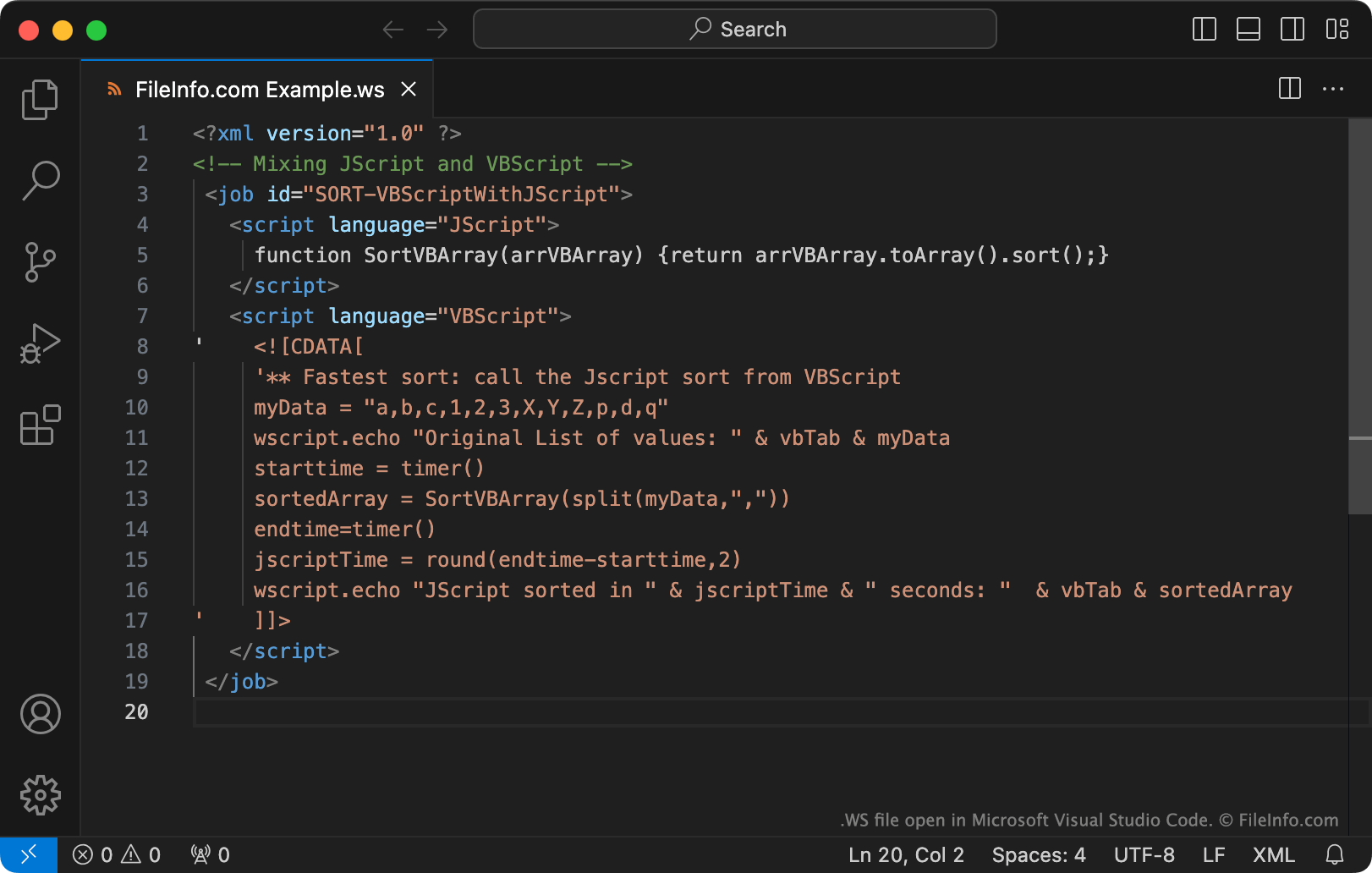
Windows Script Host è uno strumento che gli amministratori di sistema possono usare per automatizzare varie operazioni di accesso e amministrative. A tale scopo, gli amministratori creano ed eseguono script Windows, che possono essere salvati come file WS.
I file WS sono file di testo semplice. In particolare, i file WS possono includere routine scritte usando JScript, VBScript, BASIC, Perl, Python e molti altri linguaggi di programmazione. Per creare file WS, gli amministratori usano Microsoft Notepad, Microsoft Visual Studio Code o un altro editor di testo.
NOTA: Gli script Windows vengono salvati più comunemente come file .WSF.
Come aprire un file WS
Se vuoi visualizzare o modificare il contenuto di un file WS, puoi aprirlo con Microsoft Notepad, Microsoft Visual Studio Code o qualsiasi altro editor di testo.
In Windows, puoi eseguire lo script contenuto in un file WS facendo doppio clic sul file oppure usando il comando da riga di comando wscript (come descritto qui.)
Avviso
Non fare doppio clic su un file WS che ricevi come allegato di posta elettronica o da una fonte non attendibile. Poiché Windows esegue automaticamente i file WS quando gli utenti fanno doppio clic su di essi, i criminali informatici a volte usano i file WS per attaccare i computer degli utenti.
Programmi che aprono i file WS
Codice sorgente Whitespace
| Sviluppatore | Edwin Brady and Chris Morris |
| Popolarità |
3,0 | 2 Voti |
Un file WS è un programma scritto nel linguaggio di programmazione Whitespace. Contiene codice sorgente Whitespace, costituito da spazi, tabulazioni e caratteri di nuova riga (caratteri di spazio bianco). I file WS contengono spesso anche commenti scritti usando lettere, numeri e altri caratteri diversi dai caratteri di spazio bianco.
Maggiori informazioni
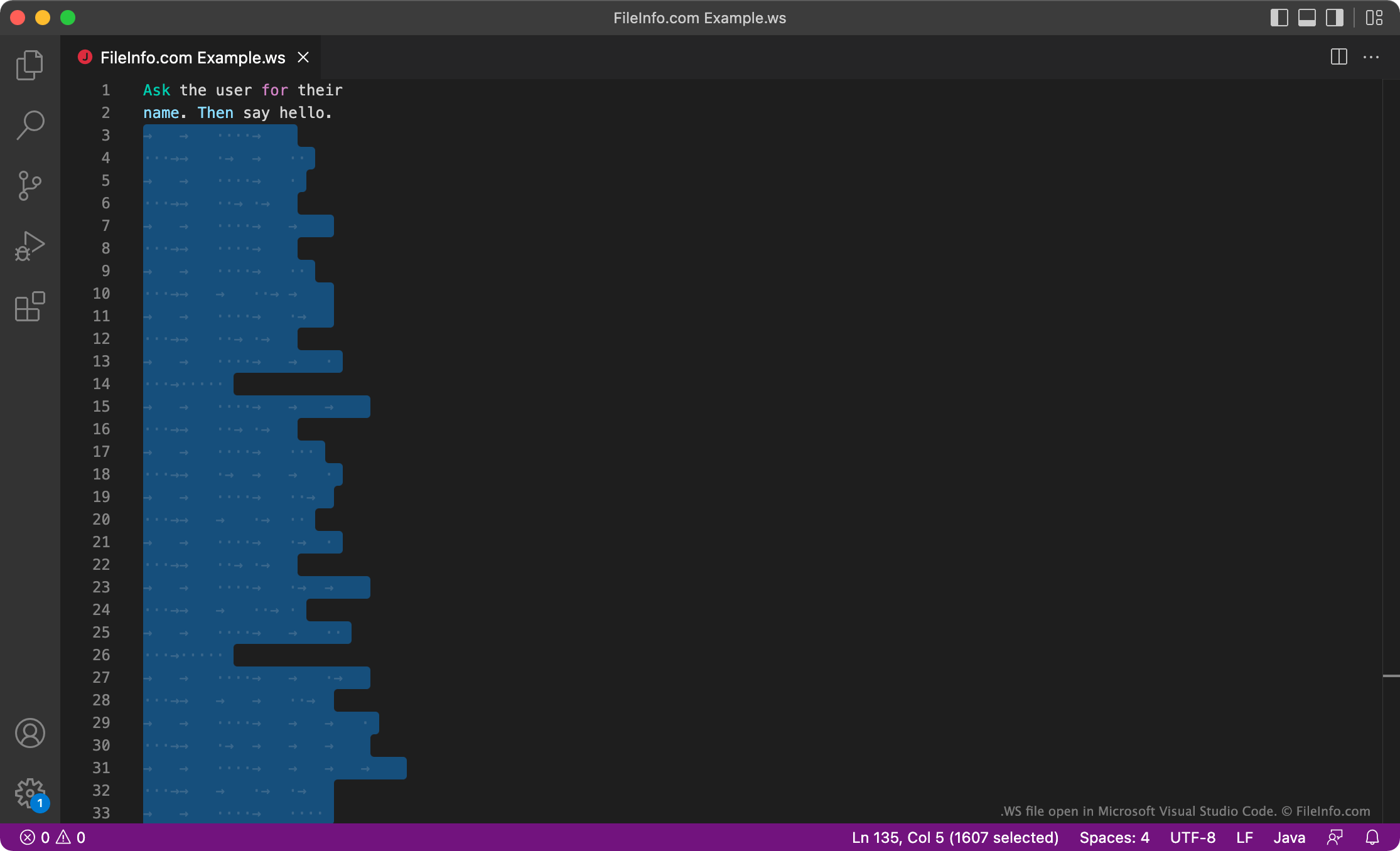
Whitespace è un linguaggio di programmazione sviluppato da Edwin Brady e Chris Morris. L'interprete Whitespace ignora tutti i caratteri diversi dai caratteri di spazio bianco, quindi i programmi Whitespace vengono scritti usando solo spazi, tabulazioni e caratteri di nuova riga, che l'interprete legge come comandi o dati. I comandi vengono scritti usando sequenze preimpostate di spazi, tabulazioni e caratteri di nuova riga. Gli altri dati vengono scritti in formato binario, usando gli spazi come 0 e le tabulazioni come 1.
Sebbene Whitespace non venga usato per lo sviluppo professionale, alcuni sviluppatori si divertono a lavorare entro i limiti del linguaggio e a creare programmi Whitespace divertenti. Questi sviluppatori possono salvare i loro programmi Whitespace come file WS.
Come aprire un file WS
Puoi aprire e modificare un file WS in qualsiasi editor di testo o di codice sorgente, ad esempio Microsoft Visual Studio Code. Tieni presente che, poiché i programmi Whitespace vengono scritti usando solo caratteri di spazio bianco, il tuo file WS potrebbe apparire vuoto. Puoi eseguire il programma contenuto in un file WS usando un interprete Whitespace.