

.SAI2 Bestandsextensie
PaintTool SAI versie 2-afbeelding
| Ontwikkelaar | SYSTEMAX Software Development |
| Populariteit |
3,2 | 11 stemmen |
Wat is een SAI2-bestand?
Een SAI2-bestand is een rasterafbeelding die is gemaakt met PainTool SAI versie 2, een lichtgewicht tekenprogramma voor Windows. Het wordt opgeslagen in de SAI2-indeling, de tweede versie van de SAI-indeling die wordt gebruikt in .SAI-bestanden. Het SAI2-bestand bevat een tekening op een canvas die door de gebruiker is gemaakt en uit een of meer onafhankelijke bewerkingslagen bestaat. SAI2-bestanden kunnen worden opgeslagen, gesloten en opnieuw worden geopend om verder te bewerken.
Meer informatie
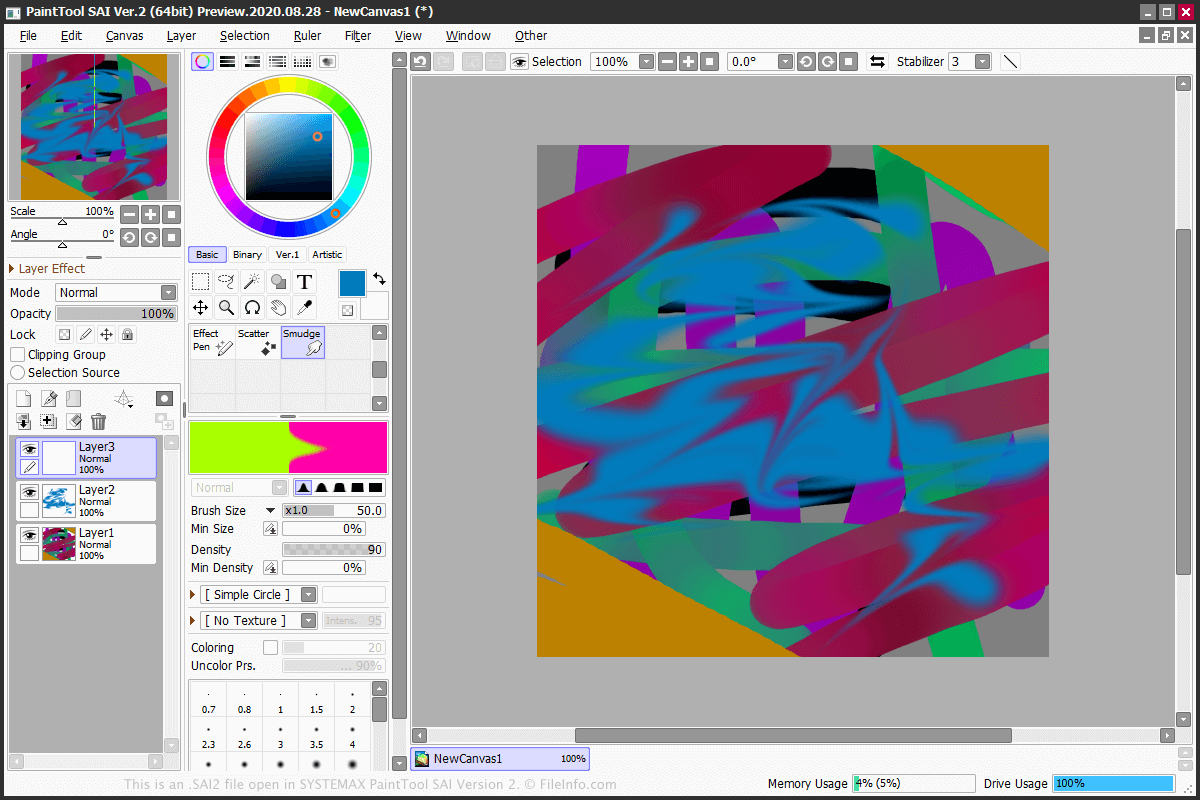
Een SAI2-bestand is de oorspronkelijke indeling die PainTool SAI versie 2 gebruikt om afbeeldingen op te slaan. Om een SAI2-bestand te maken, selecteer je en selecteer je vervolgens of .
PainTool SAI versie 2 beschikt over verschillende hulpmiddelen die op afzonderlijke lagen kunnen worden toegepast. Enkele hulpmiddelen zijn Marker, Pencil, Pen, Eraser, Brush, WaterColor, Bucket, Line en AirBrush. Het programma bevat ook de selectiegereedschappen lasso en toverstaf.
Je kunt een SAI2-bestand exporteren naar verschillende afbeeldingsindelingen, zoals .BMP, .JPG, .PNG, .PSD, .PSB en .TGA. Om het bestand te exporteren, selecteer je en kies je de indeling.
Veelvoorkomende .SAI2-bestandsnamen
NewCanvas1.sai2 - De standaardnaam die PaintTool SAI versie 2 aan een nieuw SAI2-bestand geeft.
Een SAI2-bestand openen
Je kunt een SAI2-bestand alleen openen met SYSTEMAX PaintTool SAI versie 2. Om het SAI2-bestand te openen, selecteer je .