

.SAI2 파일 확장자
PaintTool SAI Version 2 이미지
| 개발사 | SYSTEMAX Software Development |
| 인기도 |
3.2 | 11 표 |
SAI2 파일이란 무엇인가요?
SAI2 파일은 Windows용 경량 페인팅 애플리케이션인 PainTool SAI 버전 2로 만든 래스터 이미지입니다. 이 파일은 SAI 형식의 두 번째 버전인 SAI2 형식으로 저장되며, SAI 형식은 .SAI 파일에 사용됩니다. SAI2 파일에는 사용자가 캔버스에 만든 그림이 포함되며, 그림은 하나 이상의 독립적인 편집 레이어로 구성됩니다. SAI2 파일은 저장하고 닫은 후 다시 열어 계속 편집할 수 있습니다.
추가 정보
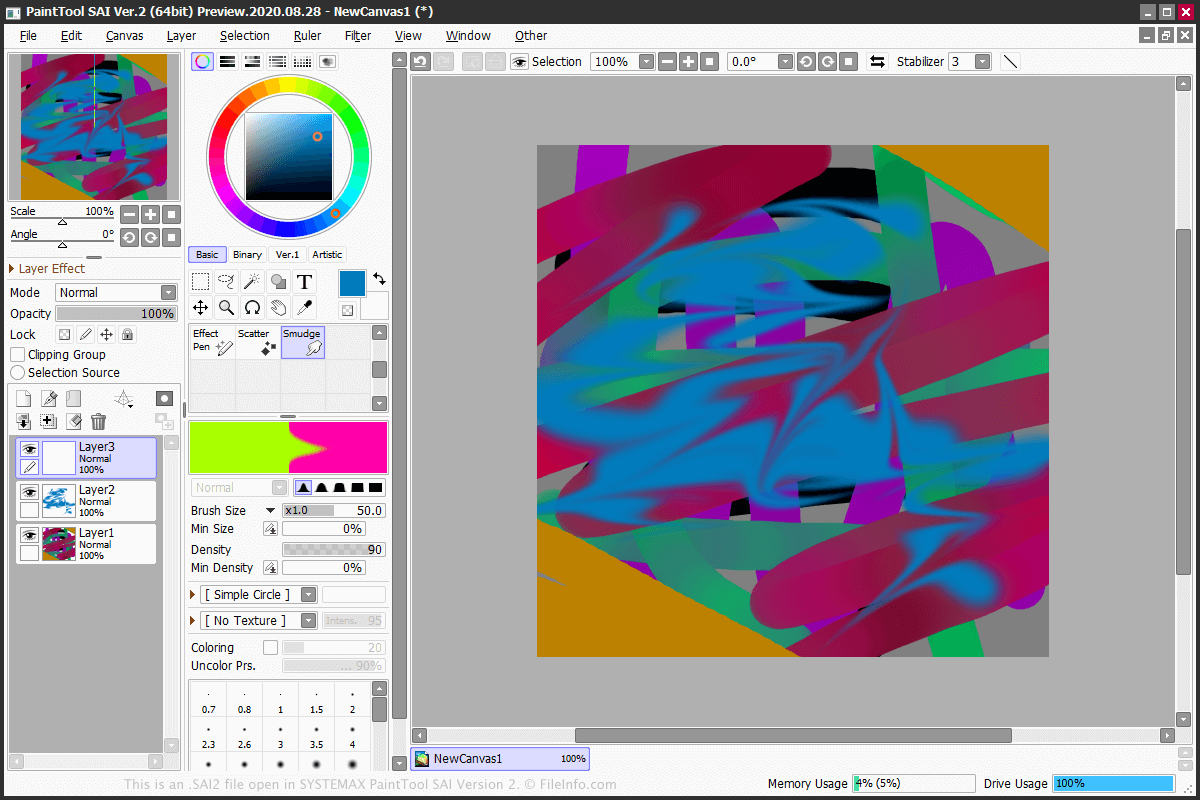
SAI2 파일은 PainTool SAI 버전 2에서 이미지를 저장하는 데 사용하는 기본 형식입니다. SAI2 파일을 만들려면 를 선택한 다음 또는 를 선택합니다.
PainTool SAI Version 2에는 별도의 레이어에 적용할 수 있는 다양한 도구가 있습니다. 일부 도구로는 Marker, Pencil, Pen, Eraser, Brush, WaterColor, Bucket, Line, AirBrush가 있습니다. 또한 이 프로그램에는 올가미 및 자동 선택 도구도 포함되어 있습니다.
SAI2 파일은 .BMP, .JPG, .PNG, .PSD, .PSB, .TGA와 같은 다양한 이미지 형식으로 내보낼 수 있습니다. 파일을 내보내려면 를 선택하고 형식을 선택합니다.
일반적인 .SAI2 파일 이름
NewCanvas1.sai2 - PaintTool SAI Version 2에서 새 SAI2 파일에 지정하는 기본 이름입니다.
SAI2 파일을 여는 방법
SAI2 파일은 SYSTEMAX PaintTool SAI Version 2로만 열 수 있습니다. SAI2 파일을 열려면 을 선택합니다.