

.PCAP Bestandsextensie
PCAP-gegevens
| Ontwikkelaar | Wireshark |
| Populariteit |
3,4 | 64 stemmen |
Wat is een PCAP-bestand?
Een PCAP-bestand is een pakketvastlegging die is gemaakt door Wireshark, een gratis programma voor het analyseren van netwerkgegevens. Het bevat gegevens over netwerkpakketten die Wireshark heeft onderschept en vastgelegd tijdens het controleren van een netwerk. Netwerkbeheerders gebruiken PCAP-bestanden om netwerkproblemen vast te stellen en schadelijke netwerkactiviteit te detecteren.
Meer informatie
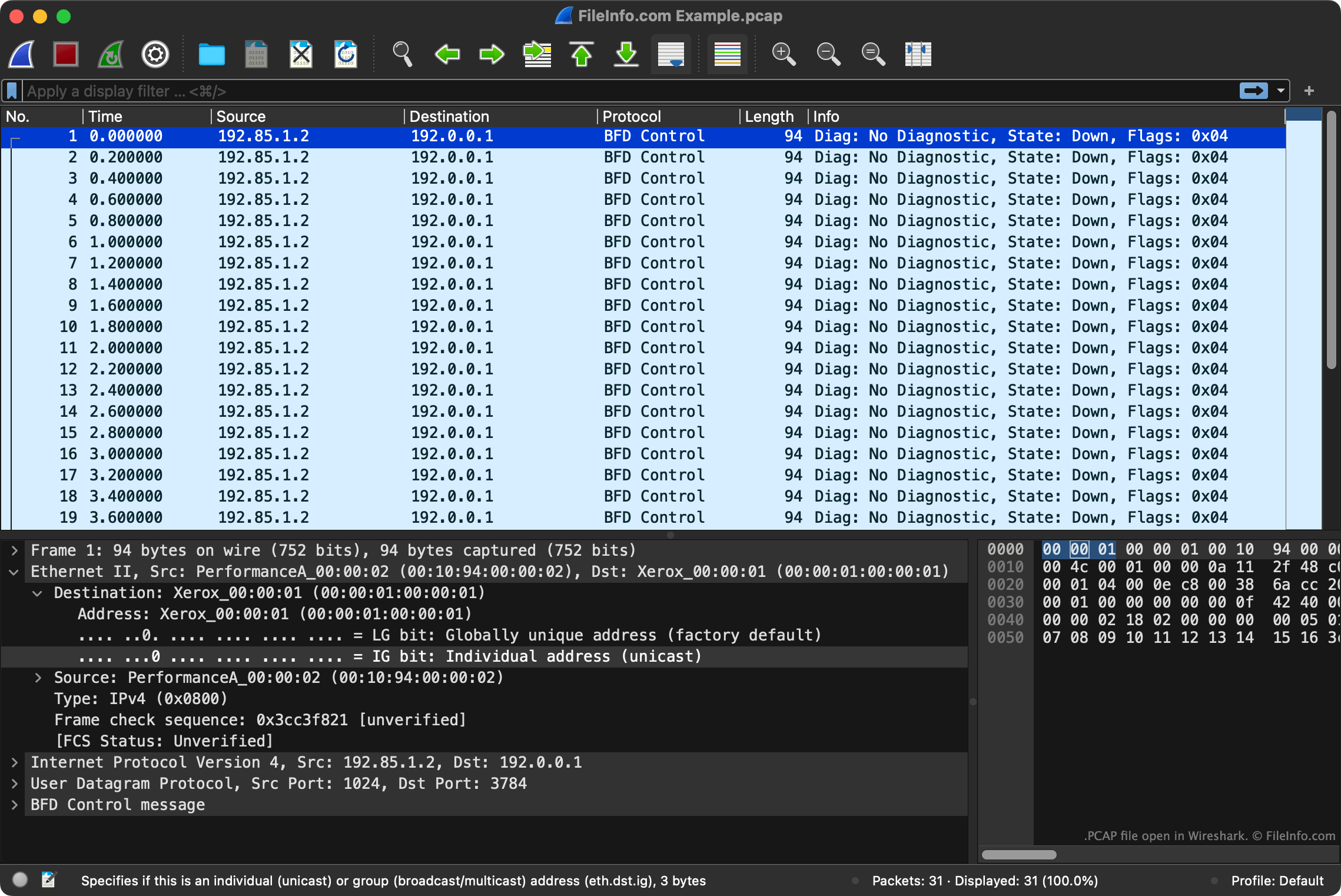
PCAP is een API die wordt gebruikt om netwerkpakketten vast te leggen. Wireshark slaat de gegevens die het via de PCAP API vastlegt op als PCAP-bestanden.
Naast een registratie van de inhoud van een pakket bevat elk PCAP-bestand ook metadata over het vastgelegde pakket. PCAP-bestanden vermelden bijvoorbeeld de bron en bestemming van een pakket, het protocol dat is gebruikt om het pakket te verzenden en het tijdstip waarop het pakket is verzonden.
OPMERKING: Hoewel Wireshark het meest gebruikte programma is om PCAP-bestanden te maken, slaan verschillende andere programma's voor pakketvastlegging vastgelegde gegevens ook op in de PCAP-indeling.
Een PCAP-bestand openen
Je kunt een PCAP-bestand openen met Wireshark. Ga hiervoor als volgt te werk:
- Selecteer in de menubalk van Wireshark.
- Ga naar je PCAP-bestand en open het.
Je kunt PCAP-bestanden ook openen met verschillende andere programma's voor pakket analyse, waaronder Netresec NetworkMiner (Windows, Linux), A-Packets (web) en Red Hand Analyzer (web).