

.PAPERT Bestandsextensie
Dropbox Paper-documentsjabloon
| Ontwikkelaar | Dropbox |
| Populariteit |
2,0 | 1 stem |
Wat is een PAPERT-bestand?
Een PAPERT-bestand is een sjabloon voor een .PAPER-document dat is gemaakt met Dropbox Paper, een online samenwerkingstool voor documentbewerking. Het bevat informatie over alle elementen in de sjabloon, zoals opgemaakte tekst, lijsten, tabellen, grafieken, interactieve formulieren en geïmporteerde afbeeldingen, video's en liedjes.
Meer informatie
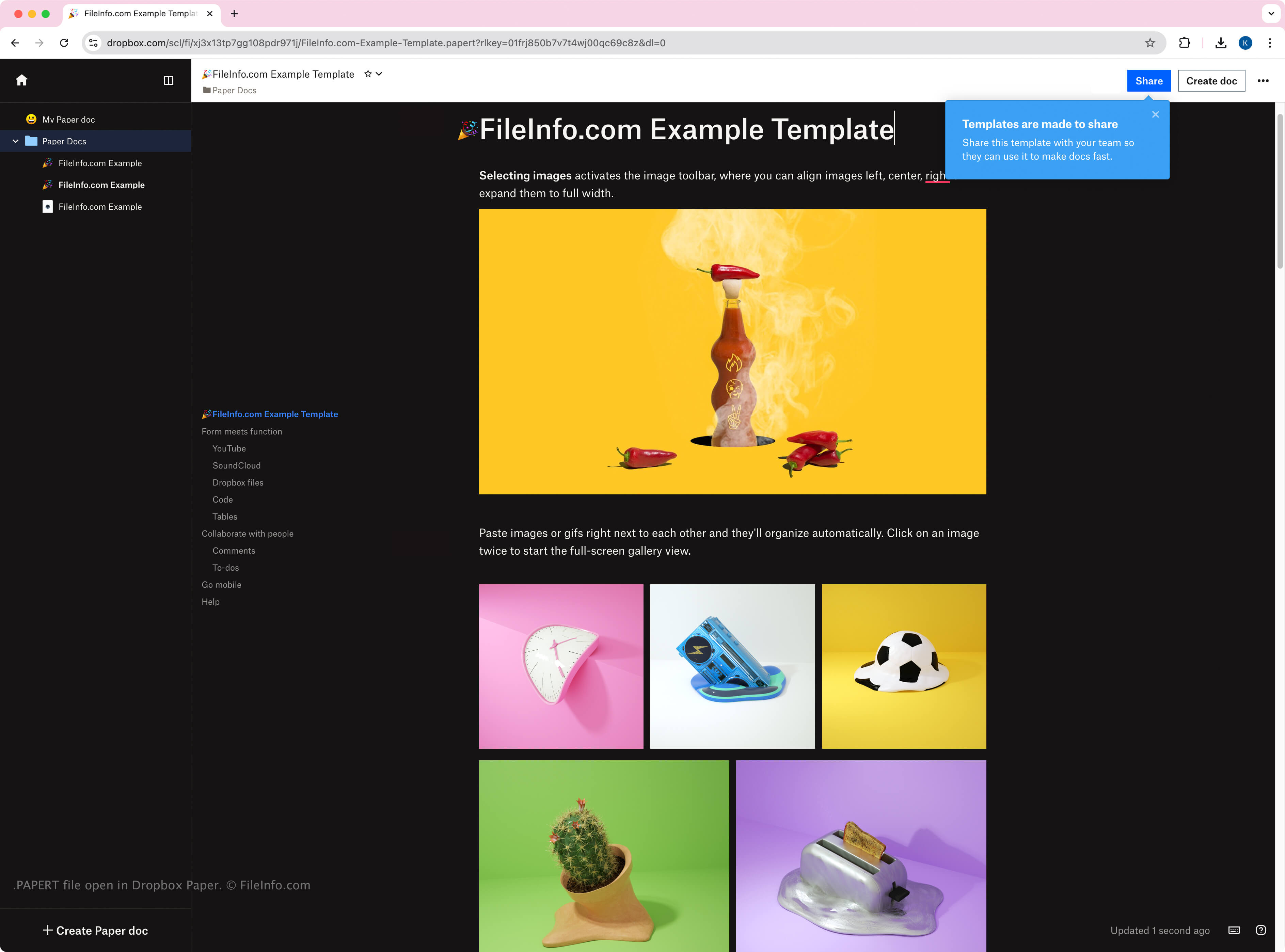
Dropbox introduceerde Paper in 2017 als een gratis tool voor Dropbox-gebruikers om samen te werken met anderen in een online werkruimte waarin ze ideeën kunnen maken, beoordelen, aanpassen, organiseren en presenteren. Hoewel PAPERT-sjablonen inhoud in dezelfde indeling opslaan als PAPER-documenten, maken en delen Paper-gebruikers de sjablonen om de opmaak en inhoud te behouden van een document dat ze willen namaken. Gebruikers kunnen een PAPERT-sjabloon maken van een PAPER-document door het document te openen, op het pictogram (drie puntjes) te klikken en te selecteren.
Net als PAPER-bestanden gebruikt Paper PAPERT-bestanden alleen intern, wat betekent dat je PAPERT-bestanden niet uit de online werkruimte kunt downloaden. Je kunt echter een link delen om een .URL-snelkoppeling naar het PAPERT-bestand te downloaden, waarop je kunt dubbelklikken om het in de Paper-werkruimte te openen. Het bestand wordt weergegeven met een onderstrepingsteken vóór de naam van de sjabloon, gevolgd door de extensie .papert.url (bijvoorbeeld _template.papert.url).
Een PAPERT-bestand openen
Je kunt PAPERT-bestanden openen met Dropbox Paper in een webbrowser. Omdat Paper PAPERT-bestanden alleen intern gebruikt, worden ze door geen apps van derden ondersteund.
Alle PAPER-documenten zijn toegankelijk vanaf het Paper-startscherm en je kunt erop klikken om ze te openen. Je kunt ze ook vinden in je Dropbox-map als de Dropbox-desktopapp is geïnstalleerd, maar wanneer je op de PAPERT-bestanden dubbelklikt, worden ze in de Paper-werkruimte in je webbrowser geopend.
Een PAPERT-bestand converteren
Dropbox Paper kan PAPERT-sjablonen converteren naar verschillende bestandstypen, waaronder de volgende indelingen:
Je kunt PAPER-bestanden converteren door in de rechterbovenhoek van de werkruimte op het menu (drie horizontale puntjes) te klikken en vervolgens te selecteren.