.PAPERT 文件扩展名

Dropbox Paper Document Template

开发者 Dropbox
受欢迎程度
2.0  |  1 
 

什么是 PAPERT 文件?

A PAPERT file is a template for a .PAPER document created by Dropbox Paper, an online document-editing collaboration tool. It contains information about all elements included in the template, such as formatted text, lists, tables, charts, interactive forms, and imported images, videos, and songs.

更多信息

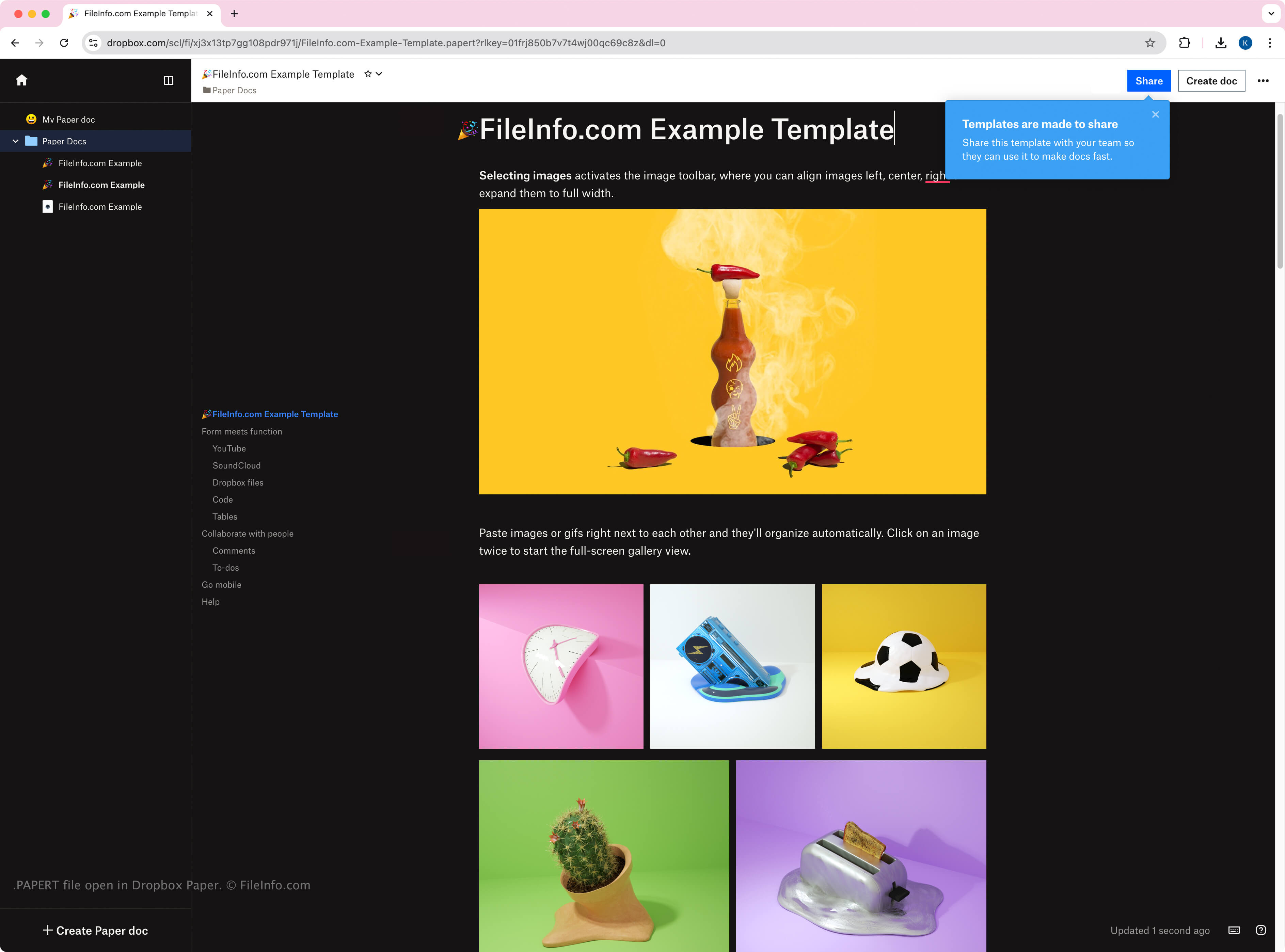
在 Dropbox Paper 中打开的 .papert 文件截图
在 Dropbox Paper 中打开的 PAPERT 文件

Dropbox introduced Paper 2017 as a free tool for Dropbox users to collaborate with others in an online workspace where they can create, review, revise, organize, and present ideas. While PAPERT templates store contents in the same format as PAPER documents, Paper users create and share the templates to preserve the formatting and content of a document they wish to replicate. Users can create a PAPERT template from a PAPER document by opening the document, clicking the (ellipses) icon, and selecting Templatize.

Like PAPER files, Paper only uses PAPERT files internally, meaning you cannot download PAPERT files from the online workspace. However, you can share a link to download a .URL shortcut to the PAPERT file, which you can double-click to open in the Paper workspace. The file will appear with an underscore preceding the template name followed by the .papert.url extension (e.g., _template.papert.url).

如何打开 PAPERT 文件

You can open PAPERT files with Dropbox Paper in a web browser. Since Paper only uses PAPERT files internally, no third-party apps support them.

All PAPER documents are accessible from the Paper Home screen, and you can click them to open them. You may also find them in your Dropbox folder if you have the Dropbox desktop app installed, but when you double-click the PAPERT files, they will open in the Paper workspace in your web browser.

如何转换 PAPERT 文件

Dropbox Paper can convert PAPERT templates to several file types, including the following formats:

  • .DOCX - Microsoft Word Document
  • .PDF - Portable Document Format
  • .MD - Markdown Documentation

You can convert PAPER files by clicking the menu (three horizontal dots) in the upper-right corner of the workspace and then selecting Export.

使用File Viewer Plus打开 400 多种文件格式。免费下载

可打开 PAPERT 文件的程序

Web

验证者 FileInfo.com

FileInfo.com 团队 独立研究了本页面列出的 Dropbox Paper Document Template 文件格式和 应用。 我们的目标是达到 100% 的准确率,并且仅发布我们已验证过的文件类型信息。

如果您想为此页面提出新增或更新建议,请告诉我们