

.WEBMANIFEST 파일 확장자
프로그레시브 웹 애플리케이션 매니페스트
| 개발사 | W3C |
| 인기도 |
3.8 | 6 표 |
WEBMANIFEST 파일이란 무엇인가요?
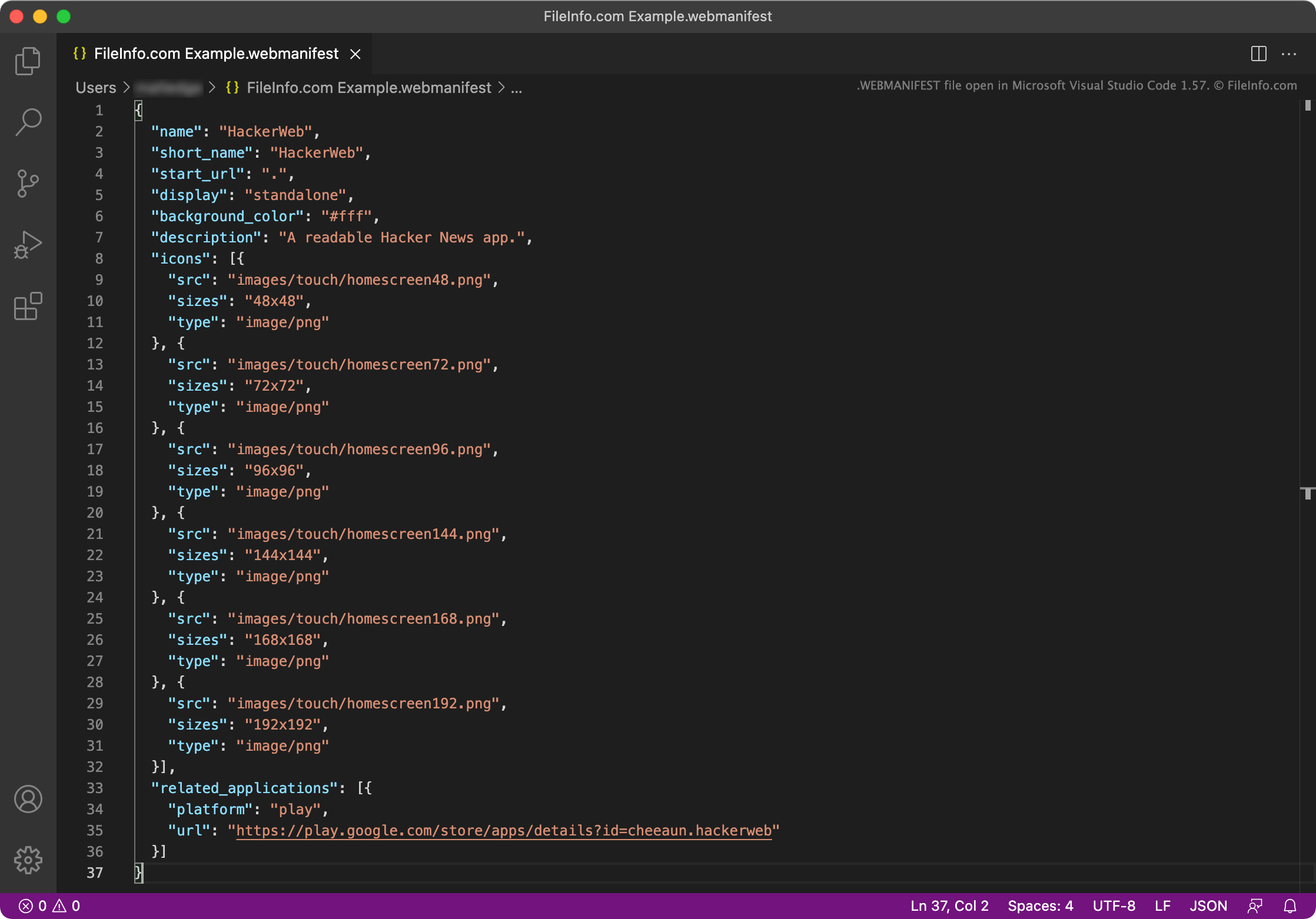
WEBMANIFEST 파일은 프로그레시브 웹 애플리케이션(PWA)에서 사용하는 메타데이터 파일입니다. PWA의 이름, 시작 URL, 설명, 시작 화면 설정, 아이콘, 기본 방향 및 기타 설정을 지정합니다. WEBMANIFEST 파일은 JSON 객체로 구성됩니다.
추가 정보
PWA는 기기에 설치할 수 있는 웹 애플리케이션으로, 일반적으로 기기의 바탕 화면이나 홈 화면에 설치됩니다. 따라서 사용자는 기본 OS 애플리케이션에 접속하는 것처럼 웹 애플리케이션에 접속할 수 있습니다.
예를 들어 Google Chrome에서 사용자는 app.starbucks.com으로 이동한 다음 Google Chrome의 설정 메뉴를 열고 를 선택하여 Starbucks PWA를 설치할 수 있습니다. 그러면 사용자가 열어 app.starbucks.com을 통해 주문할 수 있는 Starbucks 애플리케이션이 생성됩니다.
각 PWA에는 앱의 이름, 시작 URL(앱의 기본 화면을 불러오는 데 사용되는 URL), 애플리케이션 아이콘 및 기타 여러 설정을 지정하는 JSON 파일인 WEBMANIFEST 파일이 포함됩니다. 각 WEBMANIFEST 파일에는 다음 JSON 객체가 포함될 수 있습니다.
- background_color: PWA의 로딩 화면 배경색을 지정합니다.
- categories: PWA가 속한 카테고리를 지정합니다.
- description: 앱의 용도를 설명합니다.
- dir: PWA에서 텍스트를 표시하는 기본 방향(왼쪽에서 오른쪽 또는 오른쪽에서 왼쪽)을 지정합니다.
- display: PWA의 기본 표시 모드를 지정합니다. fullscreen, standalone, minimal-ui 또는 browser로 설정할 수 있습니다.
- iarc_rating_id: PWA의 국제 연령 등급 연합 인증 코드를 포함합니다.
- icons: PWA의 아이콘으로 사용할 이미지를 지정합니다.
- lang: PWA의 기본 언어를 지정합니다.
- name: PWA의 이름을 지정합니다.
- orientation PWA의 기본 방향을 지정합니다. any, natural, landscape, landscape-primary, landscape-secondary, portrait, portrait-primary 또는 portrait-secondary로 설정할 수 있습니다.
- prefer_related_applications: related_applications 객체에 나열된 앱을 PWA 대신 우선하여 열지 여부를 지정합니다.
- protocol_handlers: PWA가 등록하고 처리할 수 있는 프로토콜을 나열합니다.
- related_applications: OS가 PWA 대신 실행할 수 있는 기본 애플리케이션을 나열합니다.
- scope: PWA 내에서 볼 수 있는 웹 페이지를 제한합니다.
- screenshots: PWA 스토어에서 PWA의 스크린샷으로 사용할 이미지를 지정합니다.
- short_name: 전체 이름을 표시할 수 없는 경우 사용할 PWA의 짧은 이름을 지정합니다.
- shortcuts: PWA에 포함된 주요 작업이나 페이지로 연결되는 링크로 사용할 URL을 지정하며, 컨텍스트 메뉴를 구성하는 데 사용됩니다.
- start_url: 사용자가 PWA를 열 때 기본적으로 불러올 URL입니다.
- theme_color: PWA의 기본 테마 색상을 지정합니다.
대부분의 WEBMANIFEST 파일에는 위 설정 중 일부만 포함됩니다. 개발자는 일반적으로 PWA의 기본 .HTML 파일에서 WEBMANIFEST 파일로 연결되는 링크를 추가합니다.
WEBMANIFEST 파일을 여는 방법
Microsoft Visual Studio Code(크로스 플랫폼), GitHub Atom(크로스 플랫폼), Microsoft Notepad(Windows), Apple TextEdit(Mac) 또는 Vim(Linux)을 비롯한 모든 텍스트 또는 소스 코드 편집기에서 WEBMANIFEST 파일을 열고 편집할 수 있습니다.