

.WEBMANIFEST Bestandsextensie
Manifest voor progressieve webapplicatie
| Ontwikkelaar | W3C |
| Populariteit |
3,8 | 6 stemmen |
Wat is een WEBMANIFEST-bestand?
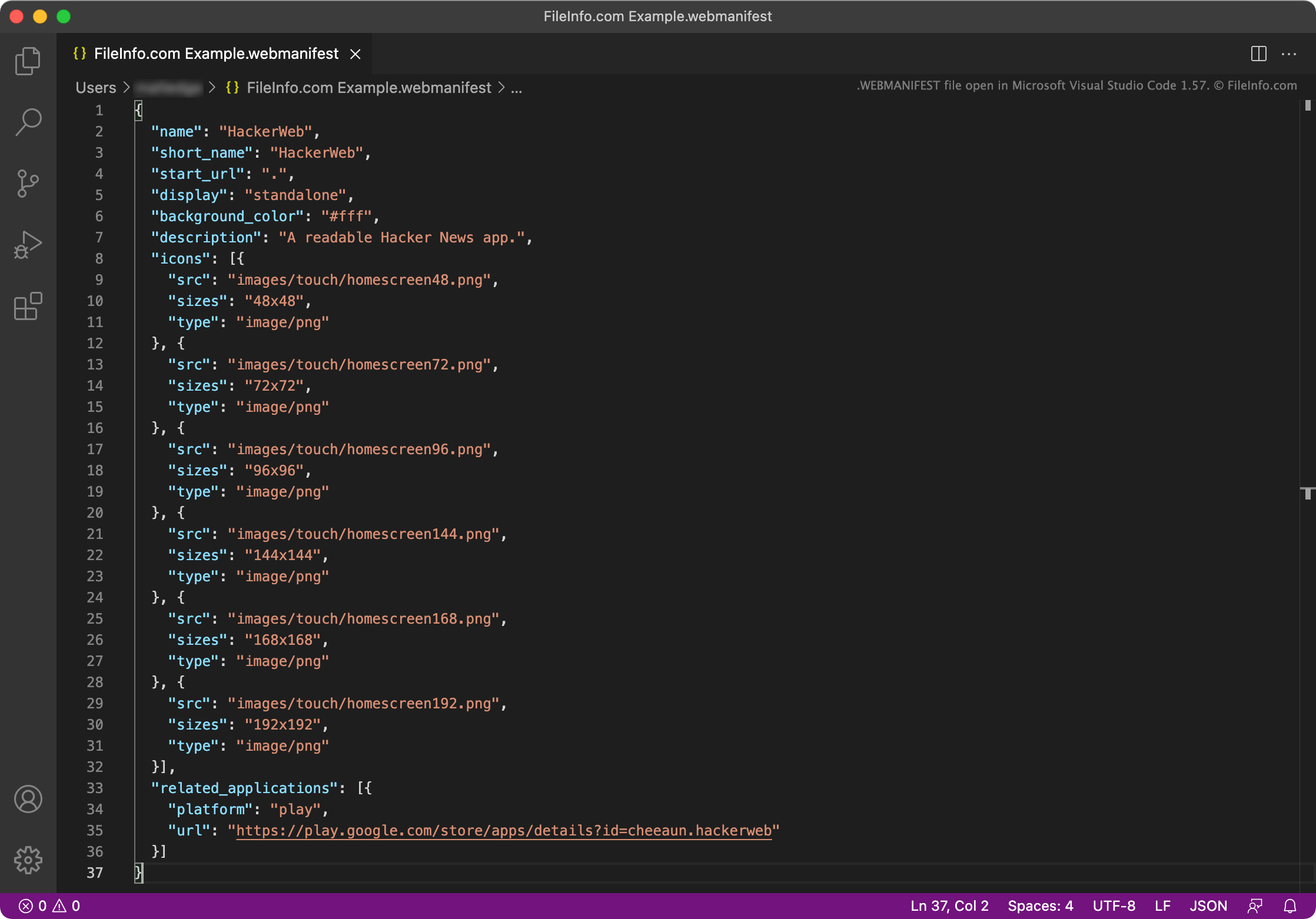
Een WEBMANIFEST-bestand is een metagegevens-bestand dat wordt gebruikt door een progressieve webapplicatie (PWA). Het bevat onder andere de naam, start-URL, beschrijving, instellingen voor het opstartscherm, pictogrammen en de beoogde oriëntatie van een PWA. WEBMANIFEST-bestanden bestaan uit JSON-objecten.
Meer informatie
PWA's zijn webapplicaties die op een apparaat kunnen worden geïnstalleerd, meestal op het bureaublad of het startscherm van het apparaat. Hierdoor kunnen gebruikers de webapplicatie openen zoals ze een systeemeigen OS-applicatie zouden openen.
In Google Chrome kunnen gebruikers bijvoorbeeld naar app.starbucks.com gaan, het menu Instellingen van Google Chrome openen en vervolgens selecteren om de Starbucks-PWA te installeren. Hierdoor wordt een Starbucks-applicatie gemaakt die gebruikers kunnen openen en gebruiken om bestellingen te plaatsen via app.starbucks.com.
Elke PWA bevat een WEBMANIFEST-bestand. Dit is een JSON-bestand waarin de naam van de app, de start-URL (de URL die wordt gebruikt om het hoofdscherm van de app te laden), applicatiepictogrammen en veel andere instellingen worden opgegeven. Elk WEBMANIFEST-bestand kan de volgende JSON-objecten bevatten:
- background_color: Definieert de achtergrondkleur van het laadscherm van de PWA
- categories: Definieert de categorie of categorieën waartoe de PWA behoort
- description: Legt het doel van de app uit
- dir: Definieert de standaardrichting waarin de PWA tekst weergeeft (van links naar rechts of van rechts naar links)
- display: Definieert de gewenste weergavemodus van de PWA; kan worden ingesteld op fullscreen, standalone, minimal-ui of browser
- iarc_rating_id: Bevat de certificeringscode van de International Age Rating Coalition voor de PWA
- icons: Geeft de afbeeldingen op die als pictogrammen van de PWA worden gebruikt
- lang: Geeft de primaire taal van de PWA op
- name: Geeft de naam van de PWA op
- orientation Geeft de standaardoriëntatie van de PWA op; kan worden ingesteld op any, natural, landscape, landscape-primary, landscape-secondary, portrait, portrait-primary of portrait-secondary
- prefer_related_applications: Geeft aan of de app(s) in het object related_applications de voorkeur moeten krijgen en in plaats van de PWA moeten worden geopend
- protocol_handlers: Vermeldt de protocollen die de PWA kan registreren en verwerken
- related_applications: Vermeldt systeemeigen applicaties die een OS in plaats van de PWA kan uitvoeren
- scope: Beperkt welke webpagina's binnen de PWA kunnen worden bekeken
- screenshots: Geeft de afbeeldingen op die als schermafbeeldingen van de PWA in PWA-winkels worden gebruikt
- short_name: Definieert de korte naam van de PWA voor situaties waarin de volledige naam niet kan worden weergegeven
- shortcuts: Definieert URL's die worden gebruikt als koppelingen naar belangrijke taken of pagina's in de PWA; wordt gebruikt om een contextmenu samen te stellen
- start_url: De URL die standaard wordt geladen wanneer de gebruiker de PWA opent
- theme_color: Definieert de standaardthem kleur van de PWA
De meeste WEBMANIFEST-bestanden bevatten slechts enkele van de bovenstaande instellingen. Ontwikkelaars verwijzen meestal naar WEBMANIFEST-bestanden in het primaire .HTML-bestand van een PWA.
Een WEBMANIFEST-bestand openen
Je kunt een WEBMANIFEST-bestand openen en bewerken in elke teksteditor of editor voor broncode, waaronder Microsoft Visual Studio Code (platformonafhankelijk), GitHub Atom (platformonafhankelijk), Microsoft Notepad (Windows), Apple TextEdit (Mac) of Vim (Linux).