

.WEBMANIFEST Dateiendung
Manifest für progressive Webanwendungen
| Entwickler | W3C |
| Beliebtheit |
3,8 | 6 Stimmen |
Was ist eine WEBMANIFEST-Datei?
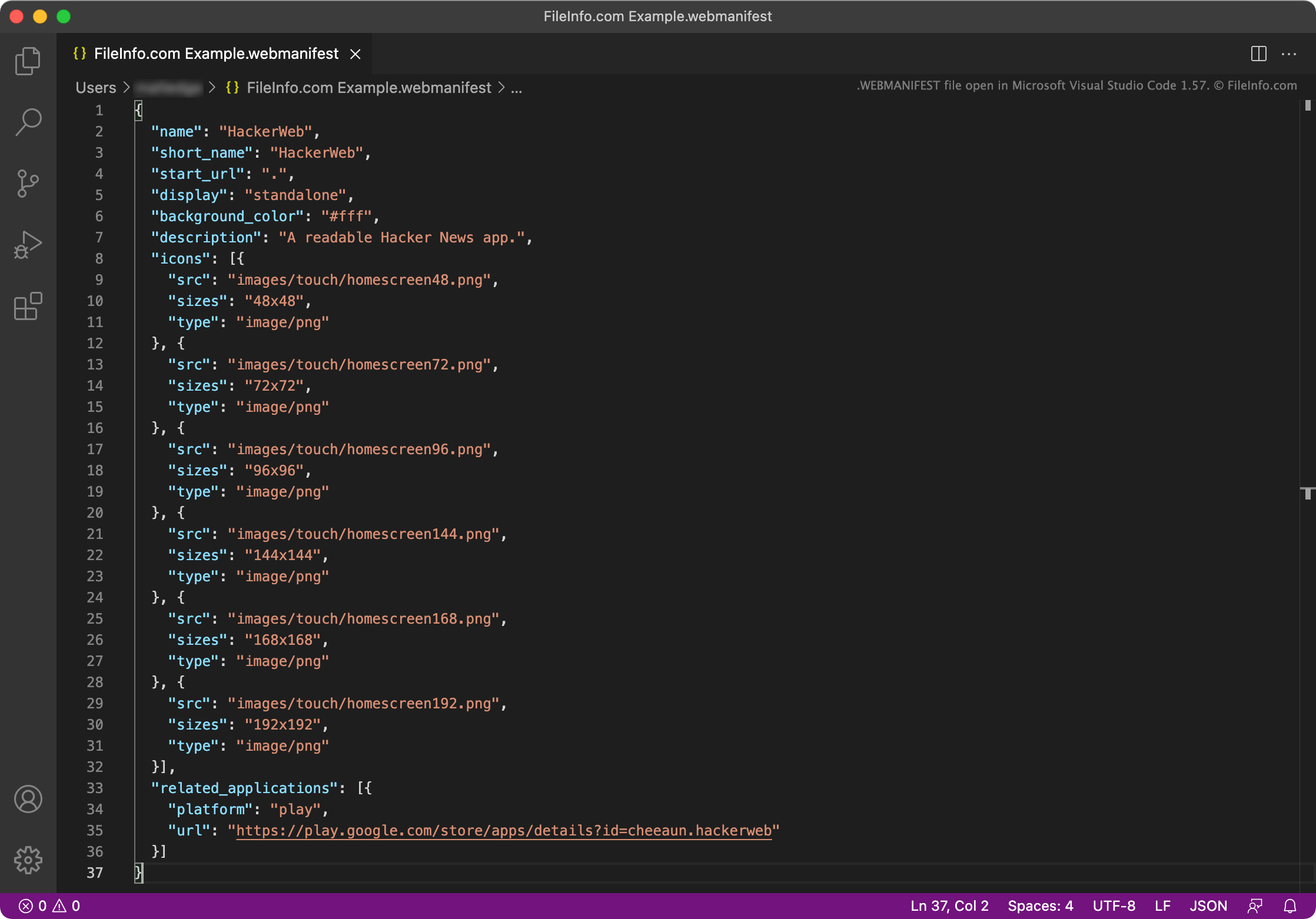
Eine WEBMANIFEST-Datei ist eine Metadatendatei, die von einer progressiven Webanwendung (PWA) verwendet wird. Sie enthält unter anderem den Namen, die Start-URL, die Beschreibung, die Einstellungen für den Startbildschirm, Symbole und die gewünschte Ausrichtung einer PWA. WEBMANIFEST-Dateien bestehen aus JSON-Objekten.
Weitere Informationen
PWAs sind Webanwendungen, die auf einem Gerät installiert werden können, normalerweise auf dem Desktop oder Startbildschirm des Geräts. Dadurch können Benutzer auf die Webanwendung genauso zugreifen wie auf eine native Betriebssystem-Anwendung.
Beispielsweise können Benutzer in Google Chrome zu app.starbucks.com navigieren, das Einstellungsmenü von Google Chrome öffnen und dann auswählen, um die Starbucks-PWA zu installieren. Dadurch wird eine Starbucks-Anwendung erstellt, die Benutzer öffnen und verwenden können, um über app.starbucks.com Bestellungen aufzugeben.
Jede PWA enthält eine WEBMANIFEST-Datei. Dabei handelt es sich um eine JSON-Datei, in der der Name der App, die Start-URL (die zum Laden des Hauptbildschirms der App verwendete URL), die Anwendungssymbole und viele weitere Einstellungen angegeben sind. Jede WEBMANIFEST-Datei kann die folgenden JSON-Objekte enthalten:
- background_color: Legt die Hintergrundfarbe des Ladebildschirms der PWA fest
- categories: Legt die Kategorie oder Kategorien fest, denen die PWA angehört
- description: Erklärt den Zweck der App
- dir: Legt die Standardrichtung fest, in der die PWA Text anzeigt (von links nach rechts oder von rechts nach links)
- display: Legt den bevorzugten Anzeigemodus der PWA fest; kann auf fullscreen, standalone, minimal-ui oder browser gesetzt werden
- iarc_rating_id: Enthält den Zertifizierungscode der PWA von der International Age Rating Coalition
- icons: Gibt die als Symbole der PWA verwendeten Bilder an
- lang: Gibt die Hauptsprache der PWA an
- name: Gibt den Namen der PWA an
- orientation Legt die Standardausrichtung der PWA fest; kann auf any, natural, landscape, landscape-primary, landscape-secondary, portrait, portrait-primary oder portrait-secondary gesetzt werden
- prefer_related_applications: Gibt an, ob die im Objekt related_applications aufgeführten App(s) bevorzugt und anstelle der PWA geöffnet werden sollen
- protocol_handlers: Listet die Protokolle auf, die die PWA registrieren und verarbeiten kann
- related_applications: Listet native Anwendungen auf, die ein Betriebssystem anstelle der PWA ausführen kann
- scope: Beschränkt, welche Webseiten innerhalb der PWA angezeigt werden können
- screenshots: Gibt die Bilder an, die in PWA-Stores als Screenshots der PWA verwendet werden sollen
- short_name: Legt den Kurznamen der PWA für Fälle fest, in denen der vollständige Name nicht angezeigt werden kann
- shortcuts: Legt URLs fest, die als Links zu wichtigen Aufgaben oder Seiten in der PWA verwendet werden; dient zum Zusammenstellen eines Kontextmenüs
- start_url: Die URL, die standardmäßig geladen wird, wenn der Benutzer die PWA öffnet
- theme_color: Legt die Standarddesignfarbe der PWA fest
Die meisten WEBMANIFEST-Dateien enthalten nur einige der oben genannten Einstellungen. Entwickler verknüpfen normalerweise WEBMANIFEST-Dateien innerhalb der primären .HTML-Datei einer PWA.
So öffnen Sie eine WEBMANIFEST-Datei
Sie können eine WEBMANIFEST-Datei in jedem Text- oder Quelltexteditor öffnen und bearbeiten, darunter Microsoft Visual Studio Code (plattformübergreifend), GitHub Atom (plattformübergreifend), Microsoft Notepad (Windows), Apple TextEdit (Mac) oder Vim (Linux).