.V5BLOCKS 파일 확장자

VEXcode V5 Project

개발사 VEX Robotics
인기도
3.0  |  1 투표
 

V5BLOCKS 파일이란 무엇인가요?

A V5BLOCKS file is a project created by VEX Robotics VEXcode V5, a cross-platform development environment designed for programming VEX V5 robots. It contains a collection of programming blocks in a JSON-like syntax that comprises instructions, settings, and configurations that control the actions of a robot. Robotics teams, educators, and hobbyists participating in VEX Robotics competitions or learning environments are the primary users who interact with V5BLOCKS files.

추가 정보

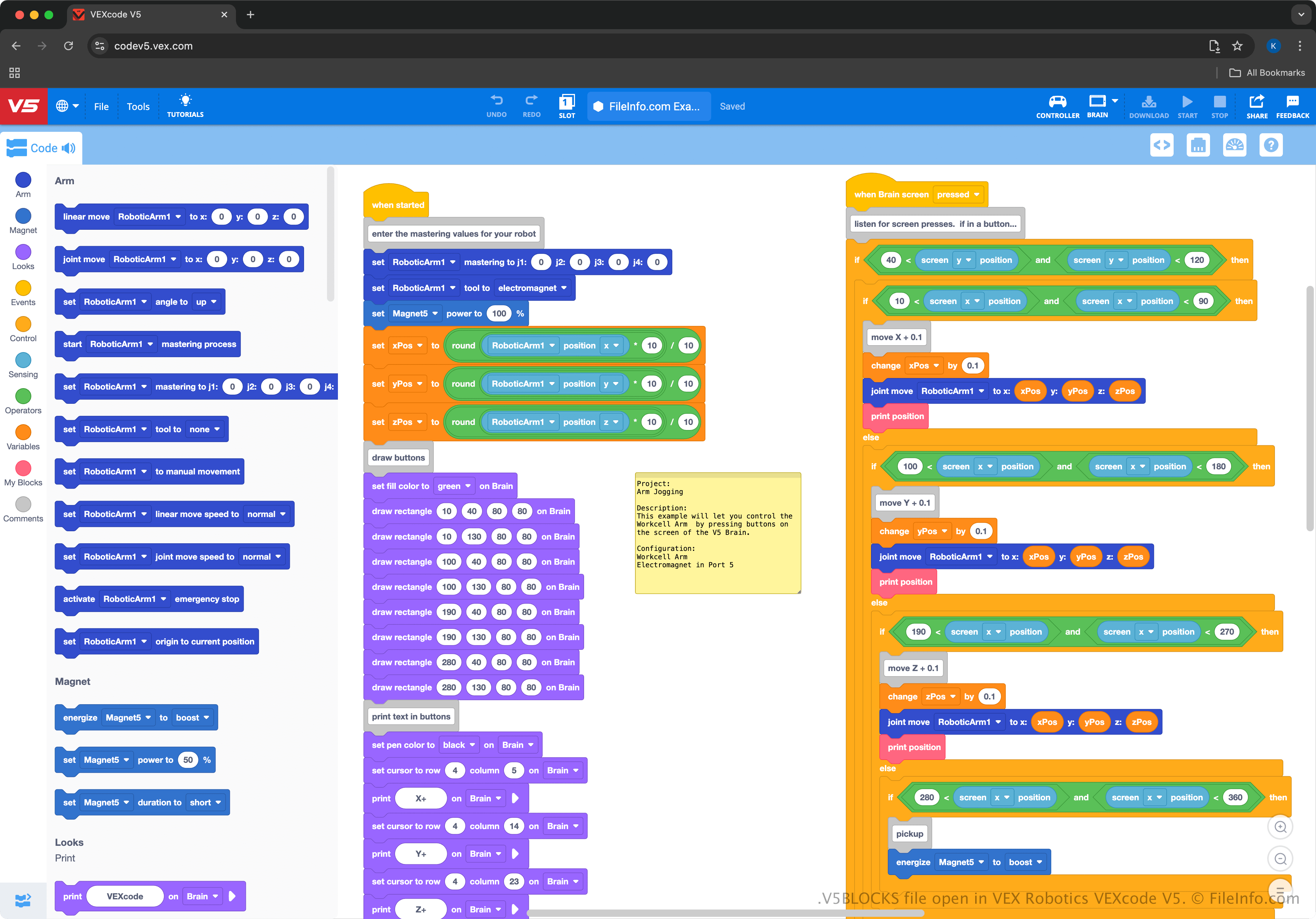
VEX Robotics VEXcode V5에서 열린 .v5blocks 파일의 스크린샷
VEX Robotics VEXcode V5에서 열린 V5BLOCKS 파일

VEXcode V5 provides a drag-and-drop interface, allowing users to select blocks representing code and connect them to operate robots. The environment is similar to MIT Scratch, making it beginner-friendly and accessible for students or educators learning to program robots. For example, it teaches programming concepts without requiring prior experience in text-based coding languages.

The VEXcode V5 environment supports exporting V5BLOCKS projects for VEX V5 Brain hardware, allowing users to test and refine their robotic programs in real-world applications. Users can also switch from the block-based interface to text-based programming within VEXcode to work in more complex coding languages like Python or C++ (users can save those projects as .V5PYTHON and .V5CPP files).

V5BLOCKS 파일을 여는 방법

You can open V5BLOCKS files with VEXcode V5, which is available for Windows, macOS, Android, iOS, and in a web browser. To open a V5BLOCKS file, select File → Open from within VEXcode V5.

Since V5BLOCKS files contain plain text, you can also open them with simple text editors, such as Microsoft Notepad (Windows), Apple TextEdit (macOS), and gedit (Linux). However, the files will not appear the same as opening them with VEXcode V5 and the text editors do not provide the same helpful editing capabilities.

V5BLOCKS 파일을 변환하는 방법

You can convert V5BLOCKS files to .V5CPP or .V5PYTHON files via the Code Viewer in VEXcode V5. To do this, choose the C++ or Python option, and select Convert to Text Project. You can then select File → Save As to save it as a V5CPP or V5PYTHON file.

File Viewer Plus(으)로 400개 이상의 파일 형식을 여세요.무료 다운로드

V5BLOCKS 파일을 여는 프로그램

카테고리: 개발자
업데이트: 2025-01-07

검증자 FileInfo.com

FileInfo.com 팀 이 페이지에 나열된 VEXcode V5 Project 파일 형식과 Mac, Windows, Android, and iOS 앱을 독자적으로 조사했습니다. 저희의 목표는 100% 정확성이며, 검증한 파일 유형에 대한 정보만 게시합니다.

이 페이지에 추가하거나 업데이트할 내용을 제안하고 싶으시면 알려 주세요.